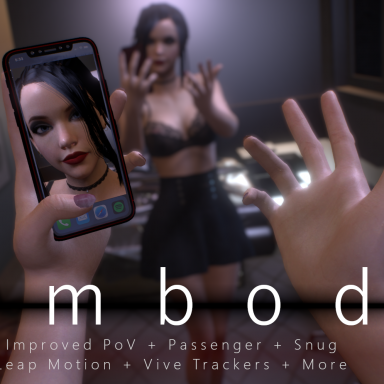


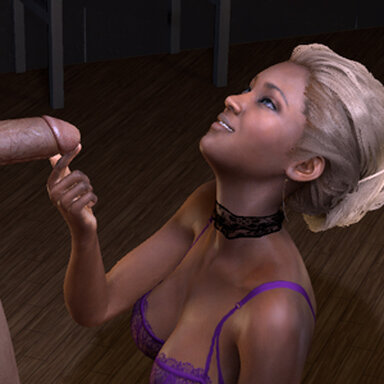
A pretty vanilla visit to Satin.
Also available through Satin stories launcher.
!IMPORTANT NOTE! Feet dependency var is not required.
Other notes:
- Even if not all stories are "work" related, Satin stories do take place in a brothel.
- DYNAMIC ANIM INFO
-> custom weight and speed values should be avoided when transitioning, as it might break anims. At the very least don't use extreme values.
-> speed and depth sensitivity control reactions to penetration, not orgasm progression; increasing the slider will increase reactions.
-> threshold controls reaction limits; reactions will usually be a two part system (ex: pleasure / pain; calm / wild). No slider means no threshold; max slider means the limit is maxed, so a pleasure / pain dynamic will produce no pain. Increasing speed / depth sensitivity and maxing threshold can often produce small reaction variation.
-> adaptability is a way to automatically increase threshold over time. The higher the slider, the faster the effect. Adaptability will override the threshold slider if it starts to produce a higher threshold. When the slider is fully to the left, adaptability is 0, and the effect is reset.
The scene was made with high quality soft body physics, text-to-speech function and desktop mode in mind. Other parameters used were (user preferences): pixel light count 4; physics rate 60hz; physics update cap 2.
Deviations from these settings may lead to unforseen results.
Features:
- Animations that can be viewed non-sequencially, with secondary animation choice to produce more variety
- Automated functions to produce dynamic reactions / results, regardless of timeline triggers / keyframes
- Text to speech audio and subtitles (both can be turned off)
- A dynamic camera, as well as preset ones that auto adjust as required
- Two UIs, a free one and one using the paid version of UI assist. The paid plugin is not a var dependence, the scene simply includes profiles for it


Instructions:
Open top menu-> scene browser-> First_visit_(Dynamic_anim)
or
Open scene-> Aipas-> First_visit_(Dynamic_anim)
- This var includes profiles (first_visit_dynamic_anim; first_visit_dynamic_anim_edit) for an UI based on the PAID VERSION of UI ASSIST.
Avoid OVERLAPING by closing the CUSTOM UI (click CONTROLS)
- Use UI on BOTTOM RIGHT for menus
- TRANSITIONS are running while the transition SIGN << >> located near the TOP RIGHT CORNER is on. DON'T USE CONTROL UI during it.
- Press P for play mode and F1 to disable Vam's native interface
Final note: big thanks to JaxZoa, whose dress came in clutch, since I had to change clothing last minute. Undresses well too.
Also available through Satin stories launcher.
!IMPORTANT NOTE! Feet dependency var is not required.
Other notes:
- Even if not all stories are "work" related, Satin stories do take place in a brothel.
- DYNAMIC ANIM INFO
-> custom weight and speed values should be avoided when transitioning, as it might break anims. At the very least don't use extreme values.
-> speed and depth sensitivity control reactions to penetration, not orgasm progression; increasing the slider will increase reactions.
-> threshold controls reaction limits; reactions will usually be a two part system (ex: pleasure / pain; calm / wild). No slider means no threshold; max slider means the limit is maxed, so a pleasure / pain dynamic will produce no pain. Increasing speed / depth sensitivity and maxing threshold can often produce small reaction variation.
-> adaptability is a way to automatically increase threshold over time. The higher the slider, the faster the effect. Adaptability will override the threshold slider if it starts to produce a higher threshold. When the slider is fully to the left, adaptability is 0, and the effect is reset.
The scene was made with high quality soft body physics, text-to-speech function and desktop mode in mind. Other parameters used were (user preferences): pixel light count 4; physics rate 60hz; physics update cap 2.
Deviations from these settings may lead to unforseen results.
Features:
- Animations that can be viewed non-sequencially, with secondary animation choice to produce more variety
- Automated functions to produce dynamic reactions / results, regardless of timeline triggers / keyframes
- Text to speech audio and subtitles (both can be turned off)
- A dynamic camera, as well as preset ones that auto adjust as required
- Two UIs, a free one and one using the paid version of UI assist. The paid plugin is not a var dependence, the scene simply includes profiles for it
Instructions:
Open top menu-> scene browser-> First_visit_(Dynamic_anim)
or
Open scene-> Aipas-> First_visit_(Dynamic_anim)
- This var includes profiles (first_visit_dynamic_anim; first_visit_dynamic_anim_edit) for an UI based on the PAID VERSION of UI ASSIST.
Avoid OVERLAPING by closing the CUSTOM UI (click CONTROLS)
- Use UI on BOTTOM RIGHT for menus
- TRANSITIONS are running while the transition SIGN << >> located near the TOP RIGHT CORNER is on. DON'T USE CONTROL UI during it.
- Press P for play mode and F1 to disable Vam's native interface
Final note: big thanks to JaxZoa, whose dress came in clutch, since I had to change clothing last minute. Undresses well too.








![[Unisex] Morphs](https://1424104733.rsc.cdn77.org/data/resource_icons/0/213.jpg?1590806147)


![[Unisex] Decals Pack 01](https://1424104733.rsc.cdn77.org/data/resource_icons/0/200.jpg?1590334554)