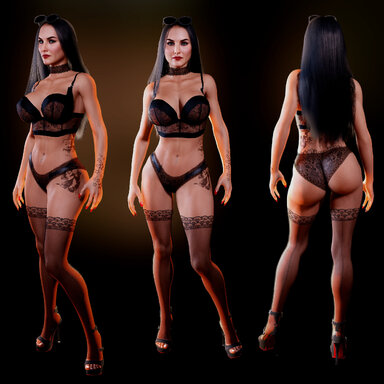
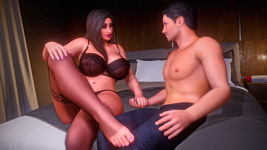
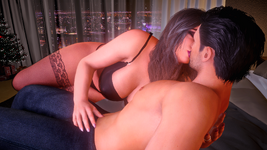
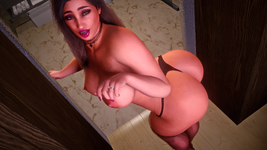
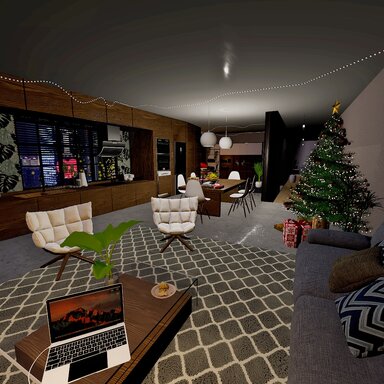
Westo #12 - Turn Of The Year is a cozy New Year's themed scene narrating a happy couple unwinding in the bedroom after hosting an eventful New Year's Eve party.
(Note: In the screenshot previews I'm using Mr. Orange's Reshade Preset, making things look more vibrant)

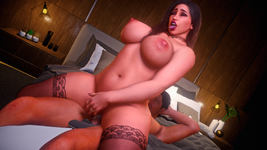
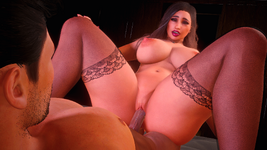
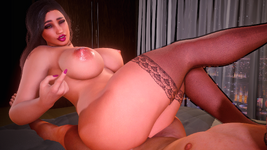
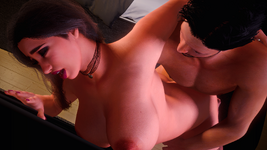
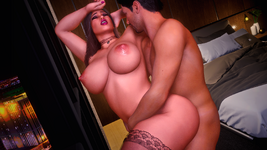
[ SCENE OVERVIEW ](Note: In the screenshot previews I'm using Mr. Orange's Reshade Preset, making things look more vibrant)
- New Year's themed scene featuring a happy couple.
- 12 intimate positions to choose from.
- 1st Person (POV) and 3rd Person (CamRide) viewing options.
- Keybindings for easy transitions between animations and changing views.
- UI Menu to navigate between animations, settings, and info.
- Text Dialogue to help tell a simple narrative. Can be toggled.
KEYBINDS:
Binds can be changed at Scene Plugins -> SimpleKeybind Plugin -> Keybind.
- "Shift" + "1" : Toggle 1st Person (POV)
- "Shift" + "2" : Toggle 3rd Person (CamRide)
- "DownArrow" : Toggle UI
- "RightArrow" : Next Animation
- "LeftArrow" : Previous Animation
RECOMMENDED SETTINGS:
Made with Desktop Mode in mind, but can work in VR as well. Settings below aren't mandatory but are recommended for the best/intended experience.
- 40-50 FOV (for Desktop Mode)
- Soft Breast Physics: ON
- Soft Glute Physics : OFF
- High Quality Physics: OFF
- 4-6 Pixel Light Count
- 60 HZ Physics Rate
Removing the included plugins on the Person Atoms could potentially break some things so do so at your own risk.
Experiencing low FPS? Some things you could do to improve your frames are:
- Disable the Nightstand Lights
- Disable the Extra Light
- Disable the Christmas Decor
- Disable plugins such as TittyMagic and ShakeIt
- Remove the male character's hair
- Hide the UI when it's not in use. The Auto Hide UI option is perfect for this
USING YOUR OWN GALS:
- The Female Atom included in the scene is pretty thicc and some animations highlight that fact. If you use a skinnier model, some things may look a bit off, but overall most looks should be usable. Results may vary.
- TittyMagic plugin included to help make breast-focused animations more natural.
- ColliderEditor plugin included to help alignment especially with bigger models.
MISALIGNMENT FIXES:
The following may help prevent or remedy misalignment issues:
- If you replace an Atom and notice some misalignment, try using the scene's Calibrate pose to help match your custom looks to the scene's default characters.
- The Male Atom has a scale of 1.000 while the Female Atom has a scale of 1.000.
- Avoid removing the included Atom plugins such as ColliderEditor.
- Disable Soft Glute Physics for the Female Atoms.
- For minor hiccups in an animation, replaying the animation again via UI Panel may fix it.
Ultimately I can't account for every custom appearance, so I can't guarantee the animations will work flawlessly for all your characters.
MISSING UI:
- If the VamStory UI isn't appearing in the scene, the most likely cause is that you're using an older version of VaM. Updating your VaM to the most recent version should resolve this.
CREDITS:
Royalty free songs are a compilation of jazzy piano songs by JuliusH.
Some of the royalty free SFX are from the following sources:
- OpenNSFW SFX Pack, @OpenNSFWSP on Twitter.
Special thanks to DragonPhantom for their Cozy Christmas Apartment asset, which also inspired me to include the fireworks for the scene.
And thanks to all the creators who have their creations listed as dependencies for this scene. This scene was made possible thanks to you.


![Westo #10 - Welcome Home [Demo]](https://1424104733.rsc.cdn77.org/data/resource_icons/58/58993.jpg?1751948703)


![Westo #9 - Their Plaything [Demo]](https://1424104733.rsc.cdn77.org/data/resource_icons/56/56414.jpg?1743577321)
![Westo #8 - Memories [Demo]](https://1424104733.rsc.cdn77.org/data/resource_icons/56/56413.jpg?1743575075)






![[Male] Modular Beard Pack](https://1424104733.rsc.cdn77.org/data/resource_icons/0/155.jpg?1591007428)


![[Unisex] Morphs](https://1424104733.rsc.cdn77.org/data/resource_icons/0/213.jpg?1590806147)