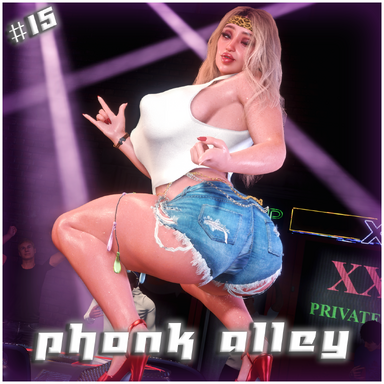


Phonk Alley is the hot new spot to be after dark if you're looking to see some twerking, teasing, and maybe even get some tail. Loud banging music and bright lights attracted a decently large crowd, eager to let loose and enjoy the show.
(Note: In the screenshot previews I'm using Mr. Orange's Reshade Preset, making things look more vibrant)

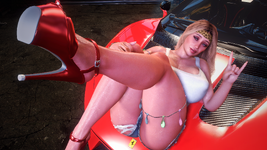
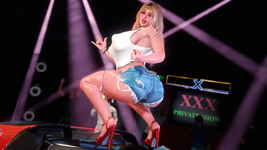
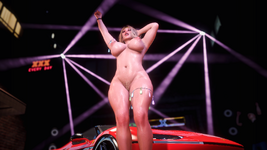
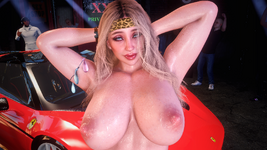
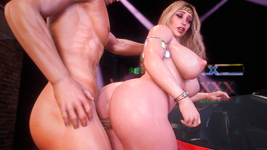

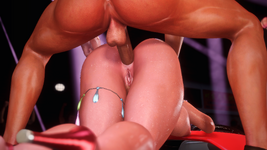

[ SCENE OVERVIEW ](Note: In the screenshot previews I'm using Mr. Orange's Reshade Preset, making things look more vibrant)
- Bustling alleyway scene with bright lights, banging music, and a fired up crowd.
- 24 positions split between sexy poses, dances, and sex.
- 1st Person (POV) and 3rd Person (CamRide)viewing options.
- The 3rd Person CamRide is intended to be used in Desktop Mode as it may be a bit disorienting in VR.
- Toggleable Elements such as flashing lights, distorted camera, and rain
- Keybindings for easy transitions between animations and changing views.
- UI Menu to navigate between animations, settings, and info.
KEYBINDS:
Binds can be changed at Scene Plugins -> SimpleKeybind Plugin -> Keybind.
- "Shift" + "1" : Toggle 1st Person (POV)
- "Shift" + "2" : Toggle 3rd Person (CamRide)
- "RightArrow" : Next Animation
- "LeftArrow" : Previous Animation
- "DownArrow" : Toggle UI Menu
RECOMMENDED SETTINGS:
Made with Desktop Mode in mind, but can work in VR as well. Settings below aren't mandatory but are recommended for the best/intended experience.
- 40-50 FOV (for Desktop Mode)
- Soft Breast Physics: ON
- Soft Glute Physics : OFF
- High Quality Physics: OFF
- 4-6 Pixel Light Count
- 60 HZ Physics Rate
Removing the included plugins on the Person Atoms could potentially break some things so do so at your own risk.
Experiencing low FPS? Some things you could do to improve your frames are:
- Disable the Sky Light and Extra Light
- Disable the Crowd NPCs
- Disable plugins such as TittyMagic and ShakeIt
- Hide the UI when it's not in use.
USING YOUR OWN MUSIC:
- The scene includes several phonk/electronic tracks to choose from, but it's also possible to add your own songs in as well.
- To do so, click the "Open Main UI" button in Virt-A-Mate's Edit Mode Menu -> Click the Scene Audio tab -> Browse for music files on your computer and add them -> Select the AudioSource_BGM Atom from the Select Tab -> Click the AudioSource_BGM's Plugin tab and click "Open Custom UI" on the first plugin -> Click "Rescan SceneAudio" and add the songs you want to the plugin.
- Now try hitting the "Play Random Song" button I created underneath the scene's VamStory Buttons and it'll select a random song to play on repeat until you change songs.
- It may seem like a lot of steps if you're newer to Virt-A-Mate but once you understand how to navigate the menus, it's quite simple.
USING YOUR OWN CHARACTERS:
- The Female Atom included in the scene is pretty thicc and some animations highlight that fact. If you use a skinnier model, some things may look a bit off, but overall most looks should be usable. Results may vary.
- The Male Atom in this scene is larger than the average male character, so keep that in mind if you plan on trying to change him. His atom scale is set to 1.100. He also uses a foreskin morph by babul, which you may want to add to any male character you replace him with, otherwise the foreskin can look a bit weird.
- TittyMagic plugin included to help make breast-focused animations more natural.
- ColliderEditor plugin included to help alignment especially with bigger models.
MISALIGNMENT FIXES:
The following may help prevent or remedy misalignment issues:
- If you replace an Atom and notice some misalignment, try using the scene's Calibrate pose to help match your custom looks to the scene's default characters.
- The position sliders can help you reposition the characters if necessary.
- The Male Atom has a scale of 1.100 while the Female Atom has a scale of 1.000.
- Avoid removing the included Atom plugins such as ColliderEditor.
- Disable Soft Glute Physics for the Female Atoms.
- For minor hiccups in an animation, replaying the animation again via UI Panel may fix it.
Ultimately I can't account for every custom appearance, so I can't guarantee the animations will work flawlessly for all your characters.
MISSING UI:
- If the VamStory UI isn't appearing in the scene, the most likely cause is that you're using an older version of VaM. Updating your VaM to the most recent version should resolve this.
CREDITS:
Emerel Gray - Ligado
Infraction - Black Ice
Infraction - Finger On The Trigger
Infraction - Metaphonk
Infraction - Press Start
Infraction & Lazerpunk - Digiphonk
Infraction, Emerel Gray - Dominate
Infraction, Emerel Gray - Todo Mundo
Note: Most of these require a subscription to their services to use
Infraction - Black Ice
Infraction - Finger On The Trigger
Infraction - Metaphonk
Infraction - Press Start
Infraction & Lazerpunk - Digiphonk
Infraction, Emerel Gray - Dominate
Infraction, Emerel Gray - Todo Mundo
Note: Most of these require a subscription to their services to use
Royalty free SFX are from the following sources:
- OpenNSFW SFX Pack, @OpenNSFWSP on Twitter.
Additional credits below for creations that I used which aren't dependencies:
- Jackaroo's Hoodie Texture
- Jackaroo's Bodybuilder Veins Texture
- WeebU's Penis Normal Map Texture
- BooMoon's LUT Pack
- ICannotDie's LUT Pack



![Westo #10 - Welcome Home [Demo]](https://1424104733.rsc.cdn77.org/data/resource_icons/58/58993.jpg?1751948703)







![[Unisex] Morphs](https://1424104733.rsc.cdn77.org/data/resource_icons/0/213.jpg?1590806147)




![[Unisex] Clothing Pack 01](https://1424104733.rsc.cdn77.org/data/resource_icons/0/366.jpg?1591215158)

![[Male] Modular Beard Pack](https://1424104733.rsc.cdn77.org/data/resource_icons/0/155.jpg?1591007428)