



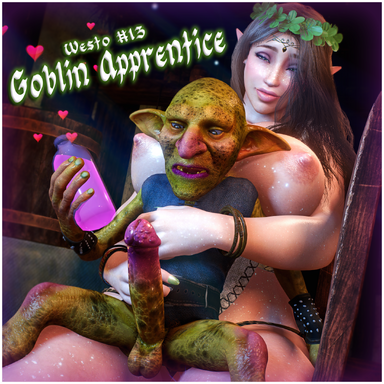

A tale that follows an esteemed yet lustful Elven mage and her Goblin Apprentice as they take measures to produce a crucial ingredient for a potion which was only known in fables.. until now...
(Note: In the screenshot previews I'm using Mr. Orange's Reshade Preset, making things look more vibrant)

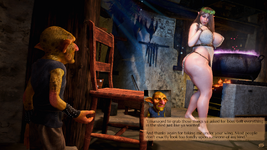
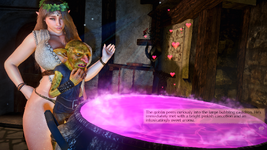
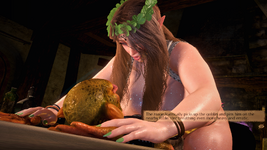
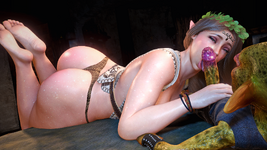
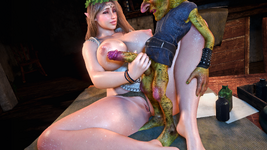
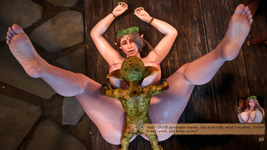
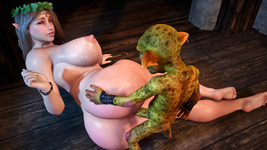
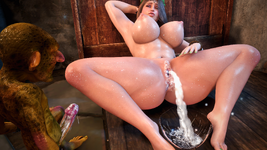
[ SCENE OVERVIEW ](Note: In the screenshot previews I'm using Mr. Orange's Reshade Preset, making things look more vibrant)
- Fantasy-themed scene following an Elven mage and her goblin apprentice.
- 19 intimate positions to choose from with more on the way.
- 1st Person (POV) and 3rd Person (CamRide) viewing options.
- Narrative-driven animation progression and animation variant options
- Keybindings for easy transitions between animations and changing views.
- UI Menu to navigate between animations, settings, and info.
KEYBINDS:
Binds can be changed at Scene Plugins -> SimpleKeybind Plugin -> Keybind.
- "Shift" + "1" : Toggle 1st Person (POV)
- "Shift" + "2" : Toggle 3rd Person (CamRide)
- "RightArrow" : Next Animation
- "LeftArrow" : Previous Animation
- "DownArrow" : Toggle UI Menu
- "Ctrl" + "RightArrow" : Continue Dialogue
- "Ctrl" + "DownArrow" : Toggle Dialogue Box
RECOMMENDED SETTINGS:
Made with Desktop Mode in mind, but can work in VR as well. Settings below aren't mandatory but are recommended for the best/intended experience.
- 40-50 FOV (for Desktop Mode)
- Soft Breast Physics: ON
- Soft Glute Physics : OFF
- High Quality Physics: OFF
- 4-6 Pixel Light Count
- 60 HZ Physics Rate
Removing the included plugins on the Person Atoms could potentially break some things so do so at your own risk.
Experiencing low FPS? Some things you could do to improve your frames are:
- Disable the Cauldron Light, Ceiling Light, Extra Light.
- Disable plugins such as TittyMagic and ShakeIt
- Hide the UI when it's not in use. The Auto Hide UI option is perfect for this
ADJUSTING THE DIALOGUE BOX POSITION:
- The dialogue box will adjust it's position/size automatically depending on if you launch the scene in Desktop or VR. Adjusting the position might seem a bit complicated but it's really not.
- If you wish to permanently adjust the position, first go to the Atom Select Menu -> Toggle Show Hidden ON. Now find the Controller_VAMStoryDialogue atom and go to the plugin tab.
- To adjust the dialogue box's position for Desktop Mode, edit the values in plugin#2. For VR mode, edit the values in plugin#3.
- To make things easier, you can adjust the values in plugin#1 (HeadLightLink) to see exactly how things would look. But keep in mind that to permanently change the position, you'll still need to modify the values in plugin#2 and/or plugin#3.
- You'd probably want to save the scene at this point so your adjustments save.
USING YOUR OWN CHARACTERS:
- The Female Atom included in the scene is pretty thicc and some animations highlight that fact. If you use a skinnier model, some things may look a bit off, but overall most looks should be usable. Results may vary.
- The Male Atom in this scene is obviously smaller than the average male character, so keep that in mind if you plan on trying to change him. His atom scale is set to 0.5.
- TittyMagic plugin included to help make breast-focused animations more natural.
- ColliderEditor plugin included to help alignment especially with bigger models.
MISALIGNMENT FIXES:
The following may help prevent or remedy misalignment issues:
- If you replace an Atom and notice some misalignment, try using the scene's Calibrate pose to help match your custom looks to the scene's default characters.
- The Male Atom has a scale of 1.000 while the Female Atom has a scale of 1.000.
- Avoid removing the included Atom plugins such as ColliderEditor.
- Disable Soft Glute Physics for the Female Atoms.
- For minor hiccups in an animation, replaying the animation again via UI Panel may fix it.
Ultimately I can't account for every custom appearance, so I can't guarantee the animations will work flawlessly for all your characters.
MISSING UI:
- If the VamStory UI isn't appearing in the scene, the most likely cause is that you're using an older version of VaM. Updating your VaM to the most recent version should resolve this.
CREDITS:
Royalty free songs are a compilation of fantasy folk songs by Alexander Nakarada.
Some of the royalty free SFX are from the following sources:
- OpenNSFW SFX Pack, @OpenNSFWSP on Twitter.
Special thanks to SneakyOne for his Goblin characters, pretty much the only reason this scene exists!
And thanks to all the creators who have their creations listed as dependencies for this scene. This scene was made possible thanks to you.


![Westo #10 - Welcome Home [Demo]](https://1424104733.rsc.cdn77.org/data/resource_icons/58/58993.jpg?1751948703)

![Westo #9 - Their Plaything [Demo]](https://1424104733.rsc.cdn77.org/data/resource_icons/56/56414.jpg?1743577321)
![Westo #8 - Memories [Demo]](https://1424104733.rsc.cdn77.org/data/resource_icons/56/56413.jpg?1743575075)






![[Unisex] Morphs](https://1424104733.rsc.cdn77.org/data/resource_icons/0/213.jpg?1590806147)




![[Male/Futa] Body Hair Pack](https://1424104733.rsc.cdn77.org/data/resource_icons/0/201.jpg?1590342116)


