

This is the first and probably the "one girl scene" only I’ve ever made by myself. This scene is free and will always remain free. I’ll gradually update and extend its duration over time (as long as i still in VAM) so everyone can enjoy playing it.
Scene file (Ztulian.Ultimate_Lapdance_Loop_Lv1.3.var)
Update 13/6/2026: Part 1 is done with teasing+ looping (scene length total >360s). Added a lot more expressions and upgraded several animations.Scene file (Ztulian.Ultimate_Lapdance_Loop_Lv1.3.var)
Update 5/6/2026 : add some more light effect
Preview below  ( Video capture with OBS )
After thinking about it for a while, I realized that it wasn’t talent or any strong desire for achievement that helped me learn and get familiar with VAM so quickly. It was simply the joy and pleasure of creating the scenes in VAM exactly the way I wanted, and seeing everyone enjoy that’s what makes me the happiest. ( Video capture with OBS )

The scene will be divided into multiple parts (each part is one scene lasting about 5–7 minutes). A lot of people have been messaging me saying they want to watch my looping scenes so they can have their hands free… lol.
Each Part will start with a teasing intro segment like in the video, then seamlessly transition straight into the loop.
Lv1 means there’s only 1 girl for now. I’ll make Lv2 and Lv3 later….If you enjoy my animations, please consider supporting my Patreon!
Since this is free, I’m also using resources from other creators, and the scene is released under NC-ND. All thanks and credits go to them.
Special thanks and credits to:
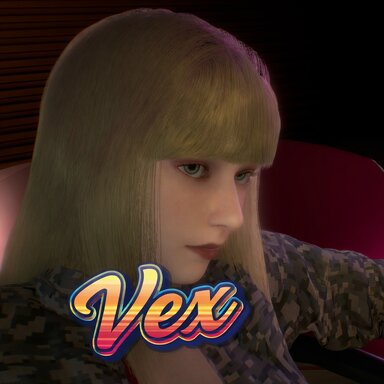
- Min-jun by @AKKEVE (Yeah, I’m tired of all those headless dudes already. Anyway, this is the cutest male character I could find on the Hub. He deserves to bang Vex ! OK !)
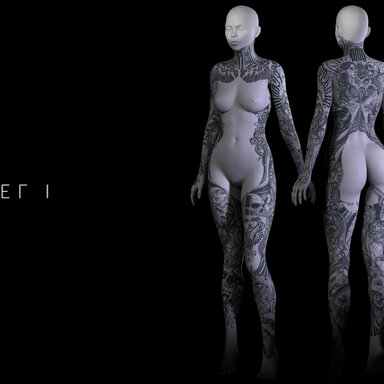
- Tattoos by s p l i n e VR (The best tattoos I know.) and @wanderer
- Hair by @MonsterShinkai ( hope everything ok with ya ! )
- Ears by @mowangdenixi
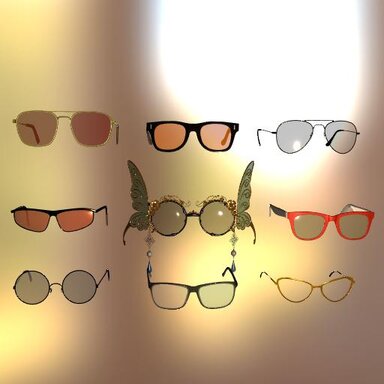
- Glasses by @xxxa
- Necklace by @sebon
- Nails by @SupaRioAmateur
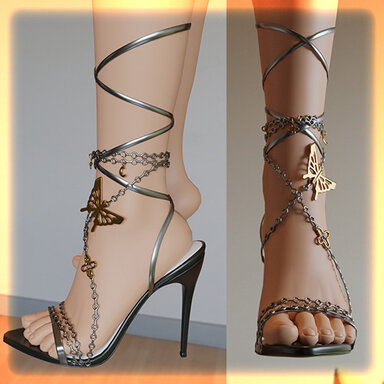
- Heel by @VL_13 ( as always..... the besttttttt )
- Light Creator from @Shadow Venom
- Camera and screen from @hazmhox
- Titty Magic Script by @everlaster
- Makeup stuff by @Jackaroo
- Wet & cum by @maru01 @redeyes @SupaRioAmateur @Foost @VamEssentials
- Piercing & LUT @BooMoon
- HPVL @PluginIdea
- Face exp @VamTimbo
- Vam by @meshedvr
- Hand & Brain & Time of @Ztulian
- aaaaaaaahhhhhhhhhhhhhhhhhhhhhhh ( this list is longer by time )
 … you’ll understand right away when watching the scene).
Technical
I made a complete control panel (Post Magic, character switch buttons… bla bla bla).
- Number of lights: 6 (3 lights are on by default, the other 3 can be toggled on/off)
- Number of screens and cameras: 2 (each can be turned on/off individually)
- Character scale: Female = 1.0, Male = 1.1
- Current scene length : 180s
- Soft body : MUST ON
Do not change the height of the characters (don’t replace the high heels. I’ve said this many times already, repeating it is so tiring lol).
NOTE: THESE 2 THINGS ARE VERY IMPORTANT:
1. Min-jun’s morphs keep resetting for some reason…
To fix it, open Package Manager in VaM, check the “preload morph” option (as shown in the image I provided). Do this if the issue happens and reloading the scene.
2. If the “johnson” clips out of Vex’s stomach or gets misaligned…
Just press the Reset button.
Also make sure your FPS isn’t too low (turn off some lights or screens if your PC is a potato).
I had to bother Skynet about this — it happens because VaM’s “johnson” has 3 nodes, so this issue sometimes occurs.
Anyway, if it happens, just hit Reset and continue playing. It should be fixed.
Some Screenshots


Damn, I'm enjoy being camera man so much !!!
Now go enjoy my little kitty cat !!!!!!!




















![[Clothing Plugin] Static Clothing](https://1424104733.rsc.cdn77.org/data/resource_icons/37/37635.jpg?1691357559)