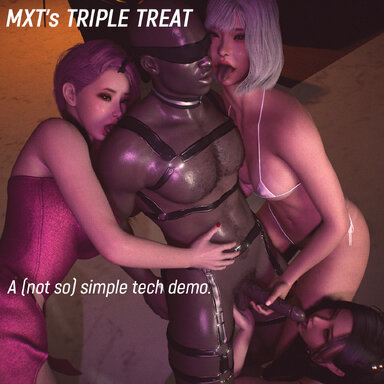



I'd recommend not downloading this right now (V1), there are 600 dependencies including sub dependencies for some reason,
am currently trying to clean it up and upload a V2. If you want to try V1, I'd recommend just getting main dependencies from the Hub Page,
instead of downloading all dependencies from ingame.
WARNING: THIS SCENE IS VERY GPU INTENSIVE. (3 female atoms)
ON AN RTX 3080 I AM ONLY GETTING ~30FPS. YOU HAVE BEEN WARNED.
Remove hair and clothing, or hide one or two of the girls (or the Daddy atom) for slightly better FPS.
Lights are already optimized. (2 spots, 1 fill)
This is not a cuckold scene.
This is a 'bored rich daddy lets his pets lick chocolate while he watches and films it for his amusement' scene.
Know the difference.


Recommended settings (for reasonable fps):
Physics rate - Auto
Physics update cap - 1
Soft physics - OFF
High Quality Physics - OFF
"Demo" in the title does not imply that there is a full version; it means this is a tech demo, with only 1 animation.
If you want me to set up a Patreon, let me know in the discussion thread lol I'm not very interested in the moment unless there's a demand.
I made this scene as a fun experiment to:
1. Make a functional fake "video camera" overlay
2. Add a functional "moving camera focus switch" to CheekiBreeki's CameraMan subscene
3. Mess around with self-made timeline animations from static poses, and
4.Set my PC on fire Stress test my PC.
This scene is made for Desktop use.
I do not have a VR setup so you're on your own if you want to attempt running this in VR.
There are no buttons in the scene; everything runs on hotkeys.
If you would like buttons, ask nicely and I'll consider it.
For users:
Use F10 (Start Everything) and F11 (Stop Everything) for braindead operation.
In camride, use F2 to F5 to switch the camera targets.
F2, F3 and F4 focus on the girls' faces. F5 moves the camera to full body view.
The camera will move slowly to the next position (to simulate a person filming), there are no instant cuts.
Read the Tech Info at the bottom if you're curious how about how this works.

F6 to F9 are useful in case you used <Esc> to exit camride.
Cheekibreeki's Cameraman settings and UI are further behind the couch;
just click <Initialize Cameraman> if the camera is stuck / static, and change the settings if you want.
Hotkeys and PostMagic are in <Scene Plugins>.
Have fun!
Technical Information (for power users and potential creators):
If you have any other technical questions, I would prefer it if you ask in the discussion tab rather than DM me so others can see the replies. The scene has been very meticulously and thoroughly crafted (and checked) and there should be no issues other than your frame rate (lol).
Credits:
ShadowVenom (BPMIntervalTrigger and RhythmReactor, Office Stage)
CheekiBreeki (CameraMan)
Dragontales (Light Atom Excluder plugin)
Acidbubbles (Timeline, Rubberleash, SpawnPoint)
Macgruber (LogicBricks)
Hazmhox (VAMCUI for the formatting of the hotkey list)
and all other creators for their clothing and hair (list is on the Hub page at the bottom).
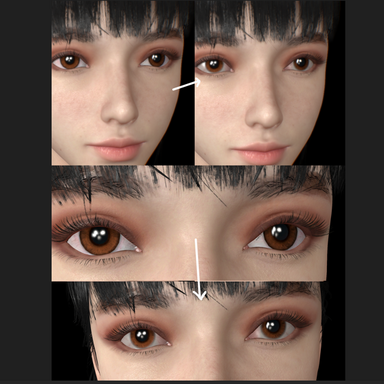
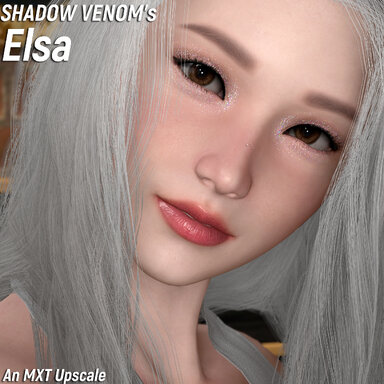
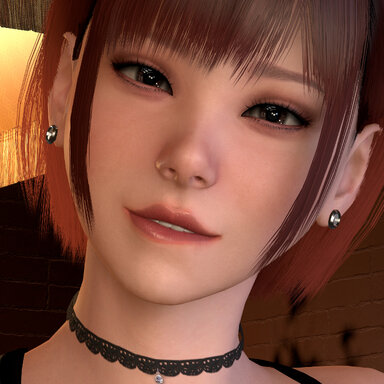
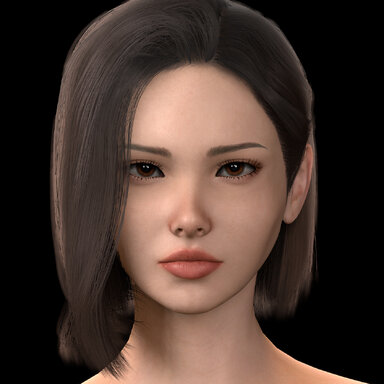
Special note: If you've read to the bottom, congratulations on being able to read! The three girls have newer alternative face textures not included in the MXT Girls pack, and a Torso texture that removes the 'reddening' of the collarbone area. They also have a slightly different combination of eye shaders. If you like the new makeup designs you can save the Appearance Presets from this scene for use in other scenes. I'm too lazy to update the MXT Girls pack anyway. Enjoy!
am currently trying to clean it up and upload a V2. If you want to try V1, I'd recommend just getting main dependencies from the Hub Page,
instead of downloading all dependencies from ingame.
WARNING: THIS SCENE IS VERY GPU INTENSIVE. (3 female atoms)
ON AN RTX 3080 I AM ONLY GETTING ~30FPS. YOU HAVE BEEN WARNED.
Remove hair and clothing, or hide one or two of the girls (or the Daddy atom) for slightly better FPS.
Lights are already optimized. (2 spots, 1 fill)
This is not a cuckold scene.
This is a 'bored rich daddy lets his pets lick chocolate while he watches and films it for his amusement' scene.
Know the difference.
Recommended settings (for reasonable fps):
Physics rate - Auto
Physics update cap - 1
Soft physics - OFF
High Quality Physics - OFF
"Demo" in the title does not imply that there is a full version; it means this is a tech demo, with only 1 animation.
If you want me to set up a Patreon, let me know in the discussion thread lol I'm not very interested in the moment unless there's a demand.
I made this scene as a fun experiment to:
1. Make a functional fake "video camera" overlay
2. Add a functional "moving camera focus switch" to CheekiBreeki's CameraMan subscene
3. Mess around with self-made timeline animations from static poses, and
4.
This scene is made for Desktop use.
I do not have a VR setup so you're on your own if you want to attempt running this in VR.
There are no buttons in the scene; everything runs on hotkeys.
If you would like buttons, ask nicely and I'll consider it.
For users:
Use F10 (Start Everything) and F11 (Stop Everything) for braindead operation.
In camride, use F2 to F5 to switch the camera targets.
F2, F3 and F4 focus on the girls' faces. F5 moves the camera to full body view.
The camera will move slowly to the next position (to simulate a person filming), there are no instant cuts.
Read the Tech Info at the bottom if you're curious how about how this works.
F6 to F9 are useful in case you used <Esc> to exit camride.
Cheekibreeki's Cameraman settings and UI are further behind the couch;
just click <Initialize Cameraman> if the camera is stuck / static, and change the settings if you want.
Hotkeys and PostMagic are in <Scene Plugins>.
Have fun!
Technical Information (for power users and potential creators):
- The cam switch is achieved by adding a Rubberleash plugin to TargetPosition#1, and then using triggers to change the parent atom.
- Look at the hotkeys in Scene Plugins; you will notice the triggers are set to toggle between Control and Object for Rubberleash.
- This is (imo) a more reliable method of toggling Rubberleash to activate after changing the parent atom
(for some reason, I ran into issues if I triggered On and Off) - Empty atoms were created to served as focal points as Rubberleash cannot target individual body parts. You can add as many as you want, or use DockedUI to trigger the camera movement etc.
- The two lights are synced to the music using Shadow Venom's BPMIntervalTrigger and RhythmReactor.
- The music play trigger is in the Timeline on BlindBull. You can switch to any other audio track you want (after adding it to Scene Audio) and RhythmReactor will auto sync to the BPM.
- The Camera overlay is made by attaching two ImagePanelEmissive atoms to the CameraView using the Headlink plugin.
- They are actually two separate image files: The frame is a static image and the red dot is made to flash by using BPMIntervaltrigger. I set Material to Hide (on and off) in LogicBricks SequenceChoice, then trigger the SequenceChoice using BPMIntervalTrigger because turning the atom on and off will cause it to desync whenever the camera moves.
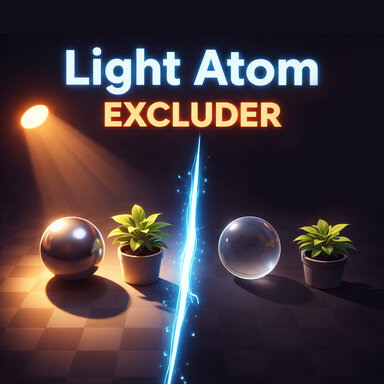
- The ImagePanelEmissives don't cast shadows because I used Dragontales' Light Atom Excluder to prevent them from casting shadows. Both InvisibleLights have this plugin loaded, you can check the excluded atoms in the list.
- The two image panels are parented to the Overlay_Parent atom; toggling it on and off will hide both atoms at the same time.
If you have any other technical questions, I would prefer it if you ask in the discussion tab rather than DM me so others can see the replies. The scene has been very meticulously and thoroughly crafted (and checked) and there should be no issues other than your frame rate (lol).
Credits:
ShadowVenom (BPMIntervalTrigger and RhythmReactor, Office Stage)
CheekiBreeki (CameraMan)
Dragontales (Light Atom Excluder plugin)
Acidbubbles (Timeline, Rubberleash, SpawnPoint)
Macgruber (LogicBricks)
Hazmhox (VAMCUI for the formatting of the hotkey list)
and all other creators for their clothing and hair (list is on the Hub page at the bottom).
Special note: If you've read to the bottom, congratulations on being able to read! The three girls have newer alternative face textures not included in the MXT Girls pack, and a Torso texture that removes the 'reddening' of the collarbone area. They also have a slightly different combination of eye shaders. If you like the new makeup designs you can save the Appearance Presets from this scene for use in other scenes. I'm too lazy to update the MXT Girls pack anyway. Enjoy!









![Grabbed chain and Collar[maledom&fedom]](https://1424104733.rsc.cdn77.org/data/resource_icons/55/55731.jpg?1741526926)




![[Male/Futa] Body Hair Pack](https://1424104733.rsc.cdn77.org/data/resource_icons/0/201.jpg?1590342116)