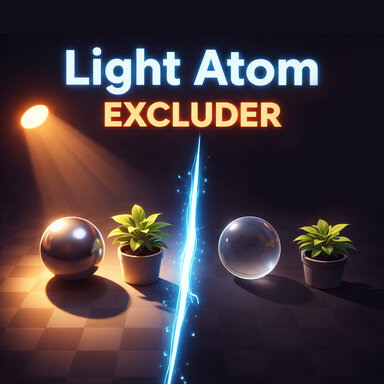


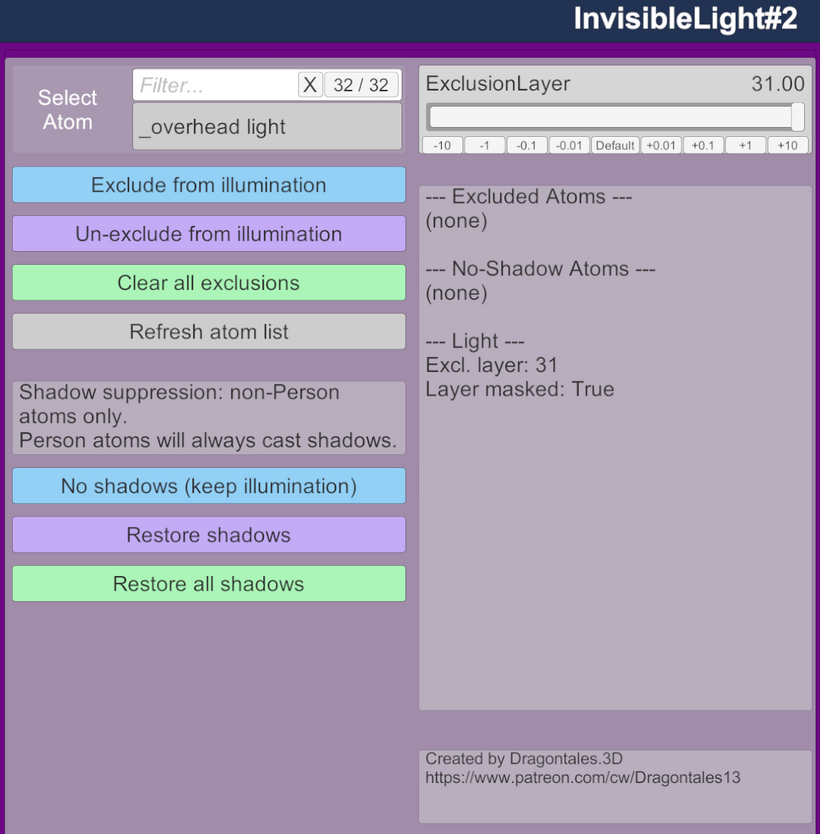
If you're a big scene creator like I am, you maybe have found many times where you wish you could disable lights from illuminating certain objects in your scene? Or....have you ever wished certain objects didn't waste processing power for objects casting shadows that don't need to? Then this plugin is for you. It allows you to add this plugin to any light atom, select any atoms you don't want illuminated by it and have them be excluded. Or, you can simply still have them illuminated, but not cast shadows. Please note, Person figures cannot have shadows disabled at this time. But they can still be excluded from illumination if desired.
Please Note - shadows in VAM do not work on a per-light basis. If you turn off shadows from an object, it turns them off for all lights. This cannot be altered as it's how Unity's Rendering pipeline works.
What this means:
Turning off illumination to an object from a light WILL only impact that light, and yes, will also remove it's shadow (since it's not actually illuminating that object.
Turning off shadows only to an object, turns off shadows for all lights with that object.
A Note regarding CUAs and collisions with this plugin. - Not every object is affected by the issue of moving a CUA/object to an exclusion list. Collision only changes on parts where the object’s collider is part of the visible mesh. Many objects keep their colliders on separate, hidden parts, and the plugin doesn’t move those. So many objects keep normal collision on any layer. But for the ones that do, and you NEED To have them collide with the figure, Layer 26 is the best option. The plugin lays out the other choices and the trade-offs with each.

Please Note - shadows in VAM do not work on a per-light basis. If you turn off shadows from an object, it turns them off for all lights. This cannot be altered as it's how Unity's Rendering pipeline works.
What this means:
Turning off illumination to an object from a light WILL only impact that light, and yes, will also remove it's shadow (since it's not actually illuminating that object.
Turning off shadows only to an object, turns off shadows for all lights with that object.
A Note regarding CUAs and collisions with this plugin. - Not every object is affected by the issue of moving a CUA/object to an exclusion list. Collision only changes on parts where the object’s collider is part of the visible mesh. Many objects keep their colliders on separate, hidden parts, and the plugin doesn’t move those. So many objects keep normal collision on any layer. But for the ones that do, and you NEED To have them collide with the figure, Layer 26 is the best option. The plugin lays out the other choices and the trade-offs with each.