

You are using an out of date browser. It may not display this or other websites correctly.
You should upgrade or use an alternative browser.
You should upgrade or use an alternative browser.
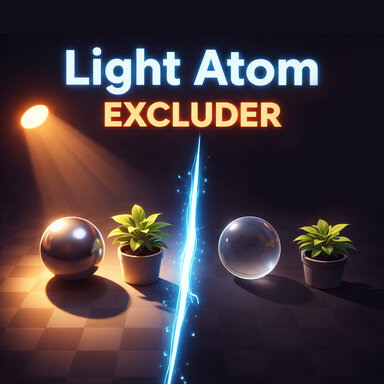
Plugins + Scripts Light Atom Excluder
- Author Dragontales
- Creation date
- Hub-Hosted VAR
- CC BY-ND
Light Atom Excluder v14: What’s New
Tip: if people fall through objects in an older scene, switch its lights to layer 26.
- New guide panel. Instructions now appear beside the plugin page. You can turn it off with Show Guide Panel.
- Correct layer info. Each layer now says how it affects collision. Some of the old descriptions were wrong.
- Layer 26 is the new default. New lights start on layer 26. On this layer, excluded objects still collide normally, so people don’t fall through floors or furniture. Old scenes keep their saved layer.
- Collision warning. If you exclude an object on a layer where people pass through it, the plugin tells you, and suggests layer 26.
- New “Scan layers” button. It writes a report about the scene’s layers to the message log. It’s useful when you report a problem.
A Note regarding CUAs and collisions with this plugin. - Not every object is affected. Collision only changes on parts where the object’s collider is part of the visible mesh. Many objects keep their colliders on separate, hidden parts, and the plugin doesn’t move those. So many objects keep normal collision on any layer.
- 3
-
 3
3
Fixes a small bug where the plugin didn't see light atoms that were parented to other light atoms. Thanks @PrimeMocap for the heads up!
New
Fixed
- All lights work together. Lights with this plugin on the same layer share one list. When you add or remove an object on one light, the other lights update right away. You don't need to press "Sync".
- New hair is excluded automatically. If you change a person's hair after you exclude them, the new hair is excluded too, in about 1 second.
- Clearer list. The list shows "(via another light)" when a different light is doing the work. It shows "(not found yet)" when a saved object is missing from the scene.
Please note
- Objects no longer stay dark after you remove them. Before, with more than one light, an object could stay dark even after you removed it from every list.
- You can exclude a person on any layer. Before, the plugin sometimes said "already excluded on layer 31" when that wasn't true.
- Objects with names starting with "_" show in the list. Before, the plugin hid them.
- New objects show in the list right away. You don't need to press "Refresh atom list".
- Renamed objects stay excluded.
- Deleted objects are removed from the list.
- Your saved list is safe. If an object is missing when a scene loads, the plugin keeps it in the list and tries again. It doesn't delete it.
- Shadows don't get stuck off. Before, shadows could stay off by mistake when lights used different layers.
- Works with other light plugins. Plugins like DLUtils or Light Masker can now change a light's other layers. This plugin only controls its own layer.
- Faster. The plugin does much less work in the background.
- Delete the old version after you install this one. Your scenes will then use the new version automatically.

- Sync button is now triggerable — registered as a JSONStorableAction so any VaM trigger can fire it directly
- Shared backup system — previously each light independently tracked "what layer was this atom originally on" which caused corruption when multiple lights excluded the same atom. Now one shared backup exists per layer, with reference counting so the last light to release an atom is the only one that actually restores it
- Fixed scene load restore — replaced the unreliable 3-frame wait with VaM's own onSceneLoadedHandlers event, which fires when the scene is actually done loading. Also added LateRestoreFromJSON override to handle the mid-session case (plugin added while scene is already running)
- Auto-sync on load — each light now automatically syncs from peer lights on the same layer after restoring its own state, so a scene saved with inconsistent lists self-heals on first load
- Fixed double restore — Start() and OnEnable() both used to launch the restore coroutine simultaneously. Guarded with _restorePending flag so only one runs
- Fixed layer toggle guard — VaM fires toggle callbacks during scene restore which was triggering OnLayerSelected at the wrong time, potentially clearing exclusions mid-restore. Added a check to block that during the restore window
- Status panel now shows ref counts — each excluded atom shows how many lights are sharing that exclusion


What's new?
Layer Selection Replaced the old number slider with color-coded toggle buttons. The slider was unintuitive since the layer numbers are meaningless without context. Each layer is now color coded and comes with a description of how it affects collision in your scene, so you can make an informed choice without having to test everything yourself.
Multiple Lights Lights on the same layer now share their exclusion lists automatically. Previously, if you had multiple lights that needed the same exclusions, you had to set each one up manually. Now when you exclude an atom from one light, the others on the same layer update instantly. A Sync button lets you manually pull settings from other lights if needed. The plugin will also warn you if you try to exclude an atom that's already claimed by a light on a different layer — something that would previously cause both lights to behave incorrectly without any indication of why.
Scene Reload Fix This was the big one. Excluded atoms now correctly restore on scene load. The root cause was two things working against each other — figures with clothing and hair load asynchronously in VaM, meaning they weren't fully ready when the plugin tried to restore them. Additionally, if the same atom was excluded on two different layers, they would fight over it on reload and both end up broken. The fix hooks directly into VaM's asset loading callbacks so each atom is handled at exactly the right moment, and the conflict detection prevents the two-layer problem from happening in the first place.
Shadow Suppression Added the ability to suppress shadow casting on non-figure objects. This came from a lighting workflow where you want a light to only illuminate figures but the scene geometry was still casting distracting shadows. You can apply it to individual atoms or everything at once, and it saves and restores with the scene.
Atom Dropdown Cleanup Removed atoms that have no business being in the list — SubScenes, empty atoms, UI buttons/sliders/toggles, and the Player Navigation Panel. SubScenes in particular were causing scene reload failures because their contents load asynchronously just like figure assets, but unlike figures there's no reliable way to hook into their load completion. Since there's no valid reason to exclude a SubScene itself, removing it from the list was the right call.
WHY?
Each light gets assigned to an exclusion layer. Lights on the same layer share their exclusion list — exclude something from one, and all lights on that layer ignore it too. This is ideal for lights that should behave identically.
Lights on different layers are completely independent — each maintains its own exclusion list. Use this when you need different lights to illuminate different combinations of objects.
Each light can only belong to one layer at a time. If you need a light to behave differently from its layer-mates, move it to its own layer.
The tradeoff: the same object can only belong to one layer at a time, so you can't exclude it from two lights that are on different layers simultaneously.
In addition, certain layers in VAM are used for specific purposes. Sometimes you can piggyback on them, sometimes you can't without odd behaviors happening, like colliders not working.
Fixes scene save and restore functionality for the plugin, as well as plugin presets.
- 1
-
 1
1