

 New Scene – Resident Evil–Inspired
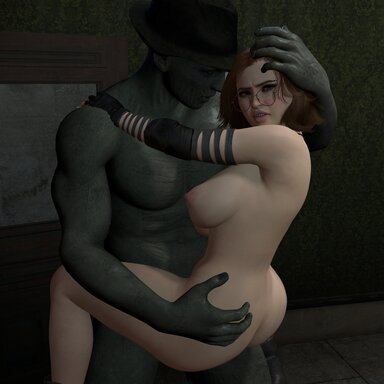
I’ve always been a huge fan of Resident Evil 1, 2, and 3, and after recently replaying the remakes, I felt inspired to create something in that survival-horror spirit.
This scene features Jesse stepping into the role of Claire, wearing Jill’s outfit — simply because it looked better on her and fit the vibe I was going for. I’ve been working on this one for quite a while, and while it was definitely challenging, it was also a lot of fun to build.
I’d also like to give a big shout-out to SneakyOne — one of my favorite creators and a huge inspiration for a lot of my work.
 How to Experience the Scene
- This scene takes a moment to load, so please give it a minute.
- Click the tiles from top to bottom, left or right.
- Make sure to click each tile several times.
- The small number in the corner shows how many camera views are available for that pose
(they count the first view as “0”, so just add one).
 IMPORTANT: Focus On Me (Highly Recommended)
If you’re not using the Focus On Me session plugin, you’re missing out on cool lighting in all of my scenes, as this is a plugin I use consistently throughout my work.
It plays a big role in the overall atmosphere and presentation, and I strongly recommend installing it to experience the scene as intended.
 A basic step-by-step walkthrough with images is included at the bottom showing how to install and enable it.
 Notes & Tips
- As usual, the Silver Handjob plugin occasionally has a mind of its own.
If an animation looks a little janky, click a different tile and then click back — that usually fixes it.
 Final Thoughts
Please let me know what you think!
I’m very likely going to expand on this scene, so suggestions are absolutely welcome.
More animations are definitely coming.
Thanks for checking it out — and enjoy exploring.
Focus On Me – Installation & Setup GuideTo experience the lighting in this scene (and all of my scenes) as intended, I highly recommend installing the Focus On Me session plugin.
Step-by-step installation:
- Go to the Hub and download the session plugin Focus On Me.
- Enter Edit Mode.
- Open the Session Plugins tab.

- Click Add Plugin.
- Click Select File.
- When the Select File window opens, click Addon Packages (Filtered).
- In the top-right filter box, type focus.
This will bring up the plugin you just downloaded. - Open the folder for the newest version (currently version 14).
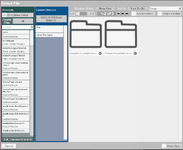
- Select FocusOnMe!.cslist.
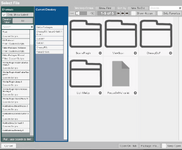 It should look like this:
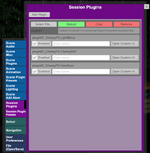 What happens next:
Once you’ve installed the Focus On Me plugin, you should now see Light Me Up appear on the toolbar in the bottom-left of the screen.
Click it to activate the plugin.
Once activated, it will look like this.
When Light Me Up launches, it will automatically apply the lighting settings I’ve saved to the scene, so everything should immediately look the way it’s intended to.
That said, you’re absolutely welcome to experiment with the available lights and tweak things to your own taste — feel free to play around and see what you like.
 Optional (Recommended): Set Focus On Me as a Default Session Plugin
If you like this plugin, you can make it load automatically in future sessions:
- Go to Session Plugin Presets.
- With Focus On Me loaded, click Save as Default (or Set as Default, depending on your UI).
This will ensure Focus On Me is always available without needing to re-add it each time.






![Desert Eagle [Free Stuff]](https://1424104733.rsc.cdn77.org/data/resource_icons/2/2511.jpg?1604420748)










![[Unisex] Clothing Pack 01](https://1424104733.rsc.cdn77.org/data/resource_icons/0/366.jpg?1591215158)


![[Male] Hairstyles Pack 01](https://1424104733.rsc.cdn77.org/data/resource_icons/0/198.jpg?1590311994)