


![[Experimental] AlternativeHairPhysics](https://1424104733.rsc.cdn77.org/data/resource_icons/69/69049.jpg?1787897055)



So this was originally intended to replace VAM's hair physics, but I ended up starting with a new renderer and figured the community might want to play with it.
It's far from a finished product - basically just a tech demo, but I thought it was pretty cool.
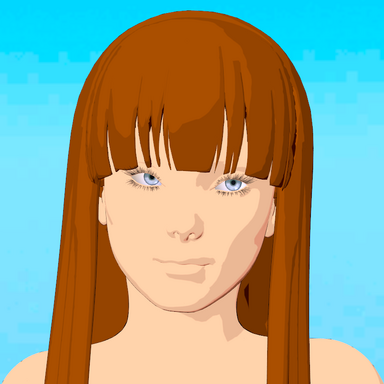
The original intent was to improve hair smoothness through sub-division, but that exploded the polygon count and tanked performance. So instead we draw simple flat cards based on VAM's hair geometry and a custom fragment shader does the math to figure where the hair would be - painting strands without ever creating them as real 3D objects.
The approach seems to work fairly well, and is comparable to the VAM renderer's performance for some settings. Max settings will still tank performance.
I'll share the shader source a little later. It needs a lot of cleanup.
Enjoy!
Usage
It's far from a finished product - basically just a tech demo, but I thought it was pretty cool.
The original intent was to improve hair smoothness through sub-division, but that exploded the polygon count and tanked performance. So instead we draw simple flat cards based on VAM's hair geometry and a custom fragment shader does the math to figure where the hair would be - painting strands without ever creating them as real 3D objects.
The approach seems to work fairly well, and is comparable to the VAM renderer's performance for some settings. Max settings will still tank performance.
I'll share the shader source a little later. It needs a lot of cleanup.
Enjoy!
Usage
- Add to a Person atom.
- Select a Hair Group
- Configure
- Sub-Hair count determines the density - costs FPS
- Segments per span increases smoothness - costs FPS
- The other geometry sliders configure the look and spacing of the threads
- Lighting settings are loosely analogous to VAM's
- Tuning settings should mostly be ignored
- Does not work in VR (yet)
- Multi-part hairs require multiple instances of the plugin.
- Fixing this is a significant refactor that I haven't gotten to yet.
- Flickering/Lines/Other artifacts
- Consequence of using a custom rasterizer and me not knowing what I'm doing.







![[Experimental] Volumetric Global Illumination](https://1424104733.rsc.cdn77.org/data/resource_icons/56/56116.jpg?1742689772)

![[Experimental] Hair Grab Sphere](https://1424104733.rsc.cdn77.org/data/resource_icons/46/46613.jpg?1715472996)
![[Experimental] Alternative Futa](https://1424104733.rsc.cdn77.org/data/resource_icons/34/34709.jpg?1685262975)


![[Experimental] Cloth Skin](https://1424104733.rsc.cdn77.org/data/resource_icons/35/35638.jpg?1687059663)

![[Experimental] Cloth CUA](https://1424104733.rsc.cdn77.org/data/resource_icons/45/45228.jpg?1711902646)
