• Hi Guest!

    We are extremely excited to announce the release of our first Beta1.1 and the first release of our Public AddonKit!
    To participate in the Beta, a subscription to the Entertainer or Creator Tier is required. For access to the Public AddonKit you must be a Creator tier member. Once subscribed, download instructions can be found here.

    Click here for information and guides regarding the VaM2 beta. Join our Discord server for more announcements and community discussion about VaM2.
  • Hi Guest!

    VaM2 Resource Categories have now been added to the Hub! For information on posting VaM2 resources and details about VaM2 related changes to our Community Forums, please see our official announcement here.
Clothing Editor

Plugins + Scripts Clothing Editor

Download [1.3 MB]

regguise

Well-known member
Featured Contributor
Joined
Nov 20, 2021
Messages
137
Reactions
1,065
regguise submitted a new resource:

Clothing Editor - Blenderesque!

Clothing Editor​


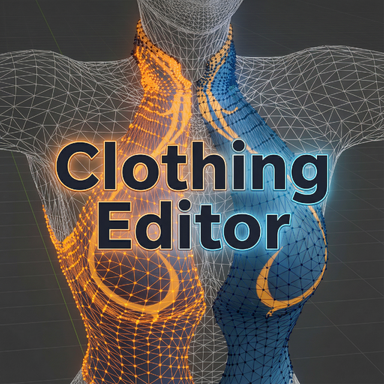
This is a plugin that aims to provide a bit finer control to the clothing creation process.

Main features include:

1. Visualization of clothing/skin meshes of base/morphed/drawn position.
2. Full/partial rewraps
3. base mesh sim cloth data generation that rids of wrap deforms
4. All changes made through the tool is fully savable. No runtime clothing plugin required.

Below are some videos showcasing some of use...


Read more about this resource...
 
This is insanely useful, we well done man!
Is it also possible to remove certain clothing parts? Ripped pants for example.
 
Hey - this looks INSANELY useful in so many ways, but I'm getting the following error as soon as I load the plugin:

!> Exception during plugin script Init: System.ArgumentException: Destination array was not long enough. Check destIndex and length, and the array's lower bounds.
at System.Array.CopyTo (System.Array array, Int32 index) [0x00000] in <filename unknown>:0
at Regguise.SkinVertexSelectionManager..ctor (.DAZMergedSkinV2 skin, Regguise.MeshMappings skinMappings, System.Collections.Generic.Dictionary`2 skinMaterialMap, UnityEngine.ComputeBuffer skinVertBuffer, UnityEngine.Vector3[] skinVertices, CustomUI14mhz.BaseChooserSimpleUI showChooserUI, .JSONStorableFloat selectionSizeSlider, .JSONStorableBool mirrorSelectionToggle, CustomUI14mhz.BaseButtonUI startButton, System.Action onSelectionChanged, System.Action onClearHighlights, System.Func`2 onUpdateInfo, System.Func`5 getClosestSkinVertexIndexViaRaycast, System.Action`2 setSkinVertexVisible, System.Action`2 setSkinVertexHighlighted, System.Action`1 onUpdateHighlight) [0x00000] in <filename unknown>:0
at Regguise.ClothingEditor.InitializeSelectionManagers () [0x00000] in <filename unknown>:0
at Regguise.ClothingEditor.Init () [0x00000] in <filename unknown>:0
at MVRPluginManager.CreateScriptController (.MVRPlugin mvrp, DynamicCSharp.ScriptType type) [0x00000] in <filename unknown>:0
!> Exception during plugin script Init: System.ArgumentException: Invalid path
at System.IO.Path.GetDirectoryName (System.String path) [0x00000] in <filename unknown>:0
at MVR.FileManagement.FileManager.GetDirectoryName (System.String path, Boolean returnSlashPath) [0x00000] in <filename unknown>:0
at MVR.FileManagementSecure.FileManagerSecure.GetDirectoryName (System.String path, Boolean returnSlashPath) [0x00000] in <filename unknown>:0
at Regguise.ClothingEditor.Init () [0x00000] in <filename unknown>:0
at MVRPluginManager.CreateScriptController (.MVRPlugin mvrp, DynamicCSharp.ScriptType type) [0x00000] in <filename unknown>:0

Tested in several scenes. I did not seem to get the error on female atoms, but male atoms throw this error and the 'Start Manual Select' button under both Wrap sub-tabs is grey and does nothing. I also had one instance where I cleared and re-loaded the plugin, resulting in this error and the plugin being blank/not initializing when opened. Hope this report helps. I can't wait to use this - been porting over some DAZ assets and getting clothes to wrap correctly, especially with sim (and especially with males) is super time-consuming and difficult. Thanks so much for making this, hope it's not too hard a fix!
 
Hey - this looks INSANELY useful in so many ways, but I'm getting the following error as soon as I load the plugin:

!> Exception during plugin script Init: System.ArgumentException: Destination array was not long enough. Check destIndex and length, and the array's lower bounds.
at System.Array.CopyTo (System.Array array, Int32 index) [0x00000] in <filename unknown>:0
at Regguise.SkinVertexSelectionManager..ctor (.DAZMergedSkinV2 skin, Regguise.MeshMappings skinMappings, System.Collections.Generic.Dictionary`2 skinMaterialMap, UnityEngine.ComputeBuffer skinVertBuffer, UnityEngine.Vector3[] skinVertices, CustomUI14mhz.BaseChooserSimpleUI showChooserUI, .JSONStorableFloat selectionSizeSlider, .JSONStorableBool mirrorSelectionToggle, CustomUI14mhz.BaseButtonUI startButton, System.Action onSelectionChanged, System.Action onClearHighlights, System.Func`2 onUpdateInfo, System.Func`5 getClosestSkinVertexIndexViaRaycast, System.Action`2 setSkinVertexVisible, System.Action`2 setSkinVertexHighlighted, System.Action`1 onUpdateHighlight) [0x00000] in <filename unknown>:0
at Regguise.ClothingEditor.InitializeSelectionManagers () [0x00000] in <filename unknown>:0
at Regguise.ClothingEditor.Init () [0x00000] in <filename unknown>:0
at MVRPluginManager.CreateScriptController (.MVRPlugin mvrp, DynamicCSharp.ScriptType type) [0x00000] in <filename unknown>:0
!> Exception during plugin script Init: System.ArgumentException: Invalid path
at System.IO.Path.GetDirectoryName (System.String path) [0x00000] in <filename unknown>:0
at MVR.FileManagement.FileManager.GetDirectoryName (System.String path, Boolean returnSlashPath) [0x00000] in <filename unknown>:0
at MVR.FileManagementSecure.FileManagerSecure.GetDirectoryName (System.String path, Boolean returnSlashPath) [0x00000] in <filename unknown>:0
at Regguise.ClothingEditor.Init () [0x00000] in <filename unknown>:0
at MVRPluginManager.CreateScriptController (.MVRPlugin mvrp, DynamicCSharp.ScriptType type) [0x00000] in <filename unknown>:0

Tested in several scenes. I did not seem to get the error on female atoms, but male atoms throw this error and the 'Start Manual Select' button under both Wrap sub-tabs is grey and does nothing. I also had one instance where I cleared and re-loaded the plugin, resulting in this error and the plugin being blank/not initializing when opened. Hope this report helps. I can't wait to use this - been porting over some DAZ assets and getting clothes to wrap correctly, especially with sim (and especially with males) is super time-consuming and difficult. Thanks so much for making this, hope it's not too hard a fix!
Hi, thanks for the bug report.

Well yeah I guess should've mentioned it doesn't work on male atoms at the moment. I will add it in a few days hopefully. Meanwhile if you see other issues while using it on a female please let me know.
 
regguise updated Clothing Editor with a new update entry:

Fixes and Updates

  • Added support on male atom/clothings
  • Fixed issue where dazmesh usesimplematerial is not cleared when switching view modes
  • Fixed issue where existing particle blend data were not reapplied after sim data regeneration
  • Added a warning message when attempting to re-gen sim data on clothing item with no pre-existing sim data

Read the rest of this update entry...
 
Hey - this looks INSANELY useful in so many ways, but I'm getting the following error as soon as I load the plugin:

!> Exception during plugin script Init: System.ArgumentException: Destination array was not long enough. Check destIndex and length, and the array's lower bounds.
at System.Array.CopyTo (System.Array array, Int32 index) [0x00000] in <filename unknown>:0
at Regguise.SkinVertexSelectionManager..ctor (.DAZMergedSkinV2 skin, Regguise.MeshMappings skinMappings, System.Collections.Generic.Dictionary`2 skinMaterialMap, UnityEngine.ComputeBuffer skinVertBuffer, UnityEngine.Vector3[] skinVertices, CustomUI14mhz.BaseChooserSimpleUI showChooserUI, .JSONStorableFloat selectionSizeSlider, .JSONStorableBool mirrorSelectionToggle, CustomUI14mhz.BaseButtonUI startButton, System.Action onSelectionChanged, System.Action onClearHighlights, System.Func`2 onUpdateInfo, System.Func`5 getClosestSkinVertexIndexViaRaycast, System.Action`2 setSkinVertexVisible, System.Action`2 setSkinVertexHighlighted, System.Action`1 onUpdateHighlight) [0x00000] in <filename unknown>:0
at Regguise.ClothingEditor.InitializeSelectionManagers () [0x00000] in <filename unknown>:0
at Regguise.ClothingEditor.Init () [0x00000] in <filename unknown>:0
at MVRPluginManager.CreateScriptController (.MVRPlugin mvrp, DynamicCSharp.ScriptType type) [0x00000] in <filename unknown>:0
!> Exception during plugin script Init: System.ArgumentException: Invalid path
at System.IO.Path.GetDirectoryName (System.String path) [0x00000] in <filename unknown>:0
at MVR.FileManagement.FileManager.GetDirectoryName (System.String path, Boolean returnSlashPath) [0x00000] in <filename unknown>:0
at MVR.FileManagementSecure.FileManagerSecure.GetDirectoryName (System.String path, Boolean returnSlashPath) [0x00000] in <filename unknown>:0
at Regguise.ClothingEditor.Init () [0x00000] in <filename unknown>:0
at MVRPluginManager.CreateScriptController (.MVRPlugin mvrp, DynamicCSharp.ScriptType type) [0x00000] in <filename unknown>:0

Tested in several scenes. I did not seem to get the error on female atoms, but male atoms throw this error and the 'Start Manual Select' button under both Wrap sub-tabs is grey and does nothing. I also had one instance where I cleared and re-loaded the plugin, resulting in this error and the plugin being blank/not initializing when opened. Hope this report helps. I can't wait to use this - been porting over some DAZ assets and getting clothes to wrap correctly, especially with sim (and especially with males) is super time-consuming and difficult. Thanks so much for making this, hope it's not too hard a fix!

Hi, it should work on male atoms now. Please give a try and let me know if anything goes wrong.

Thanks
 
i did the EXACT SAME what u did and after pressing "execute wrap" it became this
 

Attachments

  • image_2026-01-03_060152523.png
    image_2026-01-03_060152523.png
    2 MB · Views: 0
i did the EXACT SAME what u did and after pressing "execute wrap" it became this
Most likely this is due to the clothing you are working on was created with stopper's rewrapper which applies a negative offset. For now you can either rewrap the whole clothing again with this plugin so the offset is reset on all the vertices, or recreate the clothing item.
 
Hey, do you know if this plugin could be used to make panties wrap around the genitals with alt futa? The only thing I feel is missing from the vam hub is underwear for female models with alt futa
 
Some questions about this:

1. When to use "base mesh wrapping"? Some other examples where this makes sense? Like always for cleavage stuff?
2. What does Drawn/Morphed mesh mean?
 
Last edited:
Some questions about this:

1. When to use "base mesh wrapping"? Some other examples where this makes sense? Like always for cleavage stuff?
2. What does Drawn/Morphed mesh mean?
Base mesh wrapping usually means "to wrap the clothing mesh onto the default G2 model". In the context of VaM's clothing creator, it is when you *uncheck* "Wrap to Morphed Verts". In the context of the plugin, it is when you choose "Base" as skin wrap target. Usually when people choose wrap clothing to G2 base model is because it produces least deforms. But whichever skin wrap target you choose, the prerequisite is to fit the clothing to the target model of choice in an external 3D modeling program before you try to wrap it.

In the view tab, skin "Morphed" mesh is the G2 model plus all the active morphs applied to it, but not including phyics/pose/scene transformations, it stays in the bind T-Pose.
"Drawn" is what you actually see in the scene, including all morphs/pose/transformations.

After every wrap, the view modes automatically switches back to "Drawn" so the wrap result can be viewed.
 
Hey, do you know if this plugin could be used to make panties wrap around the genitals with alt futa? The only thing I feel is missing from the vam hub is underwear for female models with alt futa
I have actually never worked with alt futa before, so I guess it doesn't work with it. I'll see if I can look into it when I get a chance.
 

Similar threads

Plugins + Scripts Morph Editor
Replies
12
Views
5K
Replies
88
Views
27K
Replies
10
Views
2K
Deleted member 70582
D
Back
Top Bottom