Hello, my dears
I'm having a lot of trouble creating assets with good lighting.
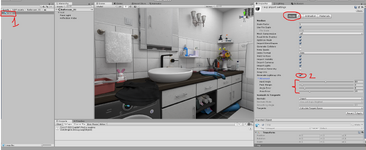
In this case, I created a house in SweetHome3D and exported it as an .obj file to Unity, added some simple lighting, and exported it to VAM.
I set up a directional light with shadows in Unity, and it actually looks good in Unity. Then I create the asset bundle and export it to VAM, but in VAM it looks terrible. The baked lighting applies in some rooms, but not in others...
I’d like some help from you guys to figure out a good lighting setup for exporting from Unity to VAM with decent quality. I don't need anything revolutionary. Since I don't have much experience with this, I just wanted to understand what people who design environments do.
Tutorials are also welcome. Literally anything helps. I’ve been trying to find something like this but haven’t found anything yet.
Thank you very much in advance <3
I'm having a lot of trouble creating assets with good lighting.
In this case, I created a house in SweetHome3D and exported it as an .obj file to Unity, added some simple lighting, and exported it to VAM.
I set up a directional light with shadows in Unity, and it actually looks good in Unity. Then I create the asset bundle and export it to VAM, but in VAM it looks terrible. The baked lighting applies in some rooms, but not in others...
I’d like some help from you guys to figure out a good lighting setup for exporting from Unity to VAM with decent quality. I don't need anything revolutionary. Since I don't have much experience with this, I just wanted to understand what people who design environments do.
Tutorials are also welcome. Literally anything helps. I’ve been trying to find something like this but haven’t found anything yet.
Thank you very much in advance <3