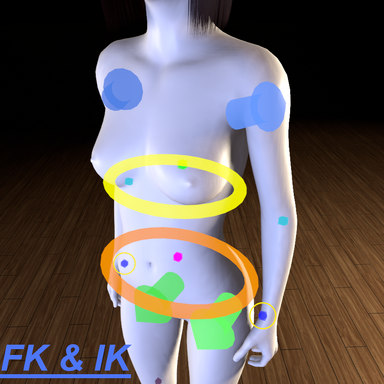



- So many have asked for this preset so here it is for everyone to use 
-- Description:
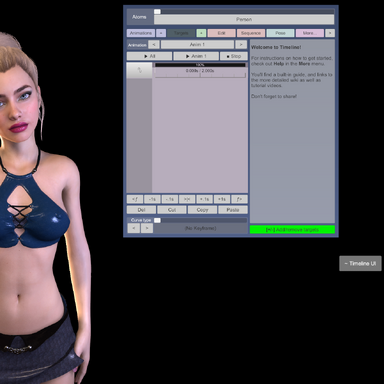
- Timeline Master Controller UI in SimpleSign Atom Preset that auto follows player view, with a toggle button that shows/ hides the UI for convenience + FOV switch (40 to 60) to make room for adjustments while UI is open.
-- Content:
- SimpleSign Atom preset file.
-- How to use?
- Simply add a SimpleSign to the scene and load the preset that's in the package like shown in the Demo. (make sure you've downloaded all dependencies)
-- Demo:
-- Note:
- When preset loads for the first some errors will pop saying "Can't Find Class ID", just ignore these. Also that the sign won't be hidden so you have to toggle the button twice and afterwards you should be good to go.
-- Credits:
- @Acid Bubbles for timeline + Utilities plugins.
- @ky1001 for Headlightlink plugin.
- @chenrong for canvasbutton plugin.
-- Description:
- Timeline Master Controller UI in SimpleSign Atom Preset that auto follows player view, with a toggle button that shows/ hides the UI for convenience + FOV switch (40 to 60) to make room for adjustments while UI is open.
-- Content:
- SimpleSign Atom preset file.
-- How to use?
- Simply add a SimpleSign to the scene and load the preset that's in the package like shown in the Demo. (make sure you've downloaded all dependencies)
-- Demo:
-- Note:
- When preset loads for the first some errors will pop saying "Can't Find Class ID", just ignore these. Also that the sign won't be hidden so you have to toggle the button twice and afterwards you should be good to go.
-- Credits:
- @Acid Bubbles for timeline + Utilities plugins.
- @ky1001 for Headlightlink plugin.
- @chenrong for canvasbutton plugin.