

-- Description:
- Inspired from blender's Sculpting, a plugin that allows you to sculpt & edit skin mesh in real-time inside vam, primarily made to make adjustments after importing your morphs from DAZ/ Blender to correct inconsistency in shape after import. It's also versatile enough to sculpt things like expressions and various additive morph shapes from scratch.
-- How to use?
- Simply load the MorphSculpt.cslist on a person atom, and start sculpting & editing the skin.
- Once you're done with sculpting & editing, save your changes as morphs in the Main tab.
-- Features:
- GPU based mesh editing & mesh rendering.
- Undo/ Redo feature with 256 memory steps.
- Every action has a key-bind for faster workflow.
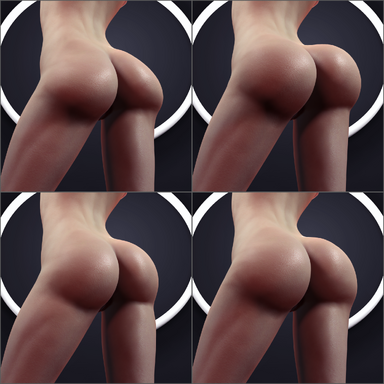
- Sculpt Mode, with a Handful of brushes inspired from blender's.
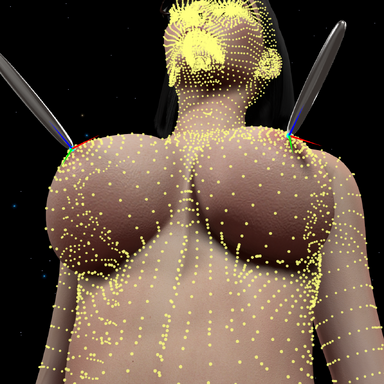
- Edit mode, similar to blender. Good for fine adjustments or large scale uniform adjustments. With support for proportional editing with custom curve falloff.
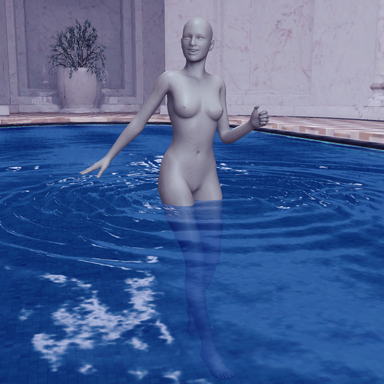
- Mask Mode, similar to blender. Shared across Edit & Sculpt Modes. Can exclude areas from modification either by selection tools or by linked materials/ UV island. Also can hide the geometry for more accessible sculpting & editing.
- X mirror feature in all modes.
- X-Ray rendering for all modes, allowing edits through the skin mesh without backface culling.
- Ability to save both body & genital morphs as separate morphs with no deformations when combined, using the "Save as Flush Morphs" feature.
- Ability to sculpt on final Rendered Merged & Smoothed Skin mesh for 1:1 sculpting accuracy.
- Ability to sculpt across body & gens at the same time.
- Ability to save Delta morphs type, useful for making correctives to deformations in certain poses, JCMs or basic expressions for example.
-- Tips:
- If you're familiar with blender the plugin will be very familiar to use, if you're not then make sure to read each tab's explanatory text for in depth information about everything in the plugin.
-- Sculpt Mode Preview:
-- Edit Mode Preview:
-- Mask Mode Preview:
-- Flush Morph export feature Preview: (exaggerated bulge morph used as an example)
-- Snaps:


-- Plugin Reference Credits:
- @MacGruber for Utils
- @ceq3 for Morph Merge And Split
- Inspired from blender's Sculpting, a plugin that allows you to sculpt & edit skin mesh in real-time inside vam, primarily made to make adjustments after importing your morphs from DAZ/ Blender to correct inconsistency in shape after import. It's also versatile enough to sculpt things like expressions and various additive morph shapes from scratch.
-- How to use?
- Simply load the MorphSculpt.cslist on a person atom, and start sculpting & editing the skin.
- Once you're done with sculpting & editing, save your changes as morphs in the Main tab.
-- Features:
- GPU based mesh editing & mesh rendering.
- Undo/ Redo feature with 256 memory steps.
- Every action has a key-bind for faster workflow.
- Sculpt Mode, with a Handful of brushes inspired from blender's.
- Edit mode, similar to blender. Good for fine adjustments or large scale uniform adjustments. With support for proportional editing with custom curve falloff.
- Mask Mode, similar to blender. Shared across Edit & Sculpt Modes. Can exclude areas from modification either by selection tools or by linked materials/ UV island. Also can hide the geometry for more accessible sculpting & editing.
- X mirror feature in all modes.
- X-Ray rendering for all modes, allowing edits through the skin mesh without backface culling.
- Ability to save both body & genital morphs as separate morphs with no deformations when combined, using the "Save as Flush Morphs" feature.
- Ability to sculpt on final Rendered Merged & Smoothed Skin mesh for 1:1 sculpting accuracy.
- Ability to sculpt across body & gens at the same time.
- Ability to save Delta morphs type, useful for making correctives to deformations in certain poses, JCMs or basic expressions for example.
-- Tips:
- If you're familiar with blender the plugin will be very familiar to use, if you're not then make sure to read each tab's explanatory text for in depth information about everything in the plugin.
-- Sculpt Mode Preview:
-- Edit Mode Preview:
-- Mask Mode Preview:
-- Flush Morph export feature Preview: (exaggerated bulge morph used as an example)
-- Snaps:
-- Plugin Reference Credits:
- @MacGruber for Utils
- @ceq3 for Morph Merge And Split