


PLEASE:
- If you like this asset, consider liking and reviewing it for the community
- Read the description, read the ingame help if you have any trouble. I will not answer private messages asking questions about things that are actually explained in the documentation/help.
About
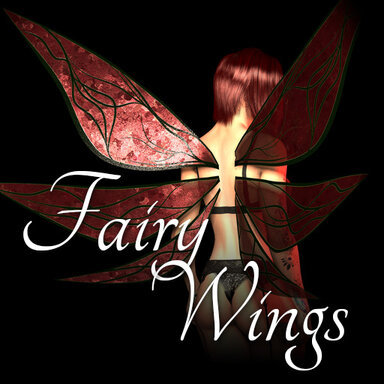
This a Fairy Wings assets allowing customization, animation control and physics setup to go with your cute Fairy characters!
Below is a quick video of what the asset can do.
How to use
- First, be sure to have the EZSoftBones Library loaded in the scene.
- Add a Custom Unity Asset
- Go in the presets tab
- Load the preset FairyWings_Default contained in the package
- Place or attach the wings to your character
- It is recommended to attach it to a bone and NOT a controller
How to use, the plugins
When you load the preset, the CUA will be loaded and three plugins will be added to it.
- FairyWings Editor: allows you to edit the appearance of the wings
- EZSoftBone Controller: allows you to control the physical behavior of the wings
- VAMSAnimate: allows you to control the animation of the wings
How to use, VAMSAnimate
VAMS Animate is a plugin contained in VAMStory (as VAMStory is a whole suite of plugin for scene control).
This plugin is able to drive the state machine of an animation controller contained in an asset (which is created in Unity).
Let's put aside the technical aspect, all you need to know is that you have at your disposable Anims triggers and Parameters.
- You can select an Anim trigger in the UI as show above, and click on Preview Animation Trigger to watch it.
- You can select the starting animation (when the scene is loaded) with Starting Anim Trigger.
- You can change the parameters to control the behavior of the animations
- The parameters all have a prefix ( Idle / Fly / Flutter ) and will work only with animations with the same name, for instance:
- IdleSpeed goes with PlayIdle01, PlayIdle02 and PlayIdle03
- The parameters all have a prefix ( Idle / Fly / Flutter ) and will work only with animations with the same name, for instance:
To control the behavior of your wings, it is recommended during the scene to initialize and modify the wings during the scene with the available actions as shown in the image above.
The important actions are :
- Start Anim Trigger Name
- acFloatParam_IdleSpeed > controls idle animations speed
- acFloatParam_FlySpeed > controls fly animations speed
- acFloatParam_FlutterSpeed > controls flutter animations speed
How to use, EZSoftBone Controller
This plugin is quite straightforward, and the value should speak for themselves.
The EZSB Element dropdown allows to select the EZSB components in the asset. Some may have multiple, Fairy Wings have only one, so this is useful in this situation.
- Gravity: simply a basic gravity value applied to the bones
- Damping: how much dampening happens when the object moves. The higher the value, the slower the bones will take time to reach their final position.
- Stifness: how stiff bones are
- Resistant: how much bones resist to motion
- Slackness: how much the bone hierarchy tend to stretch due to it's weight
Advanced options are performance settings. They are on the most optimal setting by default so you don't have to worry about it. If you are a developer you will understand what they are meant to do... so feel free to use them.
WARNING: If you're getting a message "this asset is not compatible with...", it means you haven't loaded the EZSoftBone Library. To fix it, load the library. Then reload your preset on your wings CUA.
Credits
@Juno who did an additional texture for the wings!
Package Gallery