


I don't get it. I do those steps but it uses the default one and doesn't load these "official bindings"

You are using an out of date browser. It may not display this or other websites correctly.
You should upgrade or use an alternative browser.
You should upgrade or use an alternative browser.
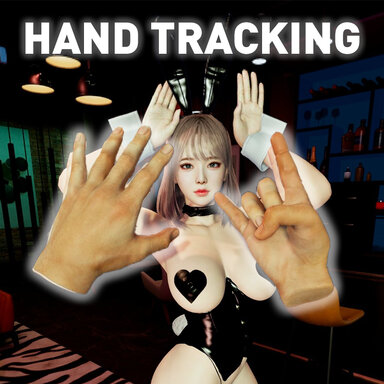
Guides How to use Hand Tracking in VAM | 2.0 (Quest)
- Thread starter thinoreos
- Start date

You didn't switch to hand tracking for the controller in this image. If still not working restart everythingI don't get it. I do those steps but it uses the default one and doesn't load these "official bindings"
View attachment 565608
Thanks for updating the guide and making the VD binding! I see what you mean about VD not being great at hand tracking... questions!
1. In the Steam Link section it says "- You can also use this in passthrough mode, it's extra immersion", is this just left over? It looks like Steam Link doesn't support passthrough going by the other guide.
2. Would you mind adding info on how VamX changes things when it loads / why it's not compatible with VD hand tracking?
3. Do you have any recommendations switching from controllers to hand tracking and using Embody? I find that just leaning to put the controllers down after enabling Embody can break the current pose.
4. FYI it looks like this is no longer possible: "- If you want to hide the Quest menu icons on your finger, you can do so by going to Quest Settings > Experimental Features > Turn on Wrist Gestures"
5. I'm having trouble with the Steam Link hand bindings - although the tracking seems much better in steam link, I couldn't get the menu to open (thumb + pinky), and in VR it looked like there was a gap of a few cm between thumb and pinky even when they were touching, but no amount of fiddling in the Hand Tracking settings in the VR1 VAM Settings tab seemed to improve this. How do I troubleshoot?
1. In the Steam Link section it says "- You can also use this in passthrough mode, it's extra immersion", is this just left over? It looks like Steam Link doesn't support passthrough going by the other guide.
2. Would you mind adding info on how VamX changes things when it loads / why it's not compatible with VD hand tracking?
3. Do you have any recommendations switching from controllers to hand tracking and using Embody? I find that just leaning to put the controllers down after enabling Embody can break the current pose.
4. FYI it looks like this is no longer possible: "- If you want to hide the Quest menu icons on your finger, you can do so by going to Quest Settings > Experimental Features > Turn on Wrist Gestures"
5. I'm having trouble with the Steam Link hand bindings - although the tracking seems much better in steam link, I couldn't get the menu to open (thumb + pinky), and in VR it looked like there was a gap of a few cm between thumb and pinky even when they were touching, but no amount of fiddling in the Hand Tracking settings in the VR1 VAM Settings tab seemed to improve this. How do I troubleshoot?
Last edited:
2. Because VD won't allow us to customize hold and double click gestures, so making VAMX almost impossible to use unless you don't click on anything at all. Clicking on the default click will bring up the VAMX menu, and you don't want that happening when you are trying to grab or move shitThanks for updating the guide and making the VD binding! I see what you mean about VD not being great at hand tracking... questions!
1. In the Steam Link section it says "- You can also use this in passthrough mode, it's extra immersion", is this just left over? It looks like Steam Link doesn't support passthrough going by the other guide.
2. Would you mind adding info on how VamX changes things when it loads / why it's not compatible with VD hand tracking?
3. Do you have any recommendations switching from controllers to hand tracking and using Embody? I find that just leaning to put the controllers down after enabling Embody can break the current pose.
4. FYI it looks like this is no longer possible: "- If you want to hide the Quest menu icons on your finger, you can do so by going to Quest Settings > Experimental Features > Turn on Wrist Gestures"
5. I'm having trouble with the Steam Link hand bindings - although the tracking seems much better in steam link, I couldn't get the menu to open (thumb + pinky), and in VR it looked like there was a gap of a few cm between thumb and pinky even when they were touching, but no amount of fiddling in the Hand Tracking settings in the VR1 VAM Settings tab seemed to improve this. How do I troubleshoot?
3. Disable auto switching in Quest and use double tap controllers
4. It's still possible for some quest users with older versions, but will remove it as it eventually might get removed anyways
5. Restart everything and clean your lenses, if not I will have to look at it again but last I checked it was working
Hi I'm trying to connect through Steam Link and whenever I try, SteamVR tells me there's a headset display connection error or something. I have my Quest 3 plugged in and I followed all the steps. It worked for me at first but then all of a sudden I was getting that message from SteamVR. And Steam Link gives me error 450. What is the issue and how can I fix it?
make sure you ahve steam open and steam vr open and then reset your quest 3Hi I'm trying to connect through Steam Link and whenever I try, SteamVR tells me there's a headset display connection error or something. I have my Quest 3 plugged in and I followed all the steps. It worked for me at first but then all of a sudden I was getting that message from SteamVR. And Steam Link gives me error 450. What is the issue and how can I fix it?
I've tried that alsomake sure you ahve steam open and steam vr open and then reset your quest 3

you can try this https://steamcommunity.com/sharedfiles/filedetails/?id=1295485563I've tried that also
I discovered the problem here: I'm always connected via USB for better performance, especially since my Wi-Fi is set to 2.4 GHz and not 5.0 GHz as it requires in the settings. I disabled the USB and connected via Wi-Fi, and it worked instantly without having to go into the settings.
RESULT: DISABLE USB AND CONNECT VIA WIFI.
RESULT: DISABLE USB AND CONNECT VIA WIFI.
You shouldn't have to do that. I use USB link. theres two ways to do it, says so in the guide USB or just by the quest, but the quest way is laggy, steamlink(USB) is easier bc the wifi one is more sensitive. I actually had to disable the menu bc its so sensitive and it can make load times run so slow if you ahve bad wifi.I discovered the problem here: I'm always connected via USB for better performance, especially since my Wi-Fi is set to 2.4 GHz and not 5.0 GHz as it requires in the settings. I disabled the USB and connected via Wi-Fi, and it worked instantly without having to go into the settings.
RESULT: DISABLE USB AND CONNECT VIA WIFI.
USB enabled doesn't activate within the program; it's only activated by Wi-Fi. I don't know why.You shouldn't have to do that. I use USB link. theres two ways to do it, says so in the guide USB or just by the quest, but the quest way is laggy, steamlink(USB) is easier bc the wifi one is more sensitive. I actually had to disable the menu bc its so sensitive and it can make load times run so slow if you ahve bad wifi.
Bc you have to connect through steamlink first, thats the preferred method in the guide. If the bindings don't show up in steam vr it means it wasn't setup right.USB enabled doesn't activate within the program; it's only activated by Wi-Fi. I don't know why.
But yeah wifi way is the worst way and so abd, makes it laggy and sluggish.
Last edited:
When I start VaM by opening SteamLink and launching VaM with Hand Tracking as the active controller, VaM won't recognize either the quest touch controller neither the Hand Tracking.
- I did some testing, and it's like VaM does not really starts VRMODE, despide transmiting video to the headset, as if VR mode was not fully initialized and it's missing some critical component. Even some VR UI elements are missing.
If VAM is not starting correctly in VR then everything is not working right and this will not work. Do some more research or ask on the VAM discord they can help youWhen I start VaM by opening SteamLink and launching VaM with Hand Tracking as the active controller, VaM won't recognize either the quest touch controller neither the Hand Tracking.
Tried even making some custom plugins to solve this, but I still cant get VR mode to work correctly when connected via steam link, using quest 2. All the other games the hand track works fine, just for VaM i get this issue
- I did some testing, and it's like VaM does not really starts VRMODE, despide transmiting video to the headset, as if VR mode was not fully initialized and it's missing some critical component. Even some VR UI elements are missing.
Any tips for improving pointer accuracy? Every menu item is tiny. I feel like a sniper with Parkinson's disease trying to hit them. any tips to interact with the menu is welcome!
steamlink paired is the best way, i use the controller on my left hand to make options and then set it down when i hit the option. Also make sure you have the setting where it instantly turns off the controller when you put it down.Any tips for improving pointer accuracy? Every menu item is tiny. I feel like a sniper with Parkinson's disease trying to hit them. any tips to interact with the menu is welcome!
the thing is... my rightt controller is damaged. I'm using hand tracking for that reason lolsteamlink paired is the best way, i use the controller on my left hand to make options and then set it down when i hit the option. Also make sure you have the setting where it instantly turns off the controller when you put it down.
when I try to pinch to select a menu item, the cursor just moves somewhere random
are you using the steamlink method? the virtual deskop one is wonky. It's not ghoing to be accurate either way compared to the controller unfortuantely.the thing is... my rightt controller is damaged. I'm using hand tracking for that reason lol
when I try to pinch to select a menu item, the cursor just moves somewhere random
Similar threads

- Replies
- 218
- Views
- 63K

- Replies
- 14
- Views
- 12K


