
• Hi Guest!

    We have posted a new VaM2 dev log on Patreon, starting a monthly cadence of written progress updates between Beta releases. Highlights include the new Gizmos System, Selection Carousel, and Modes System with Context-Specific Editing. Beta1.2 is 15 of 21 items complete.

    Read the full post on Patreon, or follow progress on the public Trello roadmap.

VaM 1.x Import/Export VAR Models into Blender for Game Modding?

Threads regarding the original VaM 1.x

csta

New member
Joined
Jun 19, 2026
Messages
2
Reactions
0
Hello everyone, I'm new here so i do apologise,I need to know in advance before i subscribe and acquire these models but am i able to export/import these models in Blender for Game Modding?
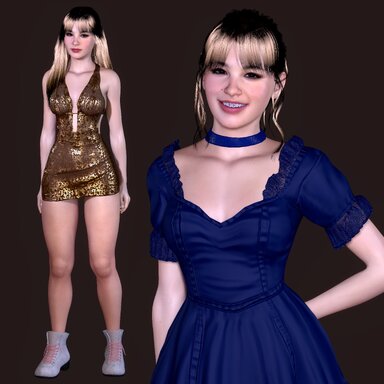

I am looking to use them in UE5, RE Engine, Unity games like TEKKEN 8, Resident Evil etc,

from my understanding from what i've read...these models come in a VAR format?

I'm looking for the best method to export/import these into Blender if it's even possible
9.jpg
 
Hello everyone, I'm new here so i do apologise,I need to know in advance before i subscribe and acquire these models but am i able to export/import these models in Blender for Game Modding?


I am looking to use them in UE5, RE Engine, Unity games like TEKKEN 8, Resident Evil etc,

from my understanding from what i've read...these models come in a VAR format?

I'm looking for the best method to export/import these into Blender if it's even possible

View attachment 600740

You're looking for this guide: https://hub.virtamate.com/resources/vam-to-blender-to-vam.3759/

Download it and have a read through it, it's pretty straight forward ♡
 
Do i require the Virt A Mate software subscription in order to export the models into Blender?

I just acquired the models but it appears i need to Virt A Mate Hub and Subscription in order to use that VAM to Blender Guide :(

As far as I'm aware you wouldn't be able to export 3D models from var files without Virt A Mate. But the software requires a one time subscription of 8$ (for creator tier key with all its beautiful features), not 8$ monthly. Hope that helps ♡
 
My guide wont work for this, all you get is an extremely low res obj with no rigging whatsoever - the guide is meant as a quick and dirty way to sculpt an existing model.

It's possible but far more involved, you would need to backport the vam model to daz, convert it to genesis8 then move to blender - For the shape you would need VaM - Daz3d - Chokaphis vam to daz plugin and his Daz generation plugin for blender to convert G2 to G8, you could use faceform for this step too and then diffeomorphic to move the fully rigged G8 to blender.

For skin you would need MrGigglys texture transfer template for blender to convert G2 skin to G8.

As for hair and clothes you would have to figure that out with existing daz stuff as theres no decent way to move vam clothes and hair outside vam.

Most importantly you would need explicit permission from Gilgamesh to use his model outside Vam.
 
Last edited:
Back
Top Bottom