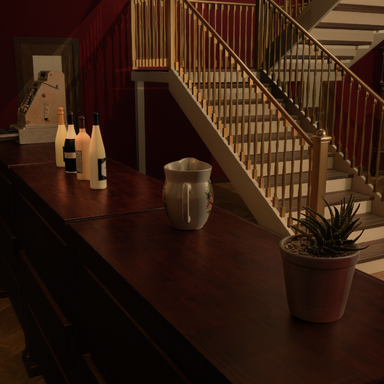


A lightweight first-person movement controller for VaM Desktop. It replaces the standard floaty navigation with grounded, game-style WASD walking so you can explore your scenes as if you were really standing in them.
 Features
- True FPS controls — W/S to walk forward/back, A/D to strafe, mouse to look around.
- Sprint with Shift (adjustable multiplier).
- Real collision — a player capsule blocks you from walking through walls and props, and automatically slides along surfaces instead of sticking.
- Step-up — smoothly climb small ledges, curbs, and stairs without jumping.
- Gravity & ground-snapping — you stay planted on the floor and follow the terrain height.
- Head bob — subtle, adjustable walking bob for immersion (turn it off if you prefer).
- Walks right up to people — collisions with Person atoms are ignored, so you can get close without being pushed around.
- On-screen HUD badge so you always know when FPS mode is active.
- One-key toggle — hit F5 anytime, or Esc to drop back to normal VaM navigation instantly.
- Right-click to release the mouse for clicking VaM UI, then release to keep walking.
 Controls
| Key | Action |
|---|---|
| W / S | Forward / Back |
| A / D | Strafe Left / Right |
| Mouse | Look around |
| Shift | Sprint |
| F5 | Toggle FPS mode on/off |
| Esc | Exit FPS mode |
| Right-click (hold) | Free the cursor for UI |
 Tunable Settings
Move speed, sprint multiplier, mouse sensitivity (with invert-Y), camera/eye height, head-bob amount & speed, collision radius, step height, and gravity speed — all live sliders. Plus "Enable on Scene Load" for instant first-person, and "Return to Start on Disable" to snap back to your original camera position when you exit. Installation
- Add the plugin to any Scene Plugin slot (or load it on a Person/Empty atom via Plugins).
- Open the plugin UI and press Toggle FPS Mode, or just hit F5.
- Walk around. That's it.
 Notes
Notes
- Designed for Desktop mode (keyboard + mouse). VR uses its own native locomotion.
- The plugin creates a small invisible collision helper atom (FPSPlayer) and cleans it up automatically when removed.
- Works as a drop-in on existing scenes — no scene changes required.