

You are using an out of date browser. It may not display this or other websites correctly.
You should upgrade or use an alternative browser.
You should upgrade or use an alternative browser.
Scenes Slut show - Your personal Exhibition Hall
- Author supperGR
- Creation date
- Hub-Hosted VAR
- CC BY-NC-ND
Ver.80
Devlog (Major Core Refactor & UX Overhaul)
Hey guys!! Long time no see! Here’s the full rundown of what’s new in Ver.80!

PERFORMANCE
- Major core refactor and logic optimization across the board
- Load times have been further improved — especially noticeable in heavier setups
POSE
- Added 40+ new high-quality pose presets from Verytoxic and klphgz
LIGHTS
- Temporarily removed the entire Extra Lighting group due to an unstable bug — will be completely reworked in a future lighting system overhaul
CORE FEATURES
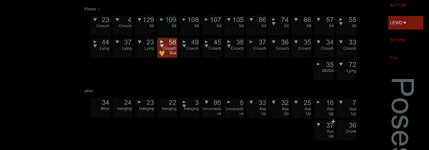
Completely redesigned the pose selection area — rebuilt by forking and customizing hazmhox's VAMStory plugin: stripped out unused modules and added a brand-new set of dedicated controls
Fully revamped the visual design of all button panels; they now dynamically adapt to the active color theme for a more cohesive look
- Current selected pose is now visually highlighted


- Introduced a Favorites System — long-press the heart icon in the corner of any pose button to toggle favorite status
Favorites are saved locally without needing to save the scene — future updates will automatically carry over your preferences
Added a dedicated Favorites group to quickly browse all your marked poses

- Newly added poses in this version are clearly indicated with a small badge on the button corner
- Unified special-effect indicators: buttons now display small markers to show which poses have animations, wind effects, or other special behaviors
- With this new pose management core, we've reduced atom usage by over 40+
NEW STATS TRACKER
- Added an exploration tracker in the bottom-right corner of the UI that logs the number of unique poses you've tried. This data persists across sessions along with your scene saves
WORKFLOW IMPROVEMENTS
- Streamlined the pose import and customization workflow for easier content creation going forward
- Unified panel display/hide logic using a dedicated Panel Hiding System, replacing a mess of scattered triggers. The rule is simple now: if you see a "+" button, you can interact with it to toggle visibility
- Replaced the old color theme selector and wall material picker with a custom-built mutually exclusive button group, further reducing atom clutter
OTHER
- Added a toggle in the Extra Functions section to show/hide both side walls individually
- The wall in front of the character has been permanently removed for better visibility and framing
- Fixed mirror reflection not working properly; rebuilt the background logo system from scratch and removed dependency on Dynamic Projector
- Fixed button logic issues with the Nadia Halloween timeline in White House mode
- Introduced basic lighting control sliders in White House mode for easier on‑the‑fly adjustments
- Fixed MonoLight animation not playing correctly, and optimized the animation switching logic
- Fixed an issue where toggling Lake Environment on/off in Custom Env mode wouldn't restore properly
- Fixed skybox color changes persisting incorrectly after disabling Custom Env mode
- Unified all UI visual designs across the entire scene for a more polished and consistent look
- Fixed UI position offset when entering Custom Mode in White House mode
- Adjusted dildo stiffness on a number of poses (some lewd ones are still a bit stubborn)
- Added a brand-new fade-in title card on scene load — because every show deserves a proper opening
- ...
Attachments



Ver.75
Separated the SnapSHOT module and replaced core logic with dedicated plugins, significantly reducing duplicated logic and greatly shrinking overall JSON size.
Update – Devlog (Major Performance & Core Refactor)
Based on early testing, load times show a clear improvement.
In my editing VAM setup (approximately 2000 VARs), the original v71 version required around 9 minutes to load, while the current optimized build completes loading in roughly 5 minutes.
POSE
- Optimized a large number of pose details
- Fixed bed trigger logic — pose switching in Lying states is now much more responsive
- Floating orb color now changes correctly when switching between different lightsaber options
SNAPSHOT
- Completely removed from SlutShow as a built-in module
- Now released as a standalone scene:
https://hub.virtamate.com/resources/snapshot-app.63829/
LIGHTS

- Simplified and refactored the light management system
- Clicking an active light option again will now properly turn that light off
PROFILE IMAGE MODE

Visual improvements:
- Fully removed Embody camera locking, allowing free camera movement
- Added SmoothMouse plugin for subtle orbiting based on mouse movement
- Automatically enables Bloom and color offset effects
- Added light fade-in when switching poses
- Automatically disables Nature Gaze
- Improved character motion during entrance animations
- Enhanced overall visual quality
- Optimized all poses specifically for Profile mode
CORE FEATURES

- Replaced the Focus plugin with an optimized custom version to improve performance
- FOV switching now also functions as a camera reset mechanism
- Isolated key UI elements into a separate render layer to fully avoid LUT influence
- Added custom ReflectionLayerFixer.cs plugin to fix character reflection issues caused by the DecalSystem projection plugin
- Fixed reflection background behavior in White House mode
- Added a total pose counter in the bottom-right corner of the UI
OTHER
Performance optimizations:
- Fixed gaze button color in White House mode
- Replaced the default Positioner with a custom version to properly support focus saving
- Removed large amounts of redundant positional data from the Positioner plugin
- Updated Positioner teleport logic to include focus distance data
- Replaced all Sync plugins with custom versions, supporting left/right text alignment and ensuring data persistence
- Added an experimental blur state after character switching or clicking Calibrate Naturalis, reducing visual discomfort
Fixes & cleanup:
- Disabled DOF plugins when DOF is not in use
- Closed unused plugins when wall distance or nipple controls are inactive to save performance
- Merged nipple and wall distance sliders into a single control button
UI & logic:
- Fixed black fade issues when entering and exiting White House mode
- Fixed blink issues when entering Profile mode
- Fixed UI color inconsistencies in White House mode
- Removed all unnecessary audio dependencies; now fully uses VAMStory’s built-in UI sounds
Plugin updates:
- Redesigned UI hiding logic across all standalone modes
- Fixed UI hiding behavior when enabling CamRide UI in the Idle timeline
- Removed dependency on the SuperShot plugin
- Updated Foost.DildoLanguage plugin
- Updated Better Bends plugin
- Updated VAMStory plugin


Ver.71
Update Log
CORE FEATURES:
- Rebuild Gaze system with 3 mode now, using my plugin for simple
- Pure mode in Custom Env
- replace skybox plugin with Sally.CameraBackgroundColor, new dependency +1
POSE:
A total of 94 new poses
From:
- SupperGR.Tiny_Adventure
- FyDogg.Yeji_Air_Dancing_8Poses
- Mr_Lee.Mr_Lee——Pose.1
- GAJIJAJI
- EvilBox
- klphgz
SNAPSHOT:
- Add Bloom shifting trigger
- Add EYE Target shifting trigger
- Add 8 new choice
LIGHTS:
- Adjust Bright light, Punk light, Side light, Flame light, Remix light
- Fix wrong direction of Studio light
- Replace a New Face light Group with Facelight2
- Replace a New Face light Group with Facelight3
OTHER:
- Update Better Bends and DildoLanguage with the new vision
- Some Item color in white house mode
- To prevent accidental touches, set a trigger display switch for the buttons in the Debug area
- Delate one depend: FallenDancer.JointCorrect.11, old dependency -1
- Fix bar dildo collion after some pose
- Background LOGO alpha auto adjust
- OTHER OPTIMISATIONS



Ver.70
Update Log
BACKGROUND:
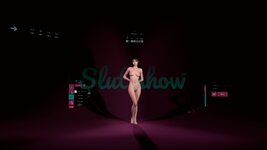
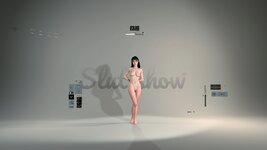
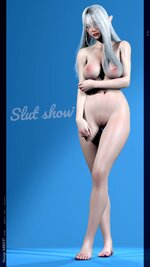
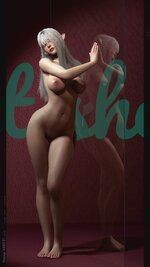
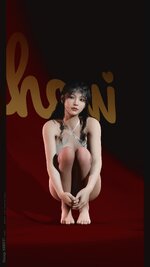
Based on @Kivi 's suggestion, the logo has been reinstated and is now an option, new dependency +1
To achieve a more flexible effect, I used @PluginIdea 's DecalSystem plugin to project the logo onto the background wall. Of course
you can replace it with your own logo, Just search for the "logo" in Atom to locate this plugin
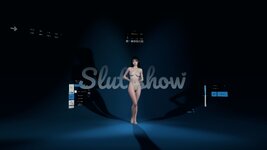
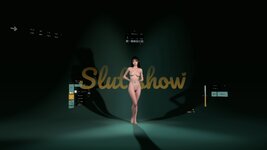
Two logo sizes available, You can switch between three display modes by clicking the button in the additional features area
A-small
B-large
LIGHTWEIGHT:
Simplify the scene, remove the underwater mode, and release an independent scene
Delete redundant logic scripts
POSE:
Add 19 poses
Some from @EvilBox
SNAPSHOT:
add more choice for snapshot
Change the snapshot mode logo
Adjust UI colours
Adjusted the positions of some preset camera angles due to the introduction of background logos


OTHER OPTIMISATIONS


Ver.69
Update Log
POSE:
- New Jedi action pose, lights off gameplay is retained, new dependency +1

VAM Lightsabers - Assets + Accessories -
⚠️ PLEASE: If you like this asset, consider liking and reviewing it for the community Read the documentation, read the ingame help if you have any trouble. I will not answer private messages asking questions about things that are actually...hub.virtamate.com
- New Lewd pose group with some timeline anime
- Easy controllable Dildo added for Lewd pose, Increased playability, great DildoLanguage plugin make this suitable for most size of your own character I HOPE... new dependency +2

DildoLanguage - Assets + Accessories -
Introduction This package brings you a set of various toys and dildos, all with physical behavior matching the built-in dildo, and then some more. The main features include: Fully working rigidbody physics Scale and Spring Strength sliders...
Auto Bulger - Plugins + Scripts -
What this does: Makes the throat/belly/genitalia bulge when something is inserted. How to use: Just add the plugin AutoBulger.cslist to the Person you desire to bulge. You can further adjust the morphing by using the sliders. Based on...
- Use CustomCollider for bed and sofa GPU collider to reduce the number of atom atoms, new dependency +1
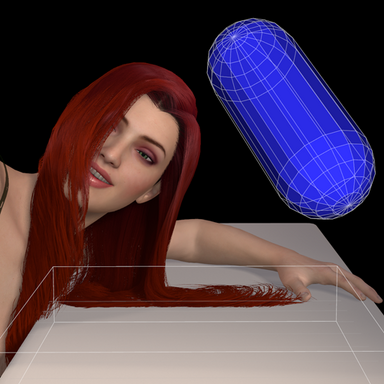
CustomCollider - Plugins + Scripts -
This plugin lets you easily add as many CPU and/or GPU colliders to your scene as you want. Does the scene asset you would like to use lack colliders somewhere? Add CPU colliders, which collide with other rigid body objects such as the person...
- New weapon choice for sword pose, two axes and an exaggerated sword, new dependency +2

Viking Gear Pack - Assets + Accessories -
Dec 10: Old helmet texture fixed, new helmet added! See V2 update. "Fell deeds awake! Now for wrath, now for ruin, and the red dawn!" A bunch of vikingy goodness for all you Nord-lovers! Contains eight assets: 2 axes, 2 3 helmets...
The Kafka weapon - Assets + Accessories -
- Simplified weapon shift into a simple button, for simplify logic
- Edit sorcerer magic flame logic
- Fix some lying pose missing stage
- Add more poses
SNAPSHOT:
- Portrait mode for snapshot, you can switch between horizontal and vertical screen photo modes, and a full watermark is included, which of course can be hidden as well. A large number of poses have been automatically matched to the portrait vertical mode
To
Toggle animation preview
- Add more choice
- Add "all light off" option
LIGHTS:
- Replace BRIGHT light with one from Rooiboss
- Edit face light 5
PROFILE IMAGE MODE:
- Edit anima detail
- Edit color
- Edit camera position
- Edit effect
- Edit UI layout
- Disable blink
CORE FEATURES:
- Plugins of Better morph for body, new dependency +1

Better Bends - Plugins + Scripts -
-- Important Tips: - Set smooth passes to 4 in vam user preferences panel for best results. - Try not to go too crazy with character morphing because the further you are from the base G2F shape the less likely the JCMs will work as intended, i...
- Height bar and Turning bar color, new dependency +1

Snippets - Plugins + Scripts -
Join my Discord! https://discord.gg/2h8PgczkeW If you like this plugin, consider favoriting it, giving it a thumbs up, or posting a review. Thanks! (y) Snippets A collection of small unrelated scripts to address specific needs. This resource...
- Edit Height Measurement mode logic UI color
- Fix pose group UI hiding logic
- Edit titty test UI layout
- Height bar UI new Logic
- Height bar reset button
- Twick some UI color
OTHERS:
- Delate Portrait mode, because the same effect can be achieved in snapshot, sorry if you really like this mode
- adjust turning speed
- Rug size of Blue milk color
- Supershot setup location PostMgic
- Fix some ui hiding logic
- Fix Blink logic
- cleaner logic, remove as many useless or duplicate logics as possible to reduce scenario complexity
OVER ALL
In addition to the newly added poses and features, I have minimised redundant and unnecessary logic code in this update and made some simplifications. However, the overall loading time is still very very long...
Will continue to optimise it as much as i can






Hotfix for Profile pic pose bug
Many thanks for @gzkc0083 point out the pose shift problem in Profile Pic mode
Designing the basic env as an enclosed space
Take @RonBurgundy 's advice, add other three walls for the base env
Supershot could toggle hide watermark
According to @OddPillow4 's feedback, snapshot can now toggle whether or not the screenshot generates watermark
With watermark
without watermark
Other tweaks:
- Delate some subtitles and other subtitle better
- Redesign Custom mode logic
- Added profile picture buttons to reset embody and
- Fix Supershot saving warn logic
- Add click sound for snapshot hide button
- Snapshot 0.5x fov change
- New atom: high stage with colour preset
- Adjust some crouch poses
- Adjust some BDSM poses
- Adjust bright light
- Unlink underwater UI group with playercamera when exit underwater mode
- Make extra light group logic simple
- Tweak UI layout for custom mode


New mode: Profile Image Creator
A fun photo sticker mode
Animation and great idea comes from asdgqe
Original resource published here:https://arca.live/b/realvam/133245699
I've added more playful interactions to it, also the lights and backgrounds are colour themed to match and you can switch between them most easily in modes
Two sets of poses have been added, the top one is a generic pose and the bottom one is Lewd pose
When you press the rightmost upper button in the pose bar below, a screenshot will be taken using supershot and the result can be viewed in vam\Saves\screenshots
Here comes the preview video

1. SnapSHOT Huge update!!!
More useful SnapSHOT shooting button and more
Now when you press the take photo button, a photo with information like timestamp and name is automatically generated, no need to hide the UI manually
Also redesigned preset camera positions for a large number of poses
Added some new poses for SnapSHOT and UI quantity optimisation collation
The hide button in the top left corner now toggles between three display modes and its triggering area has been increased
more demo photo here:
https://hub.virtamate.com/media/albums/new-poses-of-slut-show-snapshot.6655/
https://hub.virtamate.com/media/albums/note-the-upper-left-corner.6653/
Here comes the preview video
2. New Pose Grouping UI Arrangement
Redesigned UI display of pose partitions
Pose UI has been re-grouped for more efficient use and management of poses
Examples are shown below
3. New Poses
Addition of great poses from @PL_Artists , @oeshii , @VAMsss ,@VAMSOY and @Luminestrial
Two chinese Sword anim from VAMSOY: Chinese Swordwoman Posing
This includes Sorcerer poses and Selfie poses which are grouped separately
Sorcerer poses use the Flame asset: Xstatic.MegaParticlePack
Selfie poses use the Mobile asset: Yep.smartphoneFov_Set
4. Pose dynamics redesign
Replacing the original gravity simulation with a wind simulation
Found a problem with the previous method of simulating pose dynamics by changing the gravity, if using rotate function rotated the character, the direction of gravity didn't follow the character's rotation, leading to unrealistic
Replacing it with a wind simulation now solves the problem
Plugin using: WgSoup.WindControl+
5. JointCorrect and Natural Muscle Movement
Add JointCorrect and ShakeIt to correct postural distortions and provide more realistic muscle movements
Enabled by default, you can disable this feature in the Debug area
Plugin using: CheesyFX.ShakeIt and everlaster.JointCorrectEE
6. Dynamic poses in Under Ocean mode
Design some simple anim for some of the pose in Under Ocean mode
Simple slow animations for most underwater poses
7. 7 New walking Anim
New excellent walking dynamics added
8. Other tweaks and optimisations
Some other changelog
- Redesigned the runtime logic for LUT switching
- Redesigned the runtime logic for Reset pos
- Redesigned the runtime logic for the height adjustment function
- Re-added the ability to hide all scene interactable objects @foey
- Reduced fade times to speed up scene switching
- Adjusted the operation logic of the brightness adjustment of the eight main lights
- Adjusted some of the lighting parameters
- Added a new closure in the Custom Environment option
- Simplified the display of some of the UI in White Simplified the display of some UI in House mode
- Changed the breathing rate and intensity in Walking mode
- Optimised the display of the Debug area
- Adjusting the default configuration of Supershot plugin
- Adjusted the display position of the height adjustment slider
- Reduced a lot of redundant Atom
- Reduced a lot of redundant logic
- More...
In summary the following dependencies have been added
14mhz.Plugin-CustomMouseCursor
CheesyFX.ShakeIt
everlaster.JointCorrectEE
WgSoup.WindControl+
Xstatic.MegaParticlePack
Yep.smartphoneFov_Set


Attachments

New mode: White Space
A white space with bright lighting and a few shadows for intuitively clear texture editing and more
There are separate light presets for switching between cool and warm light colours
New poses and UI for Under Ocean mode
Added lots of switchable poses, redesigned UI layout and logic, can now hide backgrounds
Using EntityCX.CollidersAsTriggers (new dependency) to hide colliders
New UI layout for SnapSHOT
UI layout redesigned due to addition of lighting options
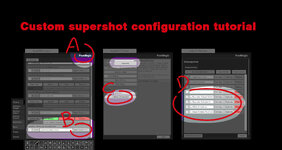
Note: Now the photo button will use the SuperShot plugin to take a screenshot, in order to be more responsive has defaulted the resolution to 1080p, you can customise the resolution and configure the configuration from the "PostMagic" atom
Screenshot path: vam\Saves\screenshots
New background and lighting options
FOV variable
Replacement of some LUTs
New Gift Box mode Light preset
Brightness adjustment of eight lights
Add a brightness slider to the Lights Extra Control area (upper)
Numerous other tweaks and logic optimisations
In summary, two dependencies have been added
- EntityCX.CollidersAsTriggers
- MacGruber.Essentials


Thanks to @Stars&Garters for bringing this up!
- 1
-
 1
1