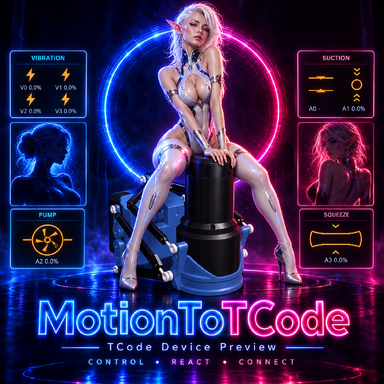
Nexus Fantasy Lab — interactive pleasure tables designed to bring your fantasies to life in Virt-A-Mate.
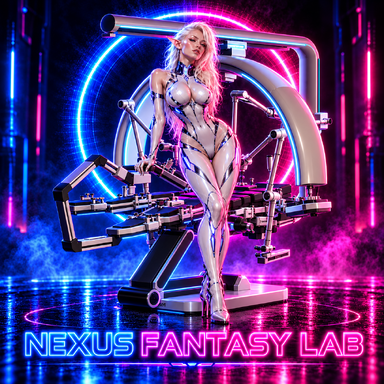
Nexus Fantasy Lab is a VaM plugin featuring three futuristic table configurations with automated manipulators, interchangeable attachments, adjustable character positioning, and integrated control panels.
The system combines mechanical movement, character positioning, attachment physics, lighting, and visual effects into a single interface.
Instead of relying entirely on pre-recorded animations, the manipulators calculate their movements in real time. Different mechanisms can be controlled independently, allowing users to experiment with various configurations, characters, and scenarios.
The project is not yet finished, and some features may not work perfectly. Bugs, unexpected behavior, and other issues are possible.
I simply wanted to share what I've created so far rather than keep it to myself until everything is complete.
Please keep this in mind when using the plugin and be prepared for occasional problems. I plan to continue developing, fixing, and improving the project gradually over time.
Thank you for your understanding, and I hope you enjoy experimenting with it!
Nexus Fantasy Lab is a project dedicated to exploring interactive mechanics, character interactions, and creating your own fantasy scenarios in Virt-A-Mate.


Nexus Fantasy Lab is a VaM plugin featuring three futuristic table configurations with automated manipulators, interchangeable attachments, adjustable character positioning, and integrated control panels.
The system combines mechanical movement, character positioning, attachment physics, lighting, and visual effects into a single interface.
Instead of relying entirely on pre-recorded animations, the manipulators calculate their movements in real time. Different mechanisms can be controlled independently, allowing users to experiment with various configurations, characters, and scenarios.
Features
- Three table models — Vector, Stratos, and Halo. Each features a unique mechanical design while sharing the same main control system.
- Multiple automated manipulators. Independent control of mechanical arms, rotating attachments, movement frequency, speed, and inertia.
- Interchangeable attachments. An integrated docking station provides a collection of attachments for male and female characters, with automatic attachment switching.
- DildoLanguage integration. Support for compatible flexible attachments, adjustable stiffness, and additional shape and movement settings.
- Automatic targeting. Select a character and target area. The manipulator calculates its approach trajectory and alignment based on the selected configuration.
- Adjustable character positioning. Control bed tilt, leg spread, knee bending, and arm support positions.
- Character teleportation. Move the selected character onto the table using integrated visual effects.
- Interactive control panels. Built-in screens provide access to table settings, manipulators, attachment docking, scanner controls, character positioning, and lighting.
- Scanner system. Adjustable scanner positioning, laser effects, and visual settings.
- Customizable lighting. Adjust colors, brightness, glow, and pulsing effects for different parts of the table.
- Physics and collision handling. Movement calculations account for contact detection and mechanical constraints. Actual reachability depends on the character's pose and available space.
- Saved configurations. Table selection, positioning, and supported settings are saved with the VaM scene.
Development Status
Please note that Nexus Fantasy Lab is still a work in progress.The project is not yet finished, and some features may not work perfectly. Bugs, unexpected behavior, and other issues are possible.
I simply wanted to share what I've created so far rather than keep it to myself until everything is complete.
Please keep this in mind when using the plugin and be prepared for occasional problems. I plan to continue developing, fixing, and improving the project gradually over time.
Thank you for your understanding, and I hope you enjoy experimenting with it!
Getting Started
- Add an Empty atom to your scene.
- Load Nexus/Nexus.cslist as a plugin.
- Select one of the three table models.
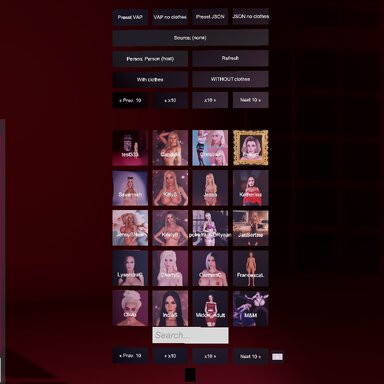
- Choose a character and use the integrated teleportation controls to position them on the table.
- Select the desired attachment and configure the movement settings.
- Activate the required manipulators using the control panel.
Nexus Fantasy Lab is a project dedicated to exploring interactive mechanics, character interactions, and creating your own fantasy scenarios in Virt-A-Mate.