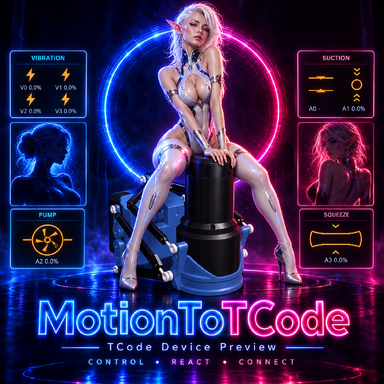



MotionToTCode is a VaM plugin that sends character movements to TCode-compatible devices, including stroking, rotation, tilt, and lateral movement.
The device connection code and parts of the interface come from ToySerialController 24 by Yoooi0. The core contact detection and motion calculation logic was developed separately.
The main difference is how the plugin detects interactions between characters. It takes into account the current shape and curvature of the penis, the entry position, and the shape of the contact area. Breast and buttock zones follow the body’s shape and update as it moves. Foot zones follow the soles, while hand zones match the width of the palms.
Changes compared with ToySerialController 24:
To get started, add MotionToTCode.cslist to a character, select the two participants, choose your connection method, and select a contact area or Auto mode.
Thanks to Yoooi0 for ToySerialController and the connection and interface code used in this project.
The device connection code and parts of the interface come from ToySerialController 24 by Yoooi0. The core contact detection and motion calculation logic was developed separately.
The main difference is how the plugin detects interactions between characters. It takes into account the current shape and curvature of the penis, the entry position, and the shape of the contact area. Breast and buttock zones follow the body’s shape and update as it moves. Foot zones follow the soles, while hand zones match the width of the palms.
Changes compared with ToySerialController 24:
- Reworked Auto mode. Areas are selected based on contact. Supported areas include the vagina, anus, mouth, hands, feet, breasts, and a separate buttocks zone.
- Combined hand and foot tracking. When both hands or both feet make contact, their movements and rotations are averaged.
- Entry direction detection. Movement direction is determined by the side from which contact begins.
- Position is held after contact ends. The plugin does not send the device back to its starting position. Motion output resumes when contact is restored.
- Virtual device preview. You can preview the calculated movements without connecting a physical device. Contact zones and direction guides can also be displayed directly in the scene.
To get started, add MotionToTCode.cslist to a character, select the two participants, choose your connection method, and select a contact area or Auto mode.
Thanks to Yoooi0 for ToySerialController and the connection and interface code used in this project.