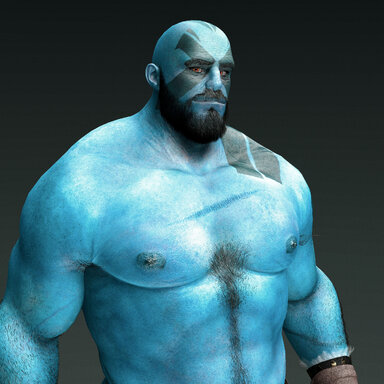

Grog Strongjaw (Male)
A goliath barbarian/fighter and a prominent member of the adventuring group The Legend of Vox Machina
Included
Morphs - Head, body and genital.Skin - 4K Head & Genital, 8K Torso & Limbs keeping texel density across seams
Hair - 12 custom Face & body hair
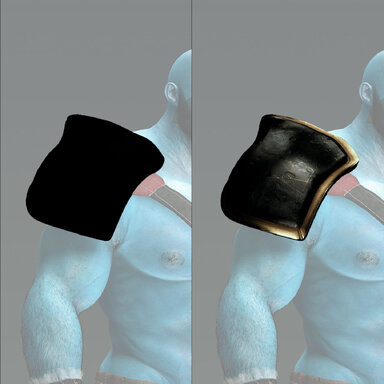
Clothing - 9 items with 2 variations
Poses - 7 dynamic poses
| Hair | Clothing | Pose | Presets (maleGrogStrongjaw) |
|---|---|---|---|
| Beard | Belt | Underwear Open | Appearance |
| Eyebrows | Jockstrap | Pants Drop | Clothing |
| Head | Pants | Kneel Flex | Hair |
| Armpits | Pants Drop | Agressive | Morph |
| Arms | Shield Strap | Agressive Stance | Skin |
| Back | Shoes | Ear Clean | Realistic Foreskin & Erection Control Center |
| Butt | Underwear Open | Stance | |
| Chest | Wrap | ||
| Groin | Wrist Bands | ||
| Legs | |||
| Navel | |||
| Testicles |
| Underwear Open (Clothing) + Underwear Open (Pose) | Jockstrap (Clothing) + Aggressive Stance (Pose) | Pants Drop (Clothing) + Pants Drop (Pose) | Adventurer (Clothing Preset) + Aggressive Stance (Pose) |
|---|---|---|---|
Setup
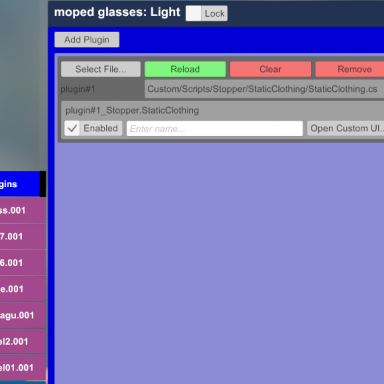
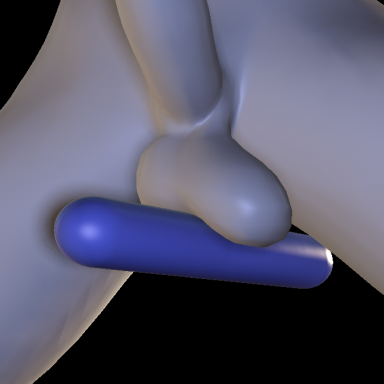
If you are adding an atom and using an appearance. Below are the plugins I would add to get the basics going.UrukYay Supplementary Colliders
- Open Custom UI in the UYCol plugin
- Press Guess fit
- Press this button twice over
RunRudolf Realistic Foreskin & Erection
- Open Custom UI in the RunRodolf.ControlCenter
- Load preset and select the preset from the downloaded file
- In some cases
- Select Tab Cock
- turn the Add/Remove Ball/Tip Collider off and on again
- Adjust the erection in tab General