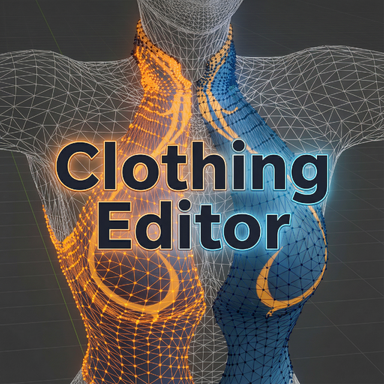


Clothing Editor
This is a plugin that aims to provide a bit finer control to the clothing creation process.Main features include:
- Visualization of clothing/skin meshes of base/morphed/drawn position.
- Full/partial rewraps with three wrappers: "VaM Native", "Smooth", and "Wrap EX" (ReCloth use only)
- Base mesh sim cloth data generation that rids of wrap deforms, with optional particle merging to reduce particle counts on dense meshes.
- Guide mesh wrapping for ReCloth clothing items.
- Pose tools: pose base/morphed skin via bone rotations, export posed morphed skin to OBJ for external fitting.
- All changes made through the tool is fully savable. No runtime clothing plugin required (except for ReCloth exclusive features).
Video showcases
- Partial rewrap - correct result in tight area
- Partial rewrap - solid bits on wrapped clothes
- Base mesh sim data generation
Basic workflow
- Create and save the clothing item from VaM's clothing creator first. The plugin only works on already-created items.
- Add the plugin to the Person atom and select the clothing item.
- In the Wrap tab: pick a wrapper and a wrap target ("Base"/"Morphed"/"Drawn"). Select skin triangles and clothing vertices in the "Skin Tri Select"/"Clothing Vert Select" sub-tabs, then wrap. Repeat with partial selections as needed - partial wraps merge into the current result.
- Per-wrapper settings live in the "Wrap Settings" sub-tab.
- Once you have your final wrap, re-generate sim data if the item uses sim.
- Save, remove the plugin, and reload the clothing item.
Important things to know before using this
- It is recommended to use this plugin only after you have had some experience in importing clothes into VaM, and have a basic understanding on how the clothing system works.
- Only use this as a tool in clothing creation. Do not use this plugin with any actual content consumption, as it may cause unexpected result and break scenes.
- The plugin works only as an "editor". It will ignore anything that is still in VaM's clothing creator. When creating new clothes, save the clothing item first from clothing creator, then load the plugin to edit it.
- After the changes are saved, you can remove the plugin and reload the clothing item.
- If you need to wrap to morphed skin, make sure to press "refresh morphs" to sync the current active morphs.
- Work on one clothing item at a time. If you need to switch, clear the plugin and reload.
- The plugin can work on clothing items from a package, but it won't be able to save any of the changes.
- To be able to re-generate sim data, the clothing item will need to be created with sim data generated. Only re-generate sim data after you have your final wrap result, as it gets overwritten every time you wrap.
- The plugin creates files under the clothing directory:
<clothing_name>_mappings.json
<clothing_name>.vab.backup
<clothing_name>.vaj.backup
If you updated the clothing mesh externally and reimported it under the same clothing name, delete these files before reloading the plugin so they can be regenerated using the updated mesh. Otherwise you will see issues during vertex selection. - Should work on male atoms and clothings too, although not tested much.
- Ambient status logging is off by default. Turn on "Verbose Logging" next to the version label if you need it (e.g. for a bug report).
ReCloth (1.3.0+) support
*ReCloth 1.3.0 is planned to be released in a few days.For clothing items made for ReCloth, the plugin can now author guide mesh data directly:
- Assign any submesh as the guide mesh via the "Guide Submesh" chooser (shows when wrap target is "Guide Mesh (ReCloth)"). No more _gm naming requirement.
- Wrap non-guide clothing vertices against the guide submesh using any of the wrappers.
- Bake guide particle radii with adjustable smoothing.
- "Wrap EX" results are stored in the vab and used by ReCloth for skinning.
Some tips and tricks
- Always check if you have the intended wrap target selected ("Base"/"Morphed"/"Drawn").
- The wrapper always uses the "base" clothing mesh as input.
- The "mirror" selection on clothing mesh will only work well if your clothing mesh is decently symmetrical.
- On skin meshes, use "Select by Material" to quickly select parts that are hard to manually select, e.g. eyeballs, lashes, etc.
- Assign clothing vertices to different material names externally (e.g. in Blender) so you can select them quickly in the plugin.
- Use "Sel Thru" mode in clothing selection to select vertices that are unreachable. Hidden faces are skipped during vertex selection - use the visibility controls to get at buried geometry.
- "Grow" and "Shrink" can be useful when fine tuning your selection.
- "Hide" can be used to isolate, and help reach inner geometry.
- "Smooth"/"VaM Native" can be used interchangeably most of the time, just choose whichever gives you the best result. When wrapping a large solid part onto a single triangle, "Smooth" will generally give a better result.
- For sim-heavy dense meshes, try a small "Particle Merge Distance" when re-generating sim data.
- The "Wrap Surface Offset" is used when wrapped clothing mesh should sit "below" the wrapped skin surface. If you are not sure if you should change it, check out this guide by @mopedlampe:
https://hub.virtamate.com/resources...d-clothing-imports-without-deformation.12708/
There will most certainly be bugs. Please let me know if any issue you run into. Any suggestions and/or feedback are also welcomed.
Special thanks
@Stopper's clothing rewrapper was the original inspiration of this tool.https://hub.virtamate.com/resources/clothing-rewrapper.35728/
The plugin's UI is powered by @14mhz's CustomUI system, with some modification.
https://hub.virtamate.com/resources/customtabui.56051/
https://hub.virtamate.com/resources/customlayoutui.60075/
https://hub.virtamate.com/resources/customui.60058/