
• Hi Guest!

    We have posted a new VaM2 dev log on Patreon, starting a monthly cadence of written progress updates between Beta releases. Highlights include the new Gizmos System, Selection Carousel, and Modes System with Context-Specific Editing. Beta1.2 is 15 of 21 items complete.

    Read the full post on Patreon, or follow progress on the public Trello roadmap.
Keyboard Shortcuts

Plugins + Scripts Keyboard Shortcuts

Download [<1 MB]
? Like this? Consider gifting the community a creation in my name or even a private gift to me.
* I choose not to have a Patreon (love all you who do)

Keyboard Shortcuts Plugin

Configure keyboard or gamepad to control the camera, atoms, other plugins, preferences, and more

Add the plugin to your scene
  • Click Add Plugin on either an atom or the Session Plugins tag from within VaM.
  • Click Select File... and choose LFE.KeyboardShortcuts.(version) on the left.
  • Choose the KeyboardShortcuts.cslist file
Configure your keyboard shortcuts

Click Open Custom UI on the KeyboardShortcuts plugin.

The dropdowns at the top will let you filter the keyboard shortcuts by category and subcategory.
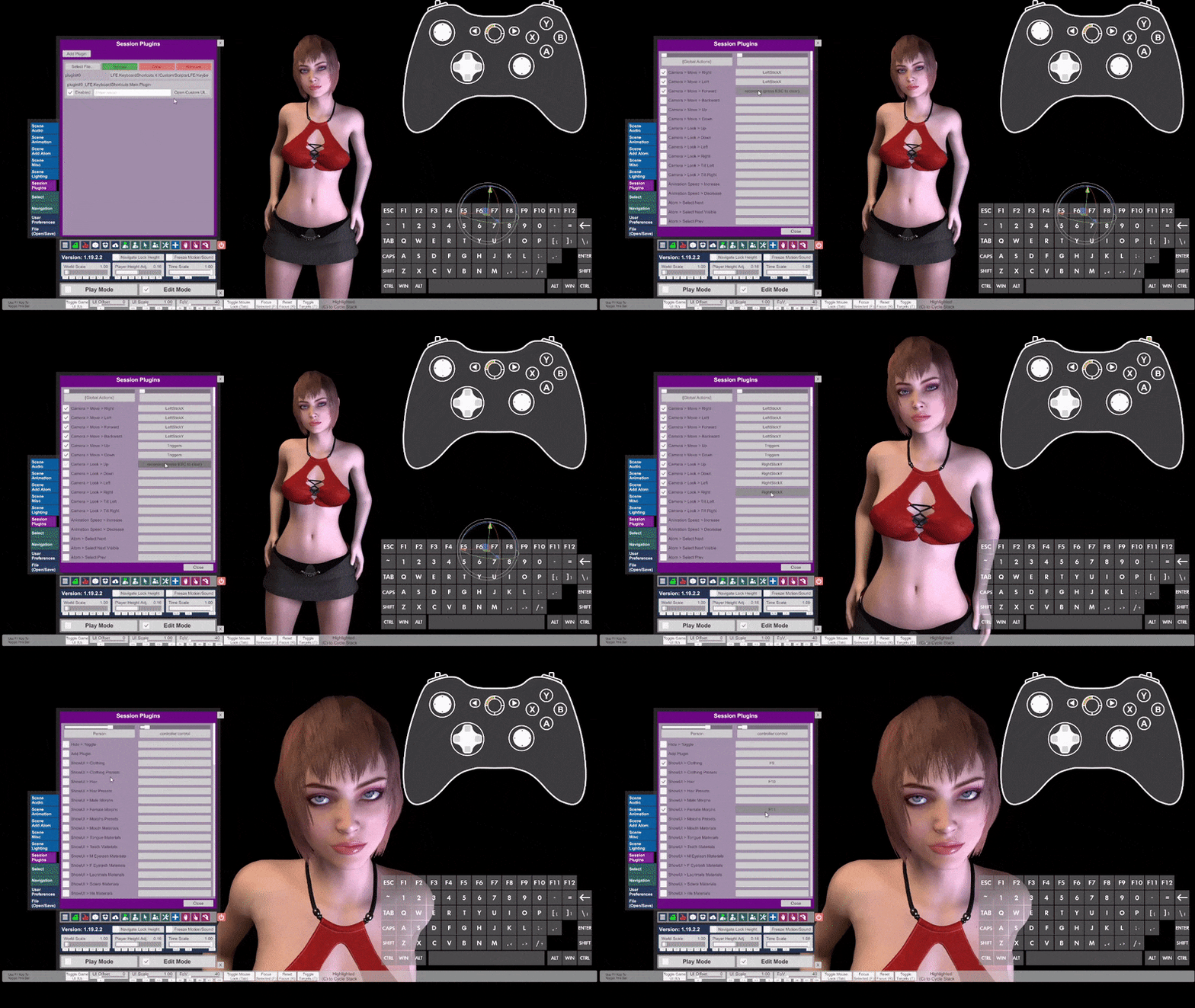
demo.gif


Command List

See this for full command list
React to this content...

Share this resource

Latest updates

  1. new: shortcuts to show VaM 1.20 tab names

    Support for these tab names now Plugin Presets Control & Physics 2 Control & Physics 1
  2. Fixed for VaM 1.20 - backwards compatible with 1.19

    Fixed for VaM 1.20 - backwards compatible with 1.19
  3. Shortcut to emulate mouse wheel scroll in/out

    Shortcut to emulate mouse wheel scroll in/out

Latest reviews

Positive
Version: 12
Posted:
Awsome mod, easy to setup and works just great. A big life saver for me to help adjust MMD camera distance in VR without my index controllers.
Upvote 0
Negative
Version: 12
Posted:
if I activate the plugin as a session plugin in desktop mode, moving the mouse will trigger some prefined binding ... it is always switching to a particluar atom .. eg. a light or something else (depends on the scene). In fact I cannot move back to the session plugin section to check ... I need to restart VAM to get rid of the session plugin. With this behavior it is a roadblocker ... please advice .. thanks!
lfe
lfe
While I do not know exactly what your settings looks like, I have also set a binding to a mouse movement (there should not be one in the default settings). If you want to fix things by hand, you can open up the Saves/lfe_keyboardshortcuts.json file in a text editor and remove the one that looks like a mess. You can also just delete that entire file if you want to have the settings be set back to the defaults.
Upvote 0
Positive
Version: 12
Posted:
Should be part of VaM, thanks!
Upvote 0
Positive
Version: 12
Posted:
very useful
Upvote 0
Positive
Version: 11
Posted:
Pleeeeease fix it for the 1.20!!!............ FIXED! I love you man! \o/
Upvote 0
Positive
A3_
Version: 9
Posted:
THANKS BUDDY!!!!!!!!!!!!! 100+
Upvote 0
Positive
Version: 7
Posted:
Great plugin, especially now that you can move each body part with global shortcuts.
Upvote 0
Positive
Version: 0.17
Posted:
Very handful plugins, makes life easier in VAM.
Upvote 0
Positive
Version: 0.16
Posted:
It's not Vim but it's good!
Upvote 0
Back
Top Bottom