Solved Light reflections overexposed and artifacting on High Shader Quality

Joined
Oct 10, 2024
Messages
3
Reactions
0
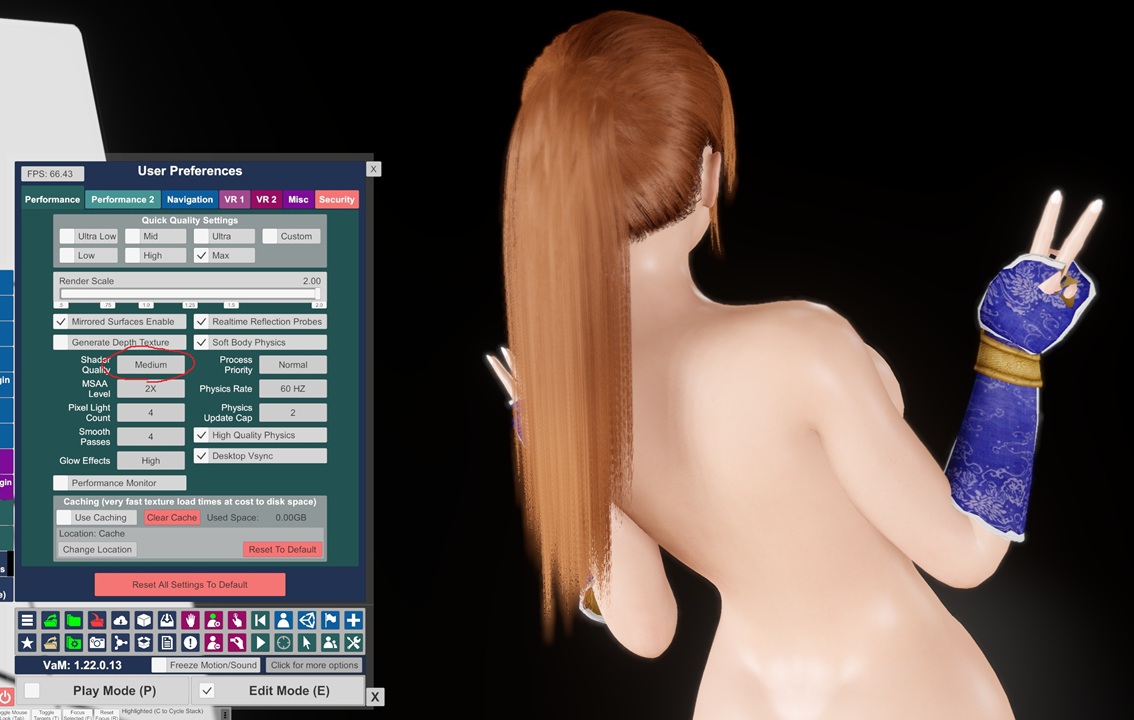
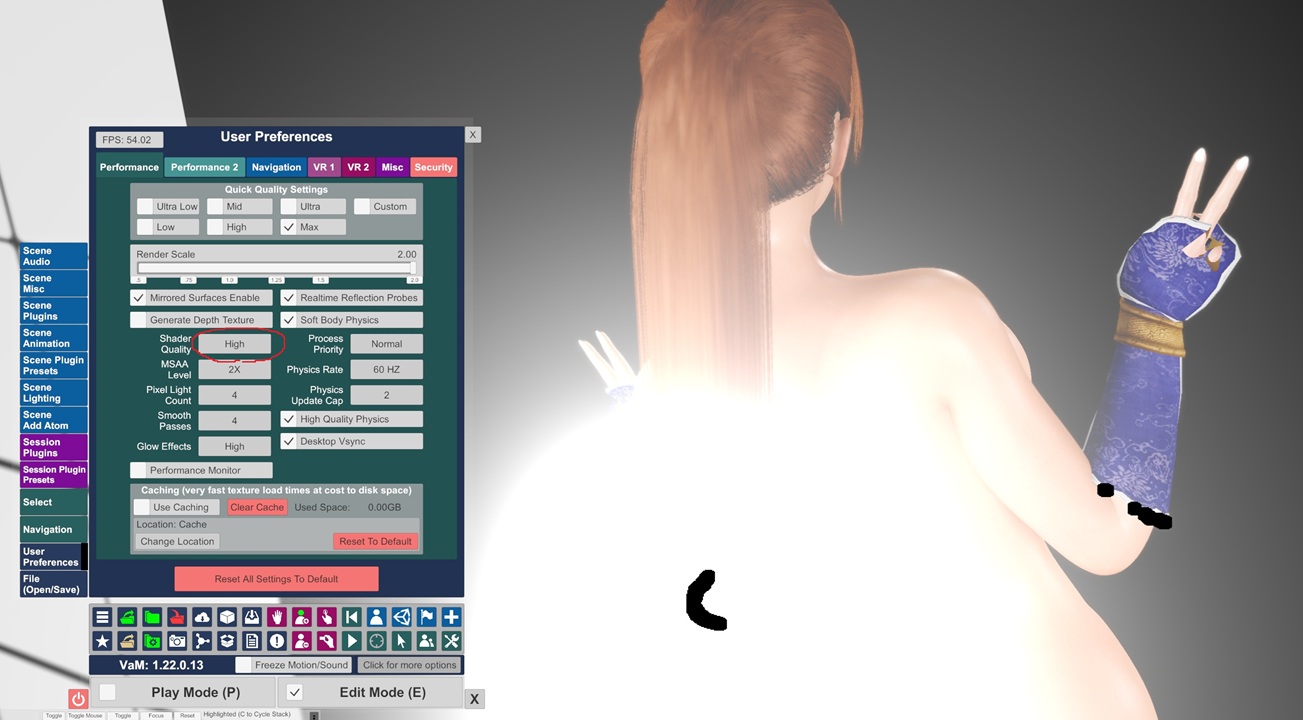
Hi ,When setting Shader Quality to High, light reflections become severely overexposed with graphical glitches.
I'm using an RTX 5080 with driver version 621.14. Is anyone else having this issue?
How to fix this issue? Thanks!
9brsr9.jpg

cm98dx.jpg
 
Are you using a post-processing plugin with bloom enabled? It looks like edges around the glove sleeves might have bad geometry which can cause this type of issue with bloom. If it's PostMagic you can try enabling the anti flicker setting, it might fix the lights but the black artifacts will probably still be there.
 
Upvote 0
Are you using a post-processing plugin with bloom enabled? It looks like edges around the glove sleeves might have bad geometry which can cause this type of issue with bloom. If it's PostMagic you can try enabling the anti flicker setting, it might fix the lights but the black artifacts will probably still be there.
Thanks!
It seems PostMagic's Bloom/DoF conflicts with High Shader Quality.
Anti-Flicker doesn't help, so disabling PostMagic or lowering Shader Quality are the only fixes.
Is there any other way?
 
Upvote 0
This is due to areas on the clothes having no space on the uvs, the black bits literally have no uv and as a result no textures, vam will render this a black. This is then being magnified by postprocess bloom which results in what you see, its there without the postprocessing just not nearly as obvious. If you move vams ui to cover the areas you will see some black artifacts.

It's very common with daz clothing where the creator did some extrusion to add thickness to the edges of the clothes and don't then remake the uvs to add the new geometry they created with the extrusion to the uv space cos that would mean having to retexture. Daz does not care about this but vam does.

Not fixable at a user level.
 
Upvote 0
Thanks!
It seems PostMagic's Bloom/DoF conflicts with High Shader Quality.
Anti-Flicker doesn't help, so disabling PostMagic or lowering Shader Quality are the only fixes.
Is there any other way?

Well, you could try replacing PostMagic with the plugin below. It seems to handle the UV issue better in some cases. Otherwise, like Juno mentioned there's nothing you can really do on your end.

 
Upvote 0
Back
Top Bottom