• Hi Guest!

    We are extremely excited to announce the release of our first Beta1.1 and the first release of our Public AddonKit!
    To participate in the Beta, a subscription to the Entertainer or Creator Tier is required. For access to the Public AddonKit you must be a Creator tier member. Once subscribed, download instructions can be found here.

    Click here for information and guides regarding the VaM2 beta. Join our Discord server for more announcements and community discussion about VaM2.
  • Hi Guest!

    VaM2 Resource Categories have now been added to the Hub! For information on posting VaM2 resources and details about VaM2 related changes to our Community Forums, please see our official announcement here.

VaM 1.x Fixed VR buttons

Threads regarding the original VaM 1.x

Aipas

Active member
Joined
Sep 27, 2024
Messages
87
Reactions
103
I have fixed screen buttons (as in a fixed UI) on my scenes and would like to make them usable in VR when I release them.

Was suggested Docked UI plugin instead of canvas buttons one. Docked UI supports VR, but since I don't have a VR set, I probably can't match button positions on my end, and I'm not even sure VR allows for buttons to stay in a fixed screen space.

I made a simple test scene with docked UI buttons, if anyone wants to help, or simply provide some insight.
 
Solution
Making a fixed (on screen/hud) UI in VR is not a good practice. Since you need to interact with it, the simple fact that your head moves and your hands too, makes interacting with it extremely annoying. On top of that, the UI being always there completely breaks the immersion.

The best approach is to use a diegetic/in world UI.
Making a fixed (on screen/hud) UI in VR is not a good practice. Since you need to interact with it, the simple fact that your head moves and your hands too, makes interacting with it extremely annoying. On top of that, the UI being always there completely breaks the immersion.

The best approach is to use a diegetic/in world UI.
 
Upvote 0
Solution
It does break the immersion, but I've always hated - at least in desktop - to change angles and then having to "hunt" for buttons.

Still, if fixed buttons are not good VR practice I'll probably have to think of something. Most likely have a whole seperate UI and provide both choices.

At any rate, thanks for the reply.
 
Upvote 0
but I've always hated - at least in desktop - to change angles and then having to "hunt" for buttons.

"Destop". Not VR :)
Desktop is made for that, you could also provide buttons that shows and disappear on desktop, there are way less limitations.


Most likely have a whole seperate UI and provide both choices.

VAMStory's suite provides all tools to handle that if you're not aware of it.
 
Upvote 0
I've download VamStory a good while ago, but it always seemed to me that it did way more than what I needed, so I've never messed with it.
I've had a look after your comment. Maybe VAMS_Bindtocam is a way to do it?
Anyway, I'll mess around with it a bit.

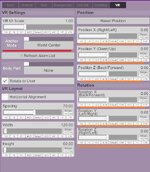
Docked IU has a "use vr buttons" setting, but my whole problem was, even after activating it, not knowing what a VR user sees. I saw the buttons changing position with that option on, but in VR it probably looks different.

Incidentally, I know very lttle about Vam's cam in general. Sometimes I set a scene loading position, which in my mind should always stay the same, and then it is altered somehow. Maybe because I changed the focus on an atom?
Probably something to do with how unity cams work, or how Vam's unity cam was tweaked...

Cheers
 
Upvote 0
Maybe VAMS_Bindtocam is a way to do it?

Yes. Also pretty much everything else in VAMS to not have 20 atoms to handle a UI (which is hitting hard the fps with the vanilla UI).


Docked IU has a "use vr buttons" setting, but my whole problem was, even after activating it, not knowing what a VR user sees. I saw the buttons changing position with that option on, but in VR it probably looks different.

Incidentally, I know very lttle about Vam's cam in general. Sometimes I set a scene loading position, which in my mind should always stay the same, and then it is altered somehow. Maybe because I changed the focus on an atom?
Probably something to do with how unity cams work, or how Vam's unity cam was tweaked...

The loading position is working if you enable it properly. "Unity" camera has nothing to do with it, it's only a matter of setting up the scene properly or scripting it properly.
Generally, if you're starting to enforce some specific behaviors, you need to script that yourself to ensure it's 100% doing the same thing everytime, for anyone. Spawnpoint is a good way to do that.

For the record, if you're experimenting stuff to do fallback on desktop AND VR, you would have both to test and confirm everything.
If you don't have VR gear, I'd recommend saving time on your end and doing diegetic/in world UI... you can't go wrong as it's position based. Doing "hud" style UI without being able to test it, is just a recipe for disaster on the player's end and yours (you will have to fix if it's not working, still blind without being able to confirm any modifications you make).

Your intention is great, but you're just gonna end up slamming your head against the wall if you do that without being able to test it thoroughly.

It's just a friendly warning ^^
 
Upvote 0
It's a good warning.

I know you're right about in world UI. And since I plan on releasing more scenes, I know I should make sure VR users could interact with buttons properly.
But I can't stomach in world UI. Just can't.

My pipe dream was setting up something with both desktop and VR and then have a charitable user test it and send me coordinates for VR, but a) nobody's gonna do that for 30 something buttons and b) I don't even know if that would work. And like you said, I would still be unable to verify it.

I appreciate you taking the time to reply.
Will have to chew on this some more, and please, don't hold it against me if I don't follow some very wise advice on your part. I'm just stubborn. o_O
 
Upvote 0
Maybe you're too obsessed with the world UI thingy.

World UI requires proper setup and forward thinking to make it nice and not invasive. You also gotta imagine that a player is not gonna look at the UI 3 hours or if we do a ratio, like 50% of the playtime on a scene. We know why they're here, and it's to fap. And I'm convinced (and tested/asked)... the less time they spend in the UI, the better.

If you think of this that way, a world UI is not less immersive than a wrist mounted UI (popping up on demand) or a Hud style UI always there in your face.
Even further, Actions in VAMS can do a look at / distance based UI which only shows up if you look directly at it.

And no of course not, I'm just answering you lol I won't hold against you anything you wanna do ^^

Sometimes it's also good to experiment and explore possibilities. Also, this is something I learned over time in gamedev : it's not because you think something is good (or appeals to you), or that you wanna do it this or that way... that it IS the proper way. But just like you at some point, I had to test and experiment stuffs, this is the only way you can know if it works or not.

Final note on the "is it the good way?". Liking or thinking it works because you're used to it, also does not make it good (big game studios often demonstrate that they are hooked on designs they think are great when half the player base say it's crap). I think it's the biggest hurdle, taking a step back and removing bias from using something long enough that it starts to feel like it's the proper approach.

It's always hard to think "how player will use it/how much/how long/how they will perceive it".
You own logic obviously differs from pretty much anybody else ^^
 
Upvote 0
Back
Top Bottom