• Hi Guest!

    We have posted a new VaM2 dev log on Patreon, starting a monthly cadence of written progress updates between Beta releases. Highlights include the new Gizmos System, Selection Carousel, and Modes System with Context-Specific Editing. Beta1.2 is 15 of 21 items complete.

    Read the full post on Patreon, or follow progress on the public Trello roadmap.

VaM 1.x When learning to import helmets, I used the unicorn transformation, and the character deformed into this. Why?

Threads regarding the original VaM 1.x

davam159357

New member
Joined
Jan 4, 2026
Messages
12
Reactions
1
1767645155354.png

1767645221753.png
 
Deactivate collision in control & physics
Thank you for your help, but I still have some issues. When I was trying to create an earring, I encountered a model deformation error. The model looks very different in VAM compared to how it does in Blender.
1767717567834.png
1767717613422.png
1767717631159.png
 
Upvote 0
Using morphs to trick the cloth wrapper into importing clothing linked to different verts than standard to avoid deformation is a depreciated method these days mate.

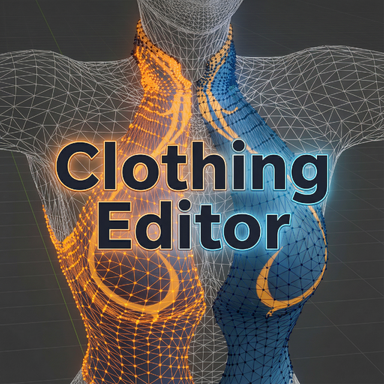
Just recently we got this absolute masterpiece of a plugin from @regguise that should allow you to easily import these ;)

 
Upvote 0
The mesh deformation is due to a smoothing pass that Vam adds to all clothing created. To turn it off, save the clothing item, then go to your Custom/Clothing folder and find your item. There will be a .vaj file. Open it in a text editor and find the line that says -"smoothIterations" : "1" ; and change that 1 to a 0. Save it, and when you reopen vam, the clothing item will look how you want it to.
 
Upvote 0
如今,使用变形来欺骗布料包装器,使其导入与标准不同顶点关联的服装以避免变形,这是一种过时的方法。

最近我们从 @regguise 那里得到了一款非常棒的插件,它应该可以让你轻松导入这些文件。;)

非常感谢!我会试试的。
 
Upvote 0
The mesh deformation is due to a smoothing pass that Vam adds to all clothing created. To turn it off, save the clothing item, then go to your Custom/Clothing folder and find your item. There will be a .vaj file. Open it in a text editor and find the line that says -"smoothIterations" : "1" ; and change that 1 to a 0. Save it, and when you reopen vam, the clothing item will look how you want it to.
Thank you very much for your answer!
 
Upvote 0
非常感谢!我会试试的。
Using morphs to trick the cloth wrapper into importing clothing linked to different verts than standard to avoid deformation is a depreciated method these days mate.

Just recently we got this absolute masterpiece of a plugin from @regguise that should allow you to easily import these ;)

I tried using this plugin, but I'm not quite sure how it works. I'm a beginner. I didn't quite understand the video on the plugin page. Are there any other tutorial videos you could recommend? I want to be able to import some earrings I made.
 
Upvote 0
I tried using this plugin, but I'm not quite sure how it works. I'm a beginner. I didn't quite understand the video on the plugin page. Are there any other tutorial videos you could recommend? I want to be able to import some earrings I made.

I would be surprised if there are any other guides that explain it as its so new and I've not had a chance to dive in and test it properly for headwear/earrings as I've not had any items like that to import since its release.

It is a shame there's not a proper write up as I agree it would be very helpful.
 
Upvote 0
Back
Top Bottom