• Hi Guest!

    We are extremely excited to announce the release of our first Beta1.1 and the first release of our Public AddonKit!
    To participate in the Beta, a subscription to the Entertainer or Creator Tier is required. For access to the Public AddonKit you must be a Creator tier member. Once subscribed, download instructions can be found here.

    Click here for information and guides regarding the VaM2 beta. Join our Discord server for more announcements and community discussion about VaM2.
  • Hi Guest!

    VaM2 Resource Categories have now been added to the Hub! For information on posting VaM2 resources and details about VaM2 related changes to our Community Forums, please see our official announcement here.

VaM 1.x When learning to import helmets, I used the unicorn transformation, and the character deformed into this. Why?

Threads regarding the original VaM 1.x

davam159357

New member
Joined
Jan 4, 2026
Messages
5
Reactions
0
1767645155354.png

1767645221753.png
 
Using morphs to trick the cloth wrapper into importing clothing linked to different verts than standard to avoid deformation is a depreciated method these days mate.

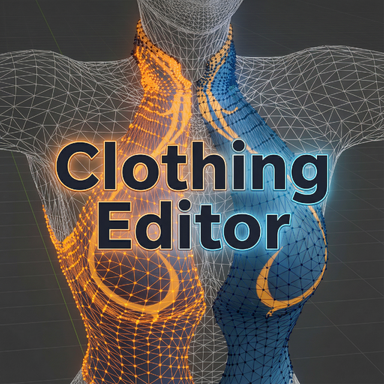
Just recently we got this absolute masterpiece of a plugin from @regguise that should allow you to easily import these ;)

 
Upvote 0
The mesh deformation is due to a smoothing pass that Vam adds to all clothing created. To turn it off, save the clothing item, then go to your Custom/Clothing folder and find your item. There will be a .vaj file. Open it in a text editor and find the line that says -"smoothIterations" : "1" ; and change that 1 to a 0. Save it, and when you reopen vam, the clothing item will look how you want it to.
 
Upvote 0
如今,使用变形来欺骗布料包装器,使其导入与标准不同顶点关联的服装以避免变形,这是一种过时的方法。

最近我们从 @regguise 那里得到了一款非常棒的插件,它应该可以让你轻松导入这些文件。;)

非常感谢!我会试试的。
 
Upvote 0
The mesh deformation is due to a smoothing pass that Vam adds to all clothing created. To turn it off, save the clothing item, then go to your Custom/Clothing folder and find your item. There will be a .vaj file. Open it in a text editor and find the line that says -"smoothIterations" : "1" ; and change that 1 to a 0. Save it, and when you reopen vam, the clothing item will look how you want it to.
Thank you very much for your answer!
 
Upvote 0
非常感谢!我会试试的。
Using morphs to trick the cloth wrapper into importing clothing linked to different verts than standard to avoid deformation is a depreciated method these days mate.

Just recently we got this absolute masterpiece of a plugin from @regguise that should allow you to easily import these ;)

I tried using this plugin, but I'm not quite sure how it works. I'm a beginner. I didn't quite understand the video on the plugin page. Are there any other tutorial videos you could recommend? I want to be able to import some earrings I made.
 
Upvote 0
Back
Top Bottom