• Hi Guest!

    We are extremely excited to announce the release of our first Beta1.1 and the first release of our Public AddonKit!
    To participate in the Beta, a subscription to the Entertainer or Creator Tier is required. For access to the Public AddonKit you must be a Creator tier member. Once subscribed, download instructions can be found here.

    Click here for information and guides regarding the VaM2 beta. Join our Discord server for more announcements and community discussion about VaM2.
  • Hi Guest!

    VaM2 Resource Categories have now been added to the Hub! For information on posting VaM2 resources and details about VaM2 related changes to our Community Forums, please see our official announcement here.

VaM 1.x Question about revised posting policy on screenshots for resources

Threads regarding the original VaM 1.x

SlimerJSpud

Invaluable member
Joined
May 18, 2022
Messages
2,004
Solutions
42
Reactions
1,365
In the recent post linked here, @VaMStaff clarified some policy regarding post processing, but there are other ramifications. The policy states, "We no longer allow screenshots that include content that is not actually in your scene." I think there is a grey area that needs consideration, and maybe clarification. I have a free look that was posted as nude appearance presets, with 3 clothing presets in a separately posted var. Two of the screenshots in the look post were with clothing from the clothing preset post. This should be OK, but the way the policy reads, it might technically be in violation. I made two separate posts as an experiment to see if the look got more downloads without the clothing, but they're about the same. If the mods require it, I could repackage them as one post with two vars, but there would be no other changes to the content. Opinions?

 
I understand the intention behind the updated rules, and overall they make sense to me. The points about post-processing in screenshots seem fair and reasonable for users.
However, I’m a bit unsure about how to interpret the point mentioned by SlimerJSpud. For example, what if a character appears in a screenshot but isn’t actually part of the scene itself? In my case, I often need to include a character simply to demonstrate how the lighting works within my environments. That part was a bit confusing for me.
 
Ideally what we want is for you to post screenshots of only what is available in the scene. If your nude character doesn't come with clothes, then don't post a screenshot with the character wearing clothes.

If you absolutely must post a screenshot with that type of content, then it should come with a valid reason. "I uploaded the clothing in a separate var that is also free and owned by me" would be ok, but you still need a screenshot that clearly labels "This is what the scene looks like when you download it. She has no clothes. This is what you get" and then separately "Here's a screenshot with the clothes you can get from my other free resource, THESE ARE NOT INCLUDED".

For plugins, this is also ok. "NO MODELS ARE INCLUDED WITH THIS PLUGIN, BUT HERE IS A VIDEO DEMONSTRATION. I have credited the models I have used in my video. If you want to download them, here is a link."

@SlimerJSpud The resource you linked doesn't clearly label the images. They need to have some bold, easy to see text that says "clothing not included. you can get it here"
And the nude images need to say "Actual scene."
FWIW, the "no longer allowed screenshots that included content that is not actually in your scene" has been the policy for several months now. But few pay attention. This mainly applies to paid content of course, where the majority of the misleading advertising and scams are happening.

Not everyone on the team feels the same way about this policy. We're open to suggestions on how to combat the issue of people adding whatever they want to screenshots to make them more appealing, and then either putting "clothing not included" in really tiny letters at the bottom, or not putting it at all.
 
We rarely enforce the "clothing not included" policy. Like I said it's been live for months but we haven't come down on anyone except new accounts. BUT, I would totally support a new "You can do this, but you HAVE TO LABEL IT CLEARLY" policy. With the caveat that if we go that route, I am going to recommend we do step up enforcing it.
 
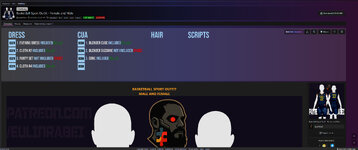
If you’re open to suggestions maybe it would make sense to place the dependency list at the beginning of the content page rather than at the end. It could be presented as a slider, similar to the screenshot carousel/slider. The idea is to help users quickly understand what is included in the scene and what isn’t. You could even take it a step further and organize dependencies by category for example how many clothing items, plugins, or hairstyles are used in the scene. This could be done with collapsible sections to avoid taking up too much space.
I understand that in some cases there can be a large number of dependencies and such a table might become cluttered or less practical. It also wouldn’t fully guarantee compliance with the rules but it would make it much easier for users to understand what’s included in the scene. At the same time, I’m not sure how everything can be reliably checked manually that’s a lot of work and would likely benefit from at least some level of automation, even at a basic level. I know the screenshot looks a bit rough, especially in terms of text sizing I didn’t spend much time polishing it, but I hope the idea comes across. The main challenge would be making it compact and easy to read.
66.jpg
 
If you’re open to suggestions maybe it would make sense to place the dependency list at the beginning of the content page rather than at the end. It could be presented as a slider, similar to the screenshot carousel/slider. The idea is to help users quickly understand what is included in the scene and what isn’t. You could even take it a step further and organize dependencies by category for example how many clothing items, plugins, or hairstyles are used in the scene. This could be done with collapsible sections to avoid taking up too much space.
I understand that in some cases there can be a large number of dependencies and such a table might become cluttered or less practical. It also wouldn’t fully guarantee compliance with the rules but it would make it much easier for users to understand what’s included in the scene. At the same time, I’m not sure how everything can be reliably checked manually that’s a lot of work and would likely benefit from at least some level of automation, even at a basic level. I know the screenshot looks a bit rough, especially in terms of text sizing I didn’t spend much time polishing it, but I hope the idea comes across. The main challenge would be making it compact and easy to read.
View attachment 583574

I think you're misunderstanding the point of the guidelines: this is not a UX/Hub thing, it's a scam/misleading content prevention type of thing.
We get reports of content being very different from the screenshots both in quality and/or content.

The goal is to ensure screenshots and guidelines provided by the creator are clear and obvious for the player/user. For instance, you could say that the dependency tab gives you that information, yet... i'm pretty sure no one ever reads the deps tab besides looking at the dep count.

The average ADHD on the documentation reading process is real, no tool or additional UI is gonna change the fact that most people go for the pretty pictures and eventually videos... and these have to be the most accurate representation of what you can get if you load the thing into VAM.

Being the one that probably publishes/maintains the most content on the team, trust me, it annoys me as much as you :p

Btw, @AshAuryn could confirm, but we're not gonna ask for people to go back on all their pre-guidelines content, unless they're reported maybe?
 
Back
Top Bottom