Thank you for this. I have been marveling at your work from afar. This is because I am not a 3D person so a lot of this stuff is over my head. But a thought has been coursing through my head since I encountered your first post. This thought won't go away so let me blurt it out.
Is there a way to take a VaM character that is fully clothed, posed or animated, and bake that into an NPC? The use case would be for a chorus line behind a main dancer, or a lineup of working ladies at a House of Ill Repute. When I first encountered your posts, I was thinking that the workflow would be to export the clothed/animated VaM look to Unity and then back in via your tool. But that sorta doesn't make sense and would be way beyond my skills. Anyway, just curious. Thanks again.
Hi! No need to feel intimidated at all.

I'm actually not a 3D person either. Just like you, this all started as a hobby.
That's exactly why I know how overwhelming it can be if you have to learn every single step from scratch. I'm definitely not saying we shouldn't learn those things, but I do think it's okay to simplify the process first, lower the barrier to entry, and let people build and keep their enthusiasm. That's really the whole reason I've been making these tools.
As for your question, that's honestly something I've been dreaming of making happen for a long time. It's actually one of the reasons I created
CUA Puppeteer in the first place. It already solves the problem of mapping animations from a VaM character to a CUA character, or even baking the animation into a CUA asset.
https://discord.com/invite/h9FzEmM9Kj 🎭 CUA Puppeteer Puppet a whole crowd of CUA characters from one animated Person. Or bake the motion and play it back with no Person at all. CUA Puppeteer drives resource-cheap Custom Unity Asset (CUA)...

hub.virtamate.com
Converting the VaM character itself into a CUA isn't really the hard part. The real challenge has always been hair and clothing, especially if you want to preserve their physics simulation. I still haven't found a solution that I'm truly happy with.
So, in short, it's definitely
not impossible, but there are still quite a few roadblocks to overcome before it becomes a smooth workflow. Hopefully one day we'll get there.



![[Project CRAFT] ASSET CUA STUDIO: Open Source Release](https://1424104733.rsc.cdn77.org/data/resource_icons/67/67353.jpg?1781153072)


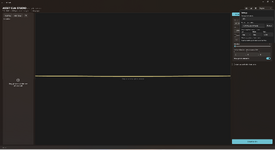
 Delete meshes right in the 3D view. Click any part of a model, a ground plane, a backdrop, scan clutter and press Delete to drop it from the export. The prop re-centers, re-floors and re-scales to what's left, so "I only want the prop, not the floor it shipped with" is now one click. Deleted meshes are listed under Advanced, restorable one by one (or all at once), and saved with your project.
 Undo / redo in...