


 CUA Puppeteer
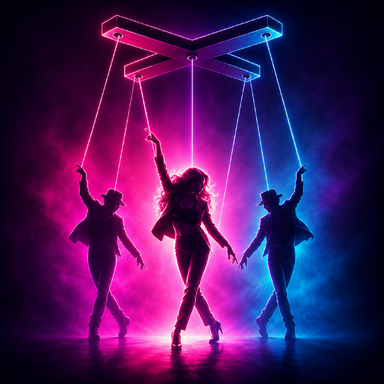
Puppet a whole crowd of CUA characters from one animated Person. Or bake the motion and play it back with no Person at all.
CUA Puppeteer drives resource-cheap Custom Unity Asset (CUA) characters from a single live Person's skeleton, in real time. The Person is your "lead": animate it with anything you already use (Timeline, mocap, physics), and every puppet follows it bone for bone. Puppets are just a skinned mesh with no physics, morph, or cloth, so you can fill a stage with backup dancers, a club with a crowd, or a scene with background NPCs and story characters, without paying for a room full of full Person atoms. Your framerate will thank you.
And when you want it even lighter, record the motion once and play it back as a portable clip, with no Person in the scene at all. One dancer teaches the routine; everyone else just remembers it.
And you are not limited to the bundled roxy pack. roxy comes ready to use, plug and play, but you can turn any humanoid CUA into a puppet, and you don't need to be a technical artist to do it. CUA Puppeteer ships an AI-automated conversion workflow: no 3D software, no retargeting a skeleton by hand, no coding. You point an AI coding assistant at the included skill, and it inspects your character, maps the bones, and re-rigs the model for you. (A-pose models in this version; T-pose support is coming. Different CUA poses require slightly different algorithms.)
 Key features
 Drive N puppets from 1 lead Person, live. Animation-source agnostic: Timeline, mocap, physics, anything that moves the lead's bones.
 Cheap by design: puppets carry no physics / morph / cloth. Built for crowds and final renders.
 One-click Calibrate, plus auto-calibrate on scene load (no more re-calibrating every reload).
 Backup mode (each puppet keeps its own facing) or Clone mode (shadow the lead's facing).
 Per-puppet Mirror (L/R) for symmetric formations and mirror-image pairs.
 Ensemble Variation: a touch of per-puppet drift so a crowd looks alive instead of a clone army.
 Aim and place each puppet freely (rotate the atom to set its facing); height and hip placement follow the lead.
 "Drive foot angle" toggle, so models already wearing heels keep their own foot pose.
 Record + Baked Playback: capture the driven motion into a portable clip, then play it on your puppets with no Person and no calibration.
 Freeze Motion/Sound doubles as a clean pause: arm Record, release Freeze, and the clip starts perfectly in sync with the lead.
 Play / Stop transport plus trigger-friendly actions (Play, Pause, Stop, Restart, TogglePlay) and a drivable playTime, so cues, Timeline, or other plugins can scrub and sync the dance to music.
 Export / Import clips as JSON: a clip is a small, shareable, reusable dance asset that plays on any CUA Puppeteer-standard character.
 Two ways to run it
1) Live (with a lead Person). Point the plugin at your animated Person, add your puppet CUA atoms, Calibrate, and Drive. Everything the lead does, the puppets do.
2) Baked (no Person). Record a live drive, then delete or ignore the Person and press Play. The clip drives the puppets directly. This is the lightest option, ideal for big or final scenes, and the clip can be driven by triggers, Timeline, or music cues. Quick start (Live)
- Add the CUA Puppeteer plugin to any atom (an Empty works well).
- Load one or more roxy CustomUnityAsset atoms as your puppets (or your own converted CUA).
- In the plugin: pick your Lead Person, then Add dancer (CUA) for each puppet atom.
- Put the lead at its base pose and click Calibrate (it also auto-calibrates on scene reload).
- Enable Drive and resume the lead's animation. The puppets follow.
- Rotate a puppet's atom to aim its facing. Add more puppets for a crowd. Turn on Mirror (L/R) for symmetric pairs. Nudge Ensemble Variation for natural drift.
Record + Playback
- With Live running, turn on Freeze Motion/Sound and rewind the lead to the start.
- Arm Record, then turn Freeze off. Recording begins in sync with the lead.
- Turn Record off when done. Export the clip to JSON to keep or share it.
- Delete or ignore the Person and press Play. Loop, speed and playTime are all there, and Play / Stop are exposed as actions for triggers and cues.
Want your own character to dance in the crowd? CUA Puppeteer ships with a "conversion skill": a playbook plus small tools that let an AI coding assistant convert a humanoid CUA into a CUA Puppeteer-standard puppet for you. You do not need to know how to code, and in this version it is fully offline: the only thing you do in VAM is load the finished character and press Drive.
This version converts A-pose models (arms hanging down). T-pose and unusual-bind models are not supported yet; support is planned for a future version.
 What you will need
 Step 1. Set up an AI coding assistant (one time).
Create a Claude account (claude.ai) or an OpenAI account, and install an assistant that can work with your local files, such as Claude Code, Claude Cowork, or OpenAI Codex. Other agentic assistants can work too; the only hard requirement is that it can run commands and edit files on your PC. And, naturally, the smarter the model, the smoother the ride (we don't make the rules, we just retarget the bones).
 Step 2. Point the assistant at the CUA Puppeteer package.
The plugin installs as a .var file (which is just a zip) in your VAM AddonPackages folder:
Tell the assistant to extract that .var to a working folder and open
 Step 3. Install Python and the two libraries (one time).
Install Python 3 from python.org if you do not have it, then run
 Step 4. Give the assistant the starting prompt.
Fill in the two paths and paste something like this:
 Step 5. Let it inspect and map the skeleton.
The assistant runs the inspector, reads your skeleton, and builds the bone map. It may ask you to pick which character to convert (if the bundle has several) or to confirm an unclear bone. Just answer. It also confirms your model is A-pose; if it turns out to be T-pose or unusual, it will stop and tell you (not supported in this version).
 Step 6. Let it re-rig.
The assistant fills in the config and runs the re-rig tool, aligning your skeleton to the built-in A-pose reference. A safety check preserves your mesh exactly and aborts if anything would deform, so it will not quietly break your model. It renames the bones to the standard and writes a new .assetbundle for you. No in-VAM capture is needed.
 Step 7. Test in VAM.
Load the new .assetbundle as a CustomUnityAsset atom. It should look normal (undeformed and textured). Then add the CUA Puppeteer plugin, pick your Lead Person, Add dancer (your new CUA), leave the CUA base pose on A-pose, Calibrate, and Drive. Your character now follows the lead.
 Notes
Notes
This version converts A-pose models (arms hanging down). T-pose and unusual-bind models are not supported yet; support is planned for a future version.
What you will need- The humanoid CUA you want to convert (its .assetbundle file; if it came inside a .var, that .var is just a zip, so extract the .assetbundle from it first). It should be an A-pose model.
- An AI coding assistant that can run commands and edit files on your PC, for example Claude Code, Claude Cowork, or OpenAI Codex. A recent, capable model works best.
- Python 3 with two free libraries (UnityPy and numpy). The assistant can install these for you.
- A VAM Person atom to test the result (it becomes the "lead" the new puppet follows).
Step 1. Set up an AI coding assistant (one time).Create a Claude account (claude.ai) or an OpenAI account, and install an assistant that can work with your local files, such as Claude Code, Claude Cowork, or OpenAI Codex. Other agentic assistants can work too; the only hard requirement is that it can run commands and edit files on your PC. And, naturally, the smarter the model, the smoother the ride (we don't make the rules, we just retarget the bones).
Step 2. Point the assistant at the CUA Puppeteer package.The plugin installs as a .var file (which is just a zip) in your VAM AddonPackages folder:
<VAM>\AddonPackages\Shadow Venom.CUA_Puppeteer.<version>.varTell the assistant to extract that .var to a working folder and open
conversion-skill\SKILL.md inside it. Everything it needs (the playbook plus the tools) lives in that conversion-skill folder. Step 3. Install Python and the two libraries (one time).Install Python 3 from python.org if you do not have it, then run
pip install UnityPy numpy (or just ask the assistant: "Please install the Python packages this skill needs"). Step 4. Give the assistant the starting prompt.Fill in the two paths and paste something like this:
Code:
You are helping me convert a VAM CUA character for the CUA Puppeteer plugin.
The plugin is installed as a .var (a zip) at:
  Your VAM\AddonPackages\Shadow Venom.CUA_Puppeteer.[version number].var
Extract it to a working folder, read conversion-skill\SKILL.md, and follow it to convert my character.
My character's asset bundle is at: \path\to\my_character.assetbundle
Do all the offline steps yourself (inspect the skeleton, map the bones, run the re-rig). This
version supports A-pose models; if mine turns out to be T-pose or unusual, tell me (not supported yet).
When it is done, give me exact steps to test it in VAM.The assistant runs the inspector, reads your skeleton, and builds the bone map. It may ask you to pick which character to convert (if the bundle has several) or to confirm an unclear bone. Just answer. It also confirms your model is A-pose; if it turns out to be T-pose or unusual, it will stop and tell you (not supported in this version).
Step 6. Let it re-rig.The assistant fills in the config and runs the re-rig tool, aligning your skeleton to the built-in A-pose reference. A safety check preserves your mesh exactly and aborts if anything would deform, so it will not quietly break your model. It renames the bones to the standard and writes a new .assetbundle for you. No in-VAM capture is needed.
Step 7. Test in VAM.Load the new .assetbundle as a CustomUnityAsset atom. It should look normal (undeformed and textured). Then add the CUA Puppeteer plugin, pick your Lead Person, Add dancer (your new CUA), leave the CUA base pose on A-pose, Calibrate, and Drive. Your character now follows the lead.
Notes- A-pose models only in this version; T-pose and unusual binds are planned for a future release.
- Only clean humanoid bipeds convert. Creatures, props, and stylised mascots cannot map, and the assistant will tell you so.
- No proprietary DAZ rig data is shipped or needed; the A-pose reference is built in.
- If your new character ever loads dark or "won't load," restart VAM once (VAM caches asset bundles).
 What's included
- The CUA Puppeteer plugin.
- The roxy puppet pack: 24 outfit variants, plug and play, already converted to the standard.
- The conversion skill (playbook + tools) to convert your own A-pose characters with an AI assistant.
 Requirements
- VAM 1.22 or newer.
- For the optional conversion workflow: Python with UnityPy and numpy.
 Tips
Tips- Leave "CUA base pose" on A-pose (the roxy pack, and every model converted in this version, is A-pose).
- A little Ensemble Variation goes a long way. Zero looks robotic; a few degrees looks like real backup dancers.
- If a converted character ever loads dark or "won't load," restart VAM once (VAM caches asset bundles by internal name).
- A baked clip is placement-independent: the same clip plays on any standard puppet, at each puppet's own position and facing.
 Changelog
v1 — Initial release: live multi-puppet drive; one-click and auto Calibrate; Backup / Clone modes; per-puppet Mirror and Ensemble Variation; Record + Baked Playback (no-Person); clip Export / Import; transport and action API; and the CUA conversion skill. Includes the roxy pack (24 outfits).


![[Project CRAFT] ASSET CUA STUDIO: Open Source Release](https://1424104733.rsc.cdn77.org/data/resource_icons/67/67353.jpg?1781153072)
![[Project CRAFT] AUDIO CUA STUDIO](https://1424104733.rsc.cdn77.org/data/resource_icons/67/67256.jpg?1781146550)