• Hi Guest!

    We are extremely excited to announce the release of our first Beta1.1 and the first release of our Public AddonKit!
    To participate in the Beta, a subscription to the Entertainer or Creator Tier is required. For access to the Public AddonKit you must be a Creator tier member. Once subscribed, download instructions can be found here.

    Click here for information and guides regarding the VaM2 beta. Join our Discord server for more announcements and community discussion about VaM2.
  • Hi Guest!

    VaM2 Resource Categories have now been added to the Hub! For information on posting VaM2 resources and details about VaM2 related changes to our Community Forums, please see our official announcement here.

VaM 1.x Moving already made accessories around?

Threads regarding the original VaM 1.x

T_Abraxas

New member
Joined
Apr 15, 2026
Messages
2
Reactions
1
Hi,

New at VAM here, but I got some basics down. Here's a question I can't find an answer to and it's not obvious to me:

How do you move an "accessory" style piece of clothing: e.g. a piercing or hair clip or something, tattoo, etc. to a different part of the body? Anything beyond immediately locally?

Even just pointing me in the right direction would be super helpful.

Thanks in advance.
 
I'm not sure I understand what you're calling moving?
- Moving as in grab and move around?
- Or placing somewhere else directly?

You can't place something somewhere else, it's a 3D mesh, it's supposed to be where it is. Especially clothing as they are specifically wrapped for a body part.

For any accessory made with the clothes system, technically you could use a ClothGrabSphere to animate a motion... but this will likely fall apart and feel very weird as clothes are not "hard" (they are clothes, and accessories are only "faking" a somewhat stable hard object)

Finally, I'm not sure why you are talking about tattoos as most of them are made as decals and configured in the skin tab. Maybe some people made tattoos as clothes, if it's the case, same answer as above.
 
Upvote 0
Hi,

New at VAM here, but I got some basics down. Here's a question I can't find an answer to and it's not obvious to me:

How do you move an "accessory" style piece of clothing: e.g. a piercing or hair clip or something, tattoo, etc. to a different part of the body? Anything beyond immediately locally?

Even just pointing me in the right direction would be super helpful.

Thanks in advance.
Like Hazmhox explained, most clothing in the clothing tab are wrapped to the model, so cannot be moved. However, some like this set from qdaro have an extra "plugins" tab, because they are actually a CUA (Custom Unity Asset) which the plugin is loading and attaching to the model. With these you can move them around with the Stopper_CUA.Clothing plugin on them.

For Tattoo's, most are done as decals in the skin textures tab. If you have a tattoo you like that is applied as a decal, or any blank background png image, you could use the decal Maker plugin by Chakaphi to move, rotate and scale them, but you will be limited to where you can put them by the texture seems.

 
Upvote 0
Thanks for the replies. I appreciate the hand holding because that's exactly the level I'm at, so I just don't know what I don't know.

Ah understood. I think the "problem" is I was finding stuff like cum as clothing, which threw me off for tattoos: I didn't know there was a whole decals thing. I see that now.

As well. I didn't know there was a difference between actual clothes and this CUA. Yeah I was moreso talking about this custom CUA thing!! I'll look into that next (and then reply / close this if that's exactly what I meant: I gotta try it first)

Thanks everyone!!!
 
Upvote 0
Thanks for the replies. I appreciate the hand holding because that's exactly the level I'm at, so I just don't know what I don't know.

Ah understood. I think the "problem" is I was finding stuff like cum as clothing, which threw me off for tattoos: I didn't know there was a whole decals thing. I see that now.

As well. I didn't know there was a difference between actual clothes and this CUA. Yeah I was moreso talking about this custom CUA thing!! I'll look into that next (and then reply / close this if that's exactly what I meant: I gotta try it first)

Thanks everyone!!!

Yeah, CUA is the name given to other 3d stuff you add, like props, accessories or environments. They are 3d models loaded from .assetbundles. They are often used for things like anime style hair, which can be parented to the persons head. It can be a little tricky to get them to track the model exactly, as they can lag a frame behind without a plugin.

If you are just doing basic attachments to the head or hands then the ParentHoldLink plugin will prevent that lag.

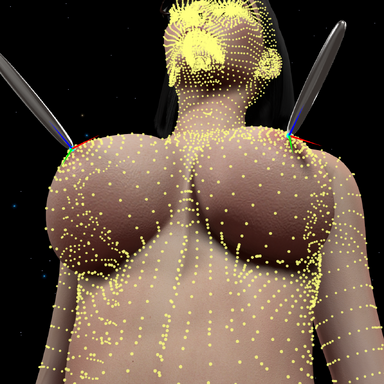
If you need it to track a more specific part of the persons body, then this plugin can track a specific vertex on the skin.
 
Upvote 0
Back
Top Bottom