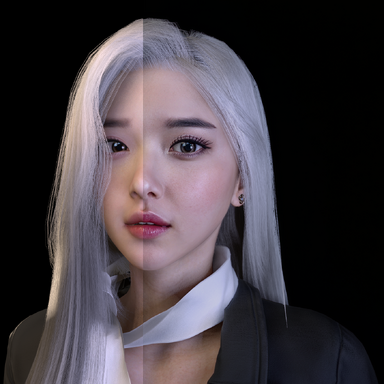
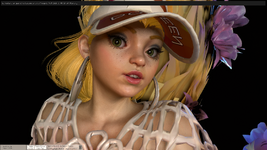
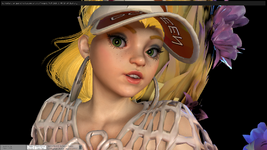
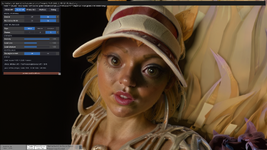
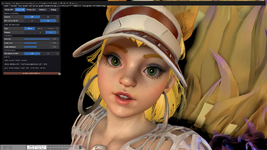
VaM 1.x DLSS 5 in VAM2 + DLSS 5 Experiments in VAM1

Threads regarding the original VaM 1.x
Ideas that could improve this are:

  • Atom-specific rendering: A plugin that applies only to individual atoms, rendering the character model without processing the entire viewport or even the foveated viewport.
  • Multi-GPU support: A driver or architecture that makes SLI relevant again, allowing DLSS 5 to run on one NVIDIA GPU while the game world is rendered on a second GPU or even an APU.
 
Links to unauthorized "patches" to Paid plugins will be removed, and may result in restrictions to your account up to and including a ban.
 
Atom-specific rendering: A plugin that applies only to individual atoms, rendering the character model without processing the entire viewport or even the foveated viewport.

From what I saw and tested on the masks systems. Masking or not, this is an "image wide" treatment. Masks are just a way to adjust the final input but it won't cut your computation cost. For now at least.


Multi-GPU support: A driver or architecture that makes SLI relevant again, allowing DLSS 5 to run on one NVIDIA GPU while the game world is rendered on a second GPU or even an APU.

LOL. For fappin' 3mins and a half? Masturbation cost can't get higher than that haha :p
 
From what I saw and tested on the masks systems.
Were you testing this in VaM 2?
And if so are you planning to make any kind of announcement about whether this technology will actually be supported in VaM2? It would be really interesting to hear how you’re thinking about implementing it from the technical side, and what kind of problems or limitations it might introduce in game
 
Ideas that could improve this are:

  • Atom-specific rendering: A plugin that applies only to individual atoms, rendering the character model without processing the entire viewport or even the foveated viewport.
  • Multi-GPU support: A driver or architecture that makes SLI relevant again, allowing DLSS 5 to run on one NVIDIA GPU while the game world is rendered on a second GPU or even an APU.
Yeaaa to be able to choose would be very nice, especially with passthrough. I'm no techie, but that does sound difficult.

I loaded a scene on desktop that I had edited for passthrough use, NR took my chroma green and obviously altered it, as well as making my model looking sickly green lol.
 
Yeaaa to be able to choose would be very nice, especially with passthrough. I'm no techie, but that does sound difficult.

I loaded a scene on desktop that I had edited for passthrough use, NR took my chroma green and obviously altered it, as well as making my model looking sickly green lol.
Passthrough color manipulation is more art than science where you need to match colors using Sally's background plugin and all the lights in your scene need to have corresponding color that makes sense with the actual room you are in. If it looks sickly green it's the wrong color to use, i think the ALVR guide mentions "Blue (0, 71, 187) Similarity 20%, Smoothness 3% - Works on most, easy to use" . VAM 1 doesn't support invisible pixels because the engine is too old so other methods cannot work with VaM 1.0 . Everything is better from a developer standpoint with VaM 2.X because it's got more support for all the new technical features.
 
From what I saw and tested on the masks systems. Masking or not, this is an "image wide" treatment. Masks are just a way to adjust the final input but it won't cut your computation cost. For now at least.
Fingers crossed that Nvidia decides not to be evil and makes the tools available to indie developers.
 
Were you testing this in VaM 2?

Several games. Some implementation of the reshade versions allow to enable auto-masking which apparently targets mostly characters.
If you enable it, you can see that the options you change influence the render based on the masking (currently unavailable to preview), but the overall overhead of the NR is absolutely the same with or without masking.


Fingers crossed that Nvidia decides not to be evil and makes the tools available to indie developers.

When their features becomes available ( except during early phases where they give that stuff to big studios for a bit of fancy marketing )... anybody can drive them. It's just a matter of doing it.
So yeah you could mask... for now, unless something changes before release, masking will probably not help for perfs sadly.
 
Last edited:
With more plugins being written with AI help, a few misconceptions keep coming up. Quick corrections:

"I gave the AI the paid plugin as a reference, but I told it not to use it."
The AI doesn't have an "ignore this" switch. Everything you paste in becomes part of what it's reasoning over, and your instruction is just another line in that same pile. It might avoid pasting exact lines, but the original's layout, naming, and approach are still steering the result. You can't un-show it something.

"It rewrote everything in its own words, so it's original."
Rewording isn't originality. Copyright protects how a program is structured and organized, not just its literal text. A plugin that follows someone else's design with different variable names is a derivative of their work, the same way a retold novel is still that novel.

"That was a different chat. This one is fresh."
Not necessarily. The most recent AI keep memory across sessions and can search old conversations. You don't decide what they retain, and code structure and snippets are fair game. Starting a new chat doesn't reset what the system knows.

"I only looked at their code to compare."
Then you're the contaminated one. Once you've read it, your prompts, corrections, and design choices carry that knowledge into the AI even if the code itself never does.

The real clean-room rule, for people and machines alike:
The one doing the writing never sees the original. If that's not how your plugin was built, treat it as derivative — and don't share it on the Hub, on Patreon, or by DM. That's redistribution of someone else's paid work.
 
Planning on adding that later.
If I had a suggestion, I’d focus on the UI while in VR. Foveated rendering may not yield great results compared to simply lowering VaM's render scale to 75% and using VaM that way. Adding a 100+ second delay before applying the effect might also improve quality of life, especially when navigating menu and turning settings on and off. When it comes to Foveated rendering this is what Astra had to say: "In packed SBS VR, the hardest problem is not splitting color into two halves; it is preserving eye identity and coordinate-space correctness through temporal neural evaluation. Use independent per-eye feature/history state, pass absolute packed-surface evaluation regions consistently, validate motion/depth coordinates per eye, and make reset/resource generations explicit. If the left eye works and the right eye is unstable, suspect local-vs-absolute region coordinates before changing quality settings. Fixed centered regions and whole-frame low-resolution processing are useful prototypes, but they are not gaze-contingent foveation and will retain boundary/history limitations." So i'm not sure if that block of information is useful to you, best of luck
 
If I had a suggestion, I’d focus on the UI while in VR. Foveated rendering may not yield great results compared to simply lowering VaM's render scale to 75% and using VaM that way. Adding a 100+ second delay before applying the effect might also improve quality of life, especially when navigating menu and turning settings on and off. When it comes to Foveated rendering this is what Astra had to say: "In packed SBS VR, the hardest problem is not splitting color into two halves; it is preserving eye identity and coordinate-space correctness through temporal neural evaluation. Use independent per-eye feature/history state, pass absolute packed-surface evaluation regions consistently, validate motion/depth coordinates per eye, and make reset/resource generations explicit. If the left eye works and the right eye is unstable, suspect local-vs-absolute region coordinates before changing quality settings. Fixed centered regions and whole-frame low-resolution processing are useful prototypes, but they are not gaze-contingent foveation and will retain boundary/history limitations." So i'm not sure if that block of information is useful to you, best of luck
I can tell you right now, it works flawlessly. I got per-eye motion vectors and depth and the anti aliased/upscaled dlss result is almost perfect. There's some ghosting, I won't lie, but it's way better for perf especially if you have NR enabled in vr.
 
I can tell you right now, it works flawlessly. I got per-eye motion vectors and depth and the anti aliased/upscaled dlss result is almost perfect. There's some ghosting, I won't lie, but it's way better for perf especially if you have NR enabled in vr.
You got foveated rendering working with NR?
 
is it normal that when i turn on NR for a moment girl skin look perfect but more and more time it become more and more dark, not whole but it seem like stains of skin shadows become darker and darker ;(
 
is it normal that when i turn on NR for a moment girl skin look perfect but more and more time it become more and more dark, not whole but it seem like stains of skin shadows become darker and darker ;(
I see this too when camera is close to face and you have NR settings sliders too high. Especially local tone >1.0 will make this issue very visible. Use 1.0 local tone, and lower overall intensity until darkening goes away
 
I'd even go further: Local Tone is horrendous and kills the original intent. If you want something closer to the original intent (light and color grading), you should kill the local tone and have it at zero.
 
Back
Top Bottom