

如何在不保存当前位置的情况下保存操作?谢谢!
You are using an out of date browser. It may not display this or other websites correctly.
You should upgrade or use an alternative browser.
You should upgrade or use an alternative browser.

Plugins + Scripts BodyLanguage
- Thread starter CheesyFX
- Start date

Hey Cheesy, so I've been plagued by the nefarious "Object set to a Null Reference" error log spam with BL fora while now, though it's intermittent. Anyhow, I decided to finally try to track down the cause, poking around the JSON storables in my custom scene where this is happening, and managed to track down the actual cause of the bug.
It has to do with the "Fill Me Up" plugin specifically, and the thrust system. I've been experimenting with different setups, female + male atoms, female + dildos, etc... And the problem can crop up when you cross these two streams:
In the thrust system, you can flag the male + female thrusts to synch with each other. Which I enabled. All well and good.
The problem is that at some point, I deleted the male atom and started seeing how the triggers worked with a stock, native dildo atom. Here's where it comes apart. Since both the male and female thrust systems had "Synch Movement" toggled on, that bool got stored in the JSON. But now that the male is gone, and there's just a plain dildo in the scene (not even a Dildo language powered CUA dildo, just a basic one), you do a smart thing and hide the 'Synch Movement' toggle. However, the bool value still exists in the JSON. So when I go to use the dildo, I get the Object Set to a Null Reference error spam.
Anyhow, going into the JSON and setting this flag to false for both the male and female thrust storables fixed the error and everything works again. One of the side effects of this bug, is that because the toggle is hidden when in this mixed up state, there's no easy way to disable it, or even know that it's on, other than inspecting the JOSN, so the fix is very opaque to probably anyone who encounters it.
So, I guess if the condition occurs where you need to hide, or re-hide that toggle, you might want to reset its state to default, or at least check if there are any valid atoms in the scene for the synch movement function to use, even if it is hidden.
Regardless, thanks for making a terrific suite of plugins, my VaM experience would be much poorer with out them!
- Metix
EDIT - So the problem is actually a bit more pervasive than what I described. Somehow the Synch On toggle keeps turning back on, even after clearing it out of the JSON. I noticed that the Dildo atom name is being stored in the Speak to Me plugin, perhaps that's repopulating it somehow?
It has to do with the "Fill Me Up" plugin specifically, and the thrust system. I've been experimenting with different setups, female + male atoms, female + dildos, etc... And the problem can crop up when you cross these two streams:
In the thrust system, you can flag the male + female thrusts to synch with each other. Which I enabled. All well and good.
The problem is that at some point, I deleted the male atom and started seeing how the triggers worked with a stock, native dildo atom. Here's where it comes apart. Since both the male and female thrust systems had "Synch Movement" toggled on, that bool got stored in the JSON. But now that the male is gone, and there's just a plain dildo in the scene (not even a Dildo language powered CUA dildo, just a basic one), you do a smart thing and hide the 'Synch Movement' toggle. However, the bool value still exists in the JSON. So when I go to use the dildo, I get the Object Set to a Null Reference error spam.
Anyhow, going into the JSON and setting this flag to false for both the male and female thrust storables fixed the error and everything works again. One of the side effects of this bug, is that because the toggle is hidden when in this mixed up state, there's no easy way to disable it, or even know that it's on, other than inspecting the JOSN, so the fix is very opaque to probably anyone who encounters it.
So, I guess if the condition occurs where you need to hide, or re-hide that toggle, you might want to reset its state to default, or at least check if there are any valid atoms in the scene for the synch movement function to use, even if it is hidden.
Regardless, thanks for making a terrific suite of plugins, my VaM experience would be much poorer with out them!
- Metix
EDIT - So the problem is actually a bit more pervasive than what I described. Somehow the Synch On toggle keeps turning back on, even after clearing it out of the JSON. I noticed that the Dildo atom name is being stored in the Speak to Me plugin, perhaps that's repopulating it somehow?
Last edited:
I think I found a bug with FillMeUp.
->I'm not using any session plugins
If I have two sex poses (it seems to happen when it's cleavage sex pose) that have different values for Thrust in { FillMeUp>Cleavage>Forces>Configure Thrust }, When I switch poses the people keep thrusting for a duration. Their triggers aren't indicating penetration or collision, so it's strange that the forces would remain for a few seconds.
I'm able to replicate this very consistently. Just have a pose with the two people standing (default pose). Then have a cleavage sex pose, and set thrust to max, and save (so it gets added to the pose). Now switch between them.
->I'm not using any session plugins
If I have two sex poses (it seems to happen when it's cleavage sex pose) that have different values for Thrust in { FillMeUp>Cleavage>Forces>Configure Thrust }, When I switch poses the people keep thrusting for a duration. Their triggers aren't indicating penetration or collision, so it's strange that the forces would remain for a few seconds.
I'm able to replicate this very consistently. Just have a pose with the two people standing (default pose). Then have a cleavage sex pose, and set thrust to max, and save (so it gets added to the pose). Now switch between them.

I've seen that too. Clicking on the pose button a second time usually stops it. It might be a bug you'll have to live with.I think I found a bug with FillMeUp.
->I'm not using any session plugins
If I have two sex poses (it seems to happen when it's cleavage sex pose) that have different values for Thrust in { FillMeUp>Cleavage>Forces>Configure Thrust }, When I switch poses the people keep thrusting for a duration. Their triggers aren't indicating penetration or collision, so it's strange that the forces would remain for a few seconds.
I'm able to replicate this very consistently. Just have a pose with the two people standing (default pose). Then have a cleavage sex pose, and set thrust to max, and save (so it gets added to the pose). Now switch between them.
If the BL gaze system is problematic, it's best to just turn it off in the Clients tab. You can use a separate plugin for gaze that can be directly controlled. You can use the Action tab to enable, disable gaze controlled externally.
Unfortunately, a scene I've been working on for hours is no longer showing poses when I load it up now. Is there any way to recover the poses? It's showing me this error:
!> Could not find a matching rigidbody for collider 'CapsuleCollider:hip.abdomen.abdomen2.chest.FemaleAutoColliderschest.AutoColliderFemaleAutoColliderschest3.AutoColliderFemaleAutoColliderschest3Joint.BL_CleavageTirigger.BL_CleavageTirigger', rigidbody 'Rigidbody:hip.abdomen.abdomen2.chest.FemaleAutoColliderschest.AutoColliderFemaleAutoColliderschest3.AutoColliderFemaleAutoColliderschest3Joint.AutoColliderFemaleAutoColliderschest3Joint'.
!> System.NullReferenceException: Object reference not set to an instance of an object
at CheesyFX.Gaze+CuaTarget..ctor (.Atom atom, System.Collections.Generic.List`1 meshes, System.String name) [0x00000] in <filename unknown>:0
at CheesyFX.Gaze.RegisterObject (.Atom atom, Boolean custom, Boolean isEnvironment) [0x00000] in <filename unknown>:0
at CheesyFX.Gaze.LoadGlobals (SimpleJSON.JSONClass parent) [0x00000] in <filename unknown>:0
at CheesyFX.PoseMe.LateRestoreFromJSON (SimpleJSON.JSONClass jc, Boolean restorePhysical, Boolean restoreAppearance, Boolean setMissingToDefault) [0x00000] in <filename unknown>:0
!> System.NullReferenceException: Object reference not set to an instance of an object
at CheesyFX.Gaze+CuaTarget..ctor (.Atom atom, System.Collections.Generic.List`1 meshes, System.String name) [0x00000] in <filename unknown>:0
at CheesyFX.Gaze.RegisterObject (.Atom atom, Boolean custom, Boolean isEnvironment) [0x00000] in <filename unknown>:0
at CheesyFX.Gaze.LoadGlobals (SimpleJSON.JSONClass parent) [0x00000] in <filename unknown>:0
at CheesyFX.PoseMe.LateRestoreFromJSON (SimpleJSON.JSONClass jc, Boolean restorePhysical, Boolean restoreAppearance, Boolean setMissingToDefault) [0x00000] in <filename unknown>:0
!> Could not find a matching rigidbody for collider 'CapsuleCollider:hip.abdomen.abdomen2.chest.FemaleAutoColliderschest.AutoColliderFemaleAutoColliderschest3.AutoColliderFemaleAutoColliderschest3Joint.BL_CleavageTirigger.BL_CleavageTirigger', rigidbody 'Rigidbody:hip.abdomen.abdomen2.chest.FemaleAutoColliderschest.AutoColliderFemaleAutoColliderschest3.AutoColliderFemaleAutoColliderschest3Joint.AutoColliderFemaleAutoColliderschest3Joint'.
!> System.NullReferenceException: Object reference not set to an instance of an object
at CheesyFX.Gaze+CuaTarget..ctor (.Atom atom, System.Collections.Generic.List`1 meshes, System.String name) [0x00000] in <filename unknown>:0
at CheesyFX.Gaze.RegisterObject (.Atom atom, Boolean custom, Boolean isEnvironment) [0x00000] in <filename unknown>:0
at CheesyFX.Gaze.LoadGlobals (SimpleJSON.JSONClass parent) [0x00000] in <filename unknown>:0
at CheesyFX.PoseMe.LateRestoreFromJSON (SimpleJSON.JSONClass jc, Boolean restorePhysical, Boolean restoreAppearance, Boolean setMissingToDefault) [0x00000] in <filename unknown>:0
!> System.NullReferenceException: Object reference not set to an instance of an object
at CheesyFX.Gaze+CuaTarget..ctor (.Atom atom, System.Collections.Generic.List`1 meshes, System.String name) [0x00000] in <filename unknown>:0
at CheesyFX.Gaze.RegisterObject (.Atom atom, Boolean custom, Boolean isEnvironment) [0x00000] in <filename unknown>:0
at CheesyFX.Gaze.LoadGlobals (SimpleJSON.JSONClass parent) [0x00000] in <filename unknown>:0
at CheesyFX.PoseMe.LateRestoreFromJSON (SimpleJSON.JSONClass jc, Boolean restorePhysical, Boolean restoreAppearance, Boolean setMissingToDefault) [0x00000] in <filename unknown>:0
Usually, when BL comes up blank, it's because you have dueling plugins, or multiple versions of a plugin loaded, which can screw up the whole thing.Unfortunately, a scene I've been working on for hours is no longer showing poses when I load it up now. Is there any way to recover the poses? It's showing me this error:
!> Could not find a matching rigidbody for collider 'CapsuleCollider:hip.abdomen.abdomen2.chest.FemaleAutoColliderschest.AutoColliderFemaleAutoColliderschest3.AutoColliderFemaleAutoColliderschest3Joint.BL_CleavageTirigger.BL_CleavageTirigger', rigidbody 'Rigidbody:hip.abdomen.abdomen2.chest.FemaleAutoColliderschest.AutoColliderFemaleAutoColliderschest3.AutoColliderFemaleAutoColliderschest3Joint.AutoColliderFemaleAutoColliderschest3Joint'.
!> System.NullReferenceException: Object reference not set to an instance of an object
...

The setting does work, but the player is the fallback target if nothing else is visible. Make sure there's always something in her view (and not obstructed).I've been trying to figure out how to stop the atom from gazing at the [Camera Rig] PlayerFace and focus on the male atom, I've turned it to 0 in the interest tab and she still wants to look at the player. Any help is appreciated. <3
View attachment 599660View attachment 599664
Not entirely sure what causes this, but make sure that all persons are "On" and advanced colliders are enabled on them.Unfortunately, a scene I've been working on for hours is no longer showing poses when I load it up now. Is there any way to recover the poses? It's showing me this error:
!> Could not find a matching rigidbody for collider 'CapsuleCollider:hip.abdomen.abdomen2.chest.FemaleAutoColliderschest.AutoColliderFemaleAutoColliderschest3.AutoColliderFemaleAutoColliderschest3Joint.BL_CleavageTirigger.BL_CleavageTirigger', rigidbody 'Rigidbody:hip.abdomen.abdomen2.chest.FemaleAutoColliderschest.AutoColliderFemaleAutoColliderschest3.AutoColliderFemaleAutoColliderschest3Joint.AutoColliderFemaleAutoColliderschest3Joint'.
!> System.NullReferenceException: Object reference not set to an instance of an object
at CheesyFX.Gaze+CuaTarget..ctor (.Atom atom, System.Collections.Generic.List`1 meshes, System.String name) [0x00000] in <filename unknown>:0
at CheesyFX.Gaze.RegisterObject (.Atom atom, Boolean custom, Boolean isEnvironment) [0x00000] in <filename unknown>:0
at CheesyFX.Gaze.LoadGlobals (SimpleJSON.JSONClass parent) [0x00000] in <filename unknown>:0
at CheesyFX.PoseMe.LateRestoreFromJSON (SimpleJSON.JSONClass jc, Boolean restorePhysical, Boolean restoreAppearance, Boolean setMissingToDefault) [0x00000] in <filename unknown>:0
!> System.NullReferenceException: Object reference not set to an instance of an object
at CheesyFX.Gaze+CuaTarget..ctor (.Atom atom, System.Collections.Generic.List`1 meshes, System.String name) [0x00000] in <filename unknown>:0
at CheesyFX.Gaze.RegisterObject (.Atom atom, Boolean custom, Boolean isEnvironment) [0x00000] in <filename unknown>:0
at CheesyFX.Gaze.LoadGlobals (SimpleJSON.JSONClass parent) [0x00000] in <filename unknown>:0
at CheesyFX.PoseMe.LateRestoreFromJSON (SimpleJSON.JSONClass jc, Boolean restorePhysical, Boolean restoreAppearance, Boolean setMissingToDefault) [0x00000] in <filename unknown>:0
Aside from that, you should be able to recover the poses by loading another scene and using the "Extract" tab.
Wow, you saved me again, thank you. It seems the issue that's breaking the scene is I'm using two different CUAs, an open book and a closed book, and alternating them being on or off using AtomControl in the Actions tab depending on the scene. When I extract the poses, everything works great but I have to redo the actions involving the books and then I can't switch between poses anymore once I load one up.Not entirely sure what causes this, but make sure that all persons are "On" and advanced colliders are enabled on them.
Aside from that, you should be able to recover the poses by loading another scene and using the "Extract" tab.
I've made sure of that and even lowered the gaze angle in some cases but sometimes it'll get ignored. hahaThe setting does work, but the player is the fallback target if nothing else is visible. Make sure there's always something in her view (and not obstructed).
I'll keep adjusting it until she stops. I even made it so that upon entering a certain pose, it tells her to focus a target, have to load the pose a second time sometimes.
One thing I was curious about, is it possible to have the 'use mirror' option stay disabled or does it re-enable automatically?
One way is to simply not save any poses in the PoseMe plugin. You should disable the gaze part of PoseMe. You also have to zero out all the forces in the FillMeUp plugin. You can enable or disable the Xray feature, but it's global. It's not recommended to try to disable individual plugins completely. It's better to just zero out the settings. Once you save poses in PoseMe, you've basically given BL control of the scene.is there any way to use those plug in individually ? for example, i only want to use readmylips only but don't want to include others in
You need to be more specific about what you want to do.how to customize expression?
I'm not sure that's possible. I would disable that expression feature and use one of the expression randomizer plugins that are available.I want to customize the expression from watch me plugin, how to do that?
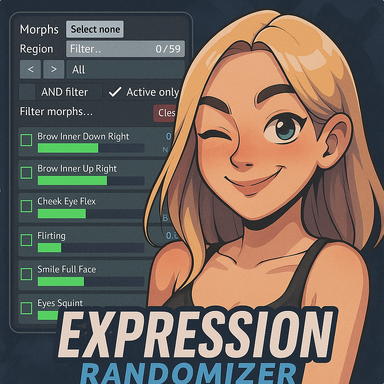
Expression Randomizer 2 - Plugins + Scripts -
This is a re-write of the original Expression Randomizer - I did a re-write instead of an update to preserve settings and scenes people already created with the original plugin. This new version has been drastically re-designed - so I thought...
 hub.virtamate.com
How to disable expression feature?I'm not sure that's possible. I would disable that expression feature and use one of the expression randomizer plugins that are available.
Expression Randomizer 2 - Plugins + Scripts -
This is a re-write of the original Expression Randomizer - I did a re-write instead of an update to preserve settings and scenes people already created with the original plugin. This new version has been drastically re-designed - so I thought...
i want to add the ReadMyLips plugin to a male atom without using other feature to cause a loop error, i did try to zero out all the forces in FillMeUp but error still popped, also, any chances that body language will be usable on male in the near future ?One way is to simply not save any poses in the PoseMe plugin. You should disable the gaze part of PoseMe. You also have to zero out all the forces in the FillMeUp plugin. You can enable or disable the Xray feature, but it's global. It's not recommended to try to disable individual plugins completely. It's better to just zero out the settings. Once you save poses in PoseMe, you've basically given BL control of the scene.
You can't change the morphs that are being used.How to disable expression feature?
To disable, go to ReadMyLips and uncheck "Expressions Enabled".
No, BL is a female only plugin. I might add male support sometime in the future, but that's far away. Probably not before I redo everything for VAM2.i want to add the ReadMyLips plugin to a male atom without using other feature to cause a loop error, i did try to zero out all the forces in FillMeUp but error still popped, also, any chances that body language will be usable on male in the near future ?
I've noticed sometimes the Male Thrust in the Forces tab can take some time to reach its target. Like, if the amplitude is set to 300, it might get stuck around 100 for a while depending on the position of the male's hip. Is there any way to fix that? Also sometimes the sync thrust option turns on by itself even if it's not selected.
Sounds very strange. What's your amplitude delta? The actual target is something between mean+-delta.I've noticed sometimes the Male Thrust in the Forces tab can take some time to reach its target. Like, if the amplitude is set to 300, it might get stuck around 100 for a while depending on the position of the male's hip. Is there any way to fix that? Also sometimes the sync thrust option turns on by itself even if it's not selected.
I doubt that the sync setting enables itself. It might enable if it's stored to be enabled on the next pose you select.
This is what it looks like sometimes: Sync To Thrust isn't selected but it says below that it's synced to MaleThrust. I have to tick the box and then untick to turn it off. And my amplitude delta is pretty much always at zero because I prefer a consistent motion usually.
Attachments
Similar threads

Plugins + Scripts
DiviningReach for DiviningRog or DiviningForeskin or BodyLanguage
- Replies
- 8
- Views
- 2K
