• Hi Guest!

    We are extremely excited to announce the release of our first Beta1.1 and the first release of our Public AddonKit!
    To participate in the Beta, a subscription to the Entertainer or Creator Tier is required. For access to the Public AddonKit you must be a Creator tier member. Once subscribed, download instructions can be found here.

    Click here for information and guides regarding the VaM2 beta. Join our Discord server for more announcements and community discussion about VaM2.
  • Hi Guest!

    VaM2 Resource Categories have now been added to the Hub! For information on posting VaM2 resources and details about VaM2 related changes to our Community Forums, please see our official announcement here.

VaM 1.x Best way to record scenes?

Threads regarding the original VaM 1.x

GyroByro1

New member
Joined
Jan 12, 2025
Messages
2
Reactions
0
ZHFX's RenderToMovie plugin has been giving me a hard time trying to get it to work. Are there any alternative ways to record smooth high quality scenes?
 
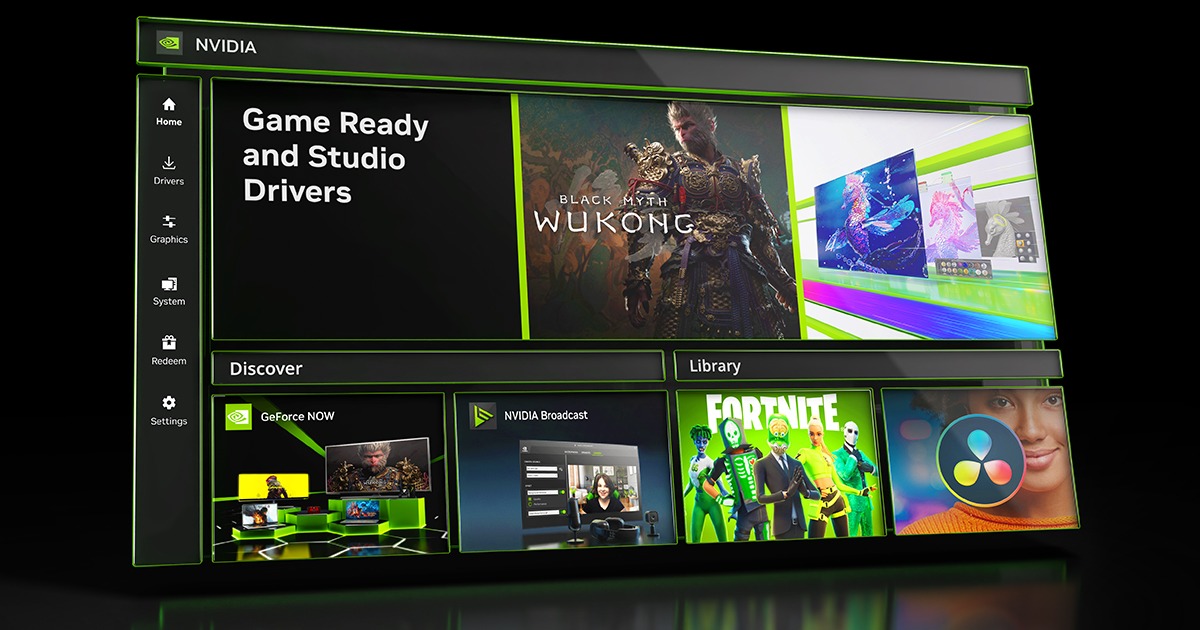
If you have an Nvidia RTX GPU, the Nvidia App can record video with no lag, all post effects intact, and at full screen resolution. It does not supersample, or upsize. I was impressed.
 
Upvote 0
ZHFX's RenderToMovie plugin has been giving me a hard time trying to get it to work. Are there any alternative ways to record smooth high quality scenes?
There are other ways to record video, as SlimerJSpud points out.

But those are all real time recordings. To render higher resolution and frame rate video, I think RenderToMovie is the only choice.

ZHFX doesn't seem to be active any more, but i see on his Patreon someone saying 10 months ago that a Vam update stopped it working. You might want to try rolling back a version or two (using Vam_Updater > options) and see if that fixes your issues.

Or you could ask for help on the discord. Getting help with a plugin is kind of a longshot, but worth a try. Mention that the creator is no longer active, as "ask the plugin maker" is the usual response for plugin help.
 
Upvote 0
If you have an Nvidia RTX GPU, the Nvidia App can record video with no lag, all post effects intact, and at full screen resolution. It does not supersample, or upsize. I was impressed.
Hi i have rtx 4070 how can i record with it and what is nvidia app??
Nvidia experience?
 
Last edited:
Upvote 0
Hi i have rtx 4070 how can i record with it and what is nvidia app??
Nvidia experience?
I found this explains it well.


It records your screen, just like OBS or Windows Snipping Tool.

There are other ways to record video, as SlimerJSpud points out.

But those are all real time recordings. To render higher resolution and frame rate video, I think RenderToMovie is the only choice.

Currently I record from Desktop using Windows Snipping Tool. It seems OK. I guess that RendertoMovie and the like record somehow from inside Vam and have the potential to provide better, perhaps more consistent, quality, as it's not dependent on Vam performance. Is that correct?

What I currently do is play the Vam scene (each scene will be viewed from different locations) and record it using Windows Snipping Tool. I then edit in Nero Vision, adding audio, to make the final video.
 
Last edited:
Upvote 0
Currently I record from Desktop using Windows Snipping Tool. It seems OK. I guess that RendertoMovie and the like record somehow from inside Vam and have the potential to provide better, perhaps more consistent, quality, as it's not dependent on Vam performance. Is that correct?
There are lots of options to simply record what's going on as you play a scene, but the resolution and framerate are limited to what your system can produce. The RenderToMovie and Eosin_VR renderer (which i didn't know about) don't work I real time. You set a resolution and framerate, then the plugin takes as long as it needs to chug through creating all the frames required. So you can create much higher quality recordings than your computer is capable of creating in real time.
 
Upvote 0
The issue I have with the Eosin renderer is that physics on clothing went haywire on me, clipping like mad. Nothing I did would fix it. But, that was with my old rig. My new one is a lot faster, so it might be worth a retry. Since I run at 4K, and only make "flat" renders, the Nvidia app is perfect for me. It does it in real time, and it preserves rendering effects like postmagic, and the X-ray effect in BodyLanguage.


vlcsnap-2024-01-23-14h54m30s052.jpg
 
Upvote 0
The issue I have with the Eosin renderer is that physics on clothing went haywire on me, clipping like mad. Nothing I did would fix it. But, that was with my old rig. My new one is a lot faster, so it might be worth a retry. Since I run at 4K, and only make "flat" renders, the Nvidia app is perfect for me. It does it in real time, and it preserves rendering effects like postmagic, and the X-ray effect in BodyLanguage.
Weird, i used Eosin's plugin a lot. never had clipping like this. Since it renders on game time it can change the physics a bit, but not that extreme.

If you can keep the 4k performance in real time without FPS slowdowns, then great! It should be more practical than the non-real time render method.
 
Upvote 0
I think the clipping problem was related to the dress. I tried a few others, but this was supposed to be a teacher after all. (Hot for Teacher is the scene.) If you want to render VR180, then the Eosin plugin is probably still the best, maybe the only one.
 
Upvote 0
Back
Top Bottom