

Stop building empty rooms. Start building worlds.
What's in the Suite?
An array takes one object and turns it into many copies. You can line them up in neat patterns or scatter them at random.
CUA Array brings this power to VaM. Mix up to 5 different Custom Unity Assets to build forests, fields, rocky shores and more, all from one plugin.
Placement
 Circle or square areaEven rows or random scatterEdge Only mode, for rings and bordersInner Radius, to keep the middle emptyUp to 2000 copiesFootprint, Overlap and Extra Space, so copies don’t crowd each otherCenter To Edge, to make copies thicker in the middle or near the edgeGroups: make clumps of copies, with control over size, spread and tightness
 PRO: up to 5 different assets in one array PRO: Near Another Asset, to grow one asset close to another (for example, flowers near rocks) PRO: Placement Priority, to decide which assets get placed first PRO: Large Copies, with smaller copies growing around them PRO: Spawn masks, to choose where copies can and can’t appear
Variation
Random size, height, turn and tilt, so no two copies appear the same PRO: separate random seed for each assetEntire cornfield from 1 single plant asset
Ground Plane
Built-in ground plane creation with hills, a flat edge or a flat centerYour own textures on the ground PRO: a second texture layer that blends with the first PRO: Heightmap, to shape the ground from an image PRO: copy ground textures from another atomGround plane with hills using two blended textures. Also shows SunRig Plugin in use
Ground plane with blended textures.
Performance & Display
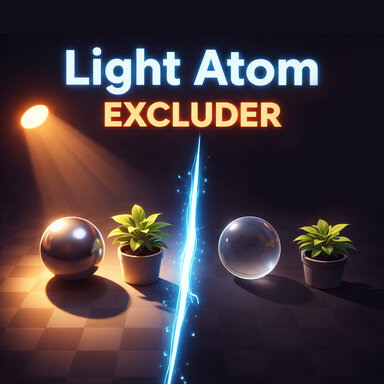
Combine Meshes, for better FPSTurn colliders and shadows on or offHide the original objectShow Footprints, to see the space each copy usesClone Layer, so it works with Light Atom Excluder1 Mech asset arrayed into vast rows. Also shows DistanceHaze and Sunlight Plugins in use
& MORE
Save and load presets PRO: works on Empty atoms, PRO: works with Vam's Built-in shape assetsShow Guide button explains every setting in simple terms.SunRig gives you a real sun, soft shadows, light from the sky and bounce light from the ground.
Move the sun and your whole scene changes, from bright noon to a golden sunset.
The Sun
Set the sun’s height and direction with simple slidersAuto Sun Color: the sun turns warm and golden as it gets low, like a real sunsetOr pick your own sun color and brightnessUses a normal VaM light atom, so your scene saves like any other. Move the light by hand and the sliders follow itAll light from the SunRig plugin. Skybox not included.
Shadows
Soft shadows that get blurrier with distance, like real sunlightCloud Cover, for softer shadows on a cloudy dayTighter Shadow Contact, so feet and objects sit firmly on the groundBetter shadow quality: shadow distance, cascades and shadow map sizeEverything goes back to normal when you remove the pluginSky and ground light
Light from the sky above and bounce light from the ground belowReplaces VaM’s flat ambient light for a more natural lookAuto Sky Color follows the sunSky reflections on objects and figuresExtra sky light on figures, so skin looks soft and aliveAlmost no cost to FPSAll light from SunRig. Skybox not included
Figure Key Light
A second sun light using a Spot Light for better shadows, just for your figuresLight figures well without changing how the scenery looksUse it with Light Atom Excluder (available free on the hub), so it lights only the figureSun shafts and glow
Beautiful light rays coming from the sunA soft glow around the sunControl the strength and length of the raysWorks in VREasy to use
Works on any atom, or as a Scene pluginClear pages: Sun, Shadows, Fill & Reflections, Sun Shafts and Key LightShow Guide button explains every setting in simple termsIn real life, far-away things fade into the air. Mountains turn soft and blue. Trees in the distance turn pale. DistanceHaze brings this to you.
Your scenes stop looking flat and start looking huge. Use it for misty mornings, hot deserts, dusty air, or deep underwater scenes.
The haze
Pick any haze color: blue mist, golden dust, green waterClear Radius: keep everything near you sharp and clearFade Distance: choose how far away things fade out completelyMax Strength: light mist or a thick wall of fogFalloff: a soft fade or a sudden oneSky Haze: add haze to the sky too, or keep it clearCUA Array using 1 rock, 1 fish and 1 plant asset. Also Shows DistanceHaze Plugin in use
Shape the haze
Center it on the camera, or on any atomClear Above and Clear Below: keep haze off the sky or out of a valleyClear Angle: control the haze by viewing angleMoving, living haze
Variation: patchy haze that looks thicker in some places, like real fogMake the fog patches drift slowly with the windControl drift speed, direction and up/down movementChurn: the patches slowly roll and change shapeMovies don’t look like real life. They are color graded to feel warm, cold, dreamy or dramatic.
ColorMeVam brings that same power to VaM. Change the colors and light of your whole view in seconds, and give every scene its own look.
Tone
Exposure, to make the whole view brighter or darkerWhite balance, to make it warmer or cooler with temperature and tintBlack point and white point, for deep blacks and clean whitesContrast and gamma, for punch or a soft, gentle lookShadows and highlights, to control the dark and bright parts separatelyHighlight protection, so bright areas keep their detailSaturation, for bold colors or a faded lookCurves and tone mapping, for a film-like finishLUT
Load LUT files, the same color looks that photographers and filmmakers useBlend a LUT in a little or all the wayBloom
A soft glow around bright lights and shiny spotsControl the strength, size and color of the glowFirefly clamp, to stop tiny bright dots from flickeringOutput
Dithering, for smooth color gradients with no bandingBefore / After split screen, to compare your look with the originalPresets
Save your favorite looks with a thumbnail pictureLoad them again in any scene with one clickStable and safe
Original shaders and code, built for VaMWorks on any atom, or as a Scene pluginShow Guide button explains every setting in simple wordsSome Custom Unity Assets materials look wrong in VaM and don't render depth order properly.
Leaves in the back show through leaves in the front, or whole plants flicker and disappear.
CUA Cutout Fix solves this. Load it on the asset, and the leaves draw clean and solid, in the right order.
Fixes leaves, grass and flowers that show through each otherHelps DistanceHaze reach materials it was skipping, like windows that stayed clearWorks on most Custom Unity Assets with see-through materialsChanges are made only while the plugin is running, so your files are never changedRemove the plugin and the asset goes back to how it wasYour scenes deserve a world. Go build one!
Thank you for your support!

Please report any bugs or concerns. Message me here or on Patreon