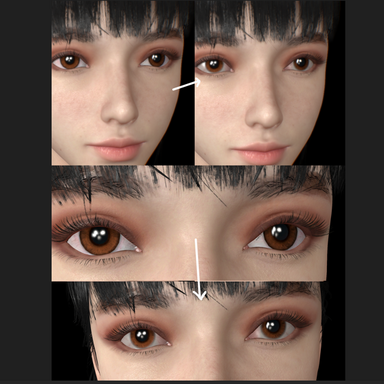


A Scene Plugin developed to meet personal needs, maximizing improvements over VAM’s default viewport camera rotation and bookmark functionality, and taking over Q/E/R/C as shortcut keys. Its working mechanism integrates extremely well with VAM, and with virtually zero learning curve, it feels like something that should have been built into VAM from the start. Don’t ask me why—just use it a few times and you’ll probably understand.This is gonna solve the age-old problem for a lot of dudes.
Quick usage guide:
Shortcut keys Q/E/R/C — rotate the camera in a screen-relative 2D manner. Q and E rotate, R restores the most recent camera view, and C resets the camera (very, very important—use this when you need to reset the camera to its default state).
Ctrl+1 records the current Viewport Shot as a temporary backup.
Alt+1 recalls the Viewport Shot (temporary).
update: Quick paging via the left/right arrow keys has been supported since Version 2
When you really decide to save the current shot to the scene file (JSON), you can go into the Scene Plugins interface to register the shot (or, as shown in the demo video, use the “registration shortcut” Ctrl+2 in combination with Ctrl+1 for a seamless workflow). Shots can stack up to a maximum of 100. Next time you open the scene, just click “Reload Bookmark List” to find all those shots.
The difference between R and C:
C = an absolutely fixed, “factory default” state.
R = a “temporary save point” created when the plugin starts up.
This plugin records a negligible amount of data. If your save file (JSON) is inexplicably huge, it absolutely has nothing to do with this plugin. More often than not, there is leftover animation data stored in the scene itself; simply go into Scene Animation and clean it up.