You are using an out of date browser. It may not display this or other websites correctly.
You should upgrade or use an alternative browser.
You should upgrade or use an alternative browser.
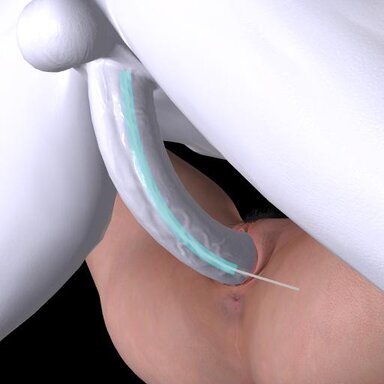
Plugins + Scripts PenisPathAlignment
- Author HelicalPink
- Creation date
-
- Tags
- penis
- Hub-Hosted VAR
- CC BY
Fixed a null reference bug that breaks plugin when loading a scene with a Scene Preset in it.
- 6
-
 6
6
Improved preset functions.
1. Add "Undo/Redo" function.
The history can stack without a limit, but it will be reset when selecting a different preset.
2. Presets with the same name will force overwrite the existing preset instead of creating a new file.
Json (File-based) preset
Scene (Scene-embedded) preset
Add simple info of marker

- 1
-
1

Change, Fix and New Feature
Change
1. Change processing and improved performance of "Use Scanning Mode" . Removed unnecessary objects.
2. Improved the behavior of "Extension Curve Auto". As a result, several related sliders have been removed.
3. Improved the behavior of "Rotate Towards Target". The rotation now follows the curve depending on the current state, and resolves unwanted twisting.
4. Almost all toggles can now be saved with the scene.
Fix
1. Fixed various issues throughout the plugin.
2. About HeMao.BiologicalController
The build preset can created normally, and scenes can also be saved correctly.
However, when loading a scene, the controllers are created at a different point in the scene loading process than Stopper.CUAControllers.
Because of this, PPA will not even start the process of restoring the controller settings. (And I'm not really motivated to fix this right now...sry)
New Feature
Added Auto Mode.
Maybe it's because the physics are going absolutely nuts, but it's just so damn unstable that there's not much I can do about it.
Sometimes everything may appear to work perfectly, but after saving and loading the scene, the behavior can be completely different—almost make you feel that you were watching a dream.
If you want accurate and stable results, Manual Mode is recommended.
In particular, scene creators should avoid using Auto Mode whenever possible.
With Foost.DildoLanguage
With this release, the development of this plugin is now complete.
Future update will remain focused on bug fixes, improved performance and behavior, adding configuration options as needed.
Credits:
MacGruber


New Features, Change & Fixes
Added new preset save system. (Feature idea suggested by [@hazmhox])
1. Presets can now be saved directly into the scene.
2. No JSON files will be created.
3. Presets save almost all settings, including the target and target marker.
4. The target marker will be automatically created when the preset is loaded, and automatically removed when the preset is deleted.
5. No limit to the number of presets that can be created.
Change & Fixes
1. Now support for saving CUA presets.
A dedicated folder for each "Asset" (.prefab) is now automatically created when saving presets.
Directory : Saves/PluginData/HelicalPink/PenisPathAlignment/CUAPreset/ + asset name
2. Fixed some UI name problem.
Planned Updates
Version 6 : Improvement and change "Use Trigger Mode" , "Use Scanning Mode".
Version 7 : Final code cleanup and polishing. Feature complete.
Version 8 and beyond : Development will remain focused on bug fixes, maintenance, and adding configuration options as needed.
Credits:
MacGruber
Attachments

New Features
Compatibility with CustomUnityAsset.
*The preset saving feature for Custom Unity Assets is currently WIP and unavailable untill next update.
Requires a standard VaM controller generation plugin, such as Stopper.CUAControllers.
Demo1 with Foost.DildoLanguage
Demo2 with Skynet.Tentacles Bundle
Step0.
Use a standard VaM controller generation plugin to generate the controllers first.
Do not load this plugin until the controllers have been generated. Otherwise, wierd errors may occur.
Step1.
Select the controllers to be affected by the curve.
The plugin works with a single controller, and the selected controllers do not have to be consecutive. Using more controllers may reduce FPS.
If an existing build for this object is found, the "Load" button will appear.
Directory : Saves/PluginData/HelicalPink/PenisPathAlignment/CUABuild/

Step2.
Set the Forward and Up axes using the displayed axis markers as a reference.

Step3.
Select the starting point of the curve. Choose the controller closest to the root from the list.
GrabController and CurveOrigin cannot be the same.
If you select all controllers and have no controller left to use as the GrabController, reload and try again.

Step4.
Set the Grab Controller's axes to match the axes configured in Step 2.

Step5.
Complete. If you are not satisfied with the result, reload and try again.
Some Custom Unity Assets may not work correctly from the beginning.
For example, the standard VaM Toy: Dildo is mostly impossible to test for me.
To support CUA, I had to change the internal processing related to the curve and penis alignment. I also struggled with the scene save/load process.
I had fixed all the errors that I was able to confirm, but if you find any errors related to these changes, or any unwanted behavior compared to previous versions, please leave a comment.
Planned Updates
Version 5 : Improve Preset & Marker save system.
Version 6 : Improvement and change "Use Trigger Mode" , "Use Scanning Mode".
Version 7 : Final code cleanup and polishing. Feature complete.
Version 8 and beyond : Development will remain focused on bug fixes, maintenance, and adding configuration options as needed.
Credits:
MacGruber

Changes & Fixes
1. Renamed "Rotation Mid to Tip Blend" → "Mid Rotation Offset".
To prepare for the next update. Existing scenes and presets will be converted automatically when loaded. Only a name change, so everything will continue to work as before.
2. Added "Base Rotation Offset".
It works the same way as "Rotation Mid to Tip Blend", its "Base to Mid Blend". I found this way is the safest, easiest to manage, and most performance-friendly.
3. The Marker save format has been updated. The UI now shows which Atom type and Rigidbody the marker will be attached to.
4. "Use Trigger Mode" and "Use Scanning Mode" are put back into WIP for further improvements.
5. Various internal code improvements and optimizations.
Bonus : Added the very first demo scene that some people were curious about.
Planned Updates
Version 4 : Compatibility with CustomUnityAsset.
Version 5 : Improve Preset & Marker save system.
Version 6 : Complete "Use Trigger Mode" and "Use Scanning Mode".
Version 7 : Final code cleanup and polishing. Feature complete.
Version 8 and beyond : Development will remain focused on bug fixes, maintenance, and adding configuration options as needed.
Attachments
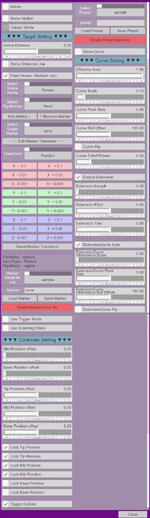

New Features & Changes
1. Allows you to Save settings as Presets and Load them across scenes. (Feature idea suggested by [SneakyOne])
2. Disable tracking beyond "Active Distance".
3. Discard "AutoCurveScale By Angle" and "AutoCurveScale By Distance". Added "Curve Falloff Power" Instead.
4. Added Advanced mode.
Advanced Mode Features
1. Supports unlimited marker creation.
2. Allows markers to be positioned freely.
3. Supports Saving and Loading markers across scenes.
4. "Use Trigger Mode"
Disables manual target selection and locks only onto targets that come into contact with the trigger.
Note: Due to the way Unity handles physics, the lower the FPS, the more likely it is that trigger collisions may occasionally be missed.
& "Use Scanning Mode" (Feature idea suggested by [redeyes])
Disables manual target selection and automatically locks onto the closest target within the search area.
Note: Performance may decrease as the number of markers increases.
!!! Bugs !!!:
1. If the target Atom's name is in the form xxx/xxx

and you press "Save Marker" while the "Marker" field is showing that name,

an error will occur.

This happens because the marker save location is fixed to:
"Saves/PluginData/HelicalPink/PenisPathAlignment/Marker"
When an Atom name contains a /, such as xxx/xxx, the plugin interprets it as:
Marker/xxx/xxx.json
which makes it try to access a non-existent subdirectory (Marker/xxx), causing the save to fail.
Temporary workaround:
Click on the "Marker" text field and change the name manually. After renaming it, the marker can be saved and loaded normally.
2. Even if you use the workaround above, the save file itself still records the Atom like this.

When loading the marker, the target Atom's name must match exactly, including the xxx/xxx format, otherwise an error will be logged.
Temporary workaround:
Either edit the "atom : " field directly in the save file using a text editor, or rename the Atom in-game so that its name matches exactly.
Regular scene save/load should not be affected because it uses a different save method.
This is entirely my design mistake. I will redesign the format and address this issue in the next version.
And for those of you who have already made a few hundred marker files, I plan to keep the existing save files compatible with the new format.
Please wait for a little while.
Classic Mode
New Mode
Trigger mode & Scanning mode
Some features are still under development and will be released in Version 3, mainly additional offset settings for the penis.
Credits:
MacGruber