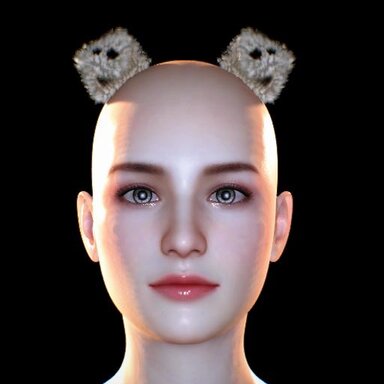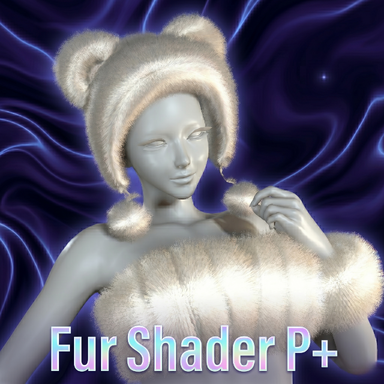


Tip: the section colors below match the shader's in-game UI tabs, so the guide maps 1:1 onto what you see in VAM.
Highlights
- Up to 32 shell layers with linear cost, plus distance LOD that auto-reduces layers at both close-up and far range to protect FPS.
- Kajiya-Kay dual anisotropic highlights for a realistic, silky sheen running along every strand.
- Motion system — flow-map combing, gravity droop, and animated wind bring the fur to life.
- Per-region control — a length mask and flow map let you paint fur length and comb direction by body area.
- Full VAM integration — StructuredBuffer skinning (no T-pose), Marmoset IBL lighting, plus shadow / AO / rim / normal-strength controls.
- Bilingual UI — English and Chinese JSON config files both included.
- Ready-to-use textures bundled — common noise, Worley, fuzz and normal maps ship inside the package, so you can start right away without preparing your own.
- Tooltip on every parameter — hover any control for a concise in-UI explanation (toggle with Show Tooltips). The Parameter Guide below mirrors these tooltips.
How to use
- Load the shader through a custom shader loader plugin (e.g. CustomShaderLoaderAlt).
- Assign it to your fur / hair mesh material.
- Tune everything from the Fur / Motion / Lighting / LOD / System tabs.
Parameter Guide
Fur — shape & density
- Ambient Color (Additive) — additive tint over all lighting. Black = no effect; use it to cast an overall color over the fur.
- Metallic — 0 = dielectric (fabric/plastic, white highlight), 1 = metallic (highlight takes the albedo). Real fur ~0.2.
- Smoothness — gloss floor. 0 = soft scattered highlight, 1 = tight pinpoint.
- Fur Noise (R = strand density) — R channel drives per-pixel strand density and the Kajiya dither. White texture = no variation.
- Fur Noise Tiling — noise UV multiplier. Higher = finer, denser strands; lower = coarser, thicker.
- Shell Amount (1-32) — core quality/perf dial. 1 = skin only, 14 = default, 32 = max. Cost scales linearly — lower this first for FPS.
- Fur Length (total) — total fur thickness in world units. Stubble ~0.005, medium ~0.02, long mane ~0.05. Independent of shell count.
- Alpha Cutout — strand silhouette clip threshold. Higher = thinner strands.
- Length Mask — R channel = per-pixel fur length. White = full, black = bare skin, gray = partial. Paint fur by body region.
- Mask Tiling/Offset (XY=Tile, ZW=Offset) — tile/shift the mask independently of body UV.
- Double-Sided Base Layer — ON renders both sides of the base/skin (good for thin meshes); OFF behaves like Cull Back.
- Flow Map — RG channels encode a tangent-space 2D comb direction. Neutral gray (0.5, 0.5) = no bend. Paint per-pixel.
- Flow Map Tiling/Offset — same convention as MainTex_ST.
- Flow Strength — master multiplier. 0 = off, 1 = mild lean, 4 = strong combing.
- Global Comb Dir — tangent-space global lean, added on top of the flow map. Use it when you have no map but want an overall direction.
- Base Move (XYZ=gravity dir, W=falloff) — XYZ is a world-space gravity vector, e.g. (0,-1,0) to droop. W is the falloff exponent (high = only tips bend).
- Wind Frequency — per-axis oscillation speed; all 0 = no wind. Vary per axis for turbulence.
- Wind Move (XYZ=amp, W=spatial) — XYZ is amplitude per axis; W is spatial frequency (0 = uniform sway, 5+ = rippling).
- Primary Highlight Color — main silk lobe color; alpha = intensity. Usually pure white.
- Primary Specular Exponent — sharpness. High (100+) = thin sharp line, low (~20) = wide soft band.
- Primary Highlight Shift — position along the strand: negative = root, 0 = center, positive = tip.
- Secondary Highlight Color / Exponent / Shift — a softer warm lobe for a layered halo; conventionally shifted opposite the primary.
- Rim Power / Intensity — rim band width (larger = thinner) and brightness (0 = off). Visible only when backlit.
- Shadow Contrast — boundary contrast: less than 1 soft, 1 standard, greater than 1 hard edge.
- Shadow Opacity — 0 = none, 1 = standard (direct light), 2 = also occludes ambient for the deepest darks.
- Shadow Extra Bias — extra depth offset for the ShadowCaster pass; a small positive value fixes self-shadow acne.
- Root Occlusion — inter-strand AO baked into albedo; darkest at the root, fading to the tip.
- Diffuse / Highlight Normal Strength — independent normal-map strength for diffuse vs specular detail (0 flat to 2 exaggerated).
- Enable Distance LOD — master switch. Auto-reduces shell layers at both close and far distances by camera distance.
- Close Distance / Close Min Layers — below the close distance, layers drop to fight close-up overdraw lag.
- Near Distance — full-quality plateau starts here; between Close and Near, layers ramp up.
- Far Distance / Far Min Layers — beyond Far, layers stay at the far minimum; between Near and Far, layers ramp down.
- Use VAM Skinning Buffer — must be ON in VAM (OFF causes a T-pose). Turn off only for Unity-editor preview without the VAM runtime.
- Enable VAM IBL Lighting — use VAM's Marmoset IBL (SH9 + spec cube). OFF falls back to standard Unity SH9 (no env reflection).