

Description
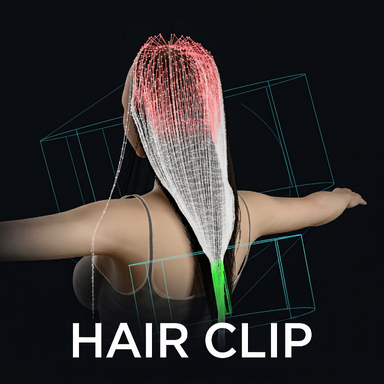
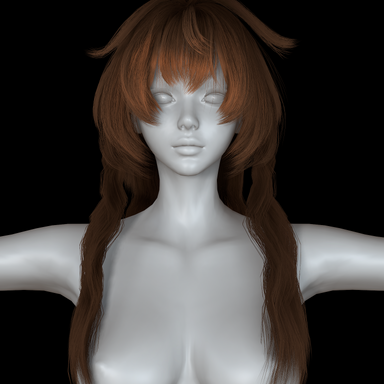
VAM lets you put plugins on clothing and hair items, but gives you no way to manage them.This plugin adds a button to the clothing and hair cards for quick access.
How to use
- Load it as a Session plugin (recommended) or on a Person atom.
- Open a Person's Clothing or Hair page.
- Click the button at the top left of any thumbnail.
- That's it - the item is force-reloaded for you, so its plugins take effect at once.
Green + - no plugins yet
Works the same on the Clothing page and the Hair page.
Click it to open VAM's own file browser - the same dialog you already use to load plugins, so there is no new interface to learn.
Search, creator filter, latest-only and favourites are all VAM's own. The AddonPackages Flattened shortcut on the left flattens every script in every .var into one list. Pick a file and it is written into that item's .vaj.
Purple P - plugins installed
Click it for the action menu.
Red ! - something is wrong
An overwrite-save with the Clothing Creator or the Hair Creator breaks the item's existing plugin slots. The card turns red with an exclamation mark, and the yellow repair button fixes it in one click.
- Yellow arrow - put the missing MVRPluginManager declaration back
- Red cross - remove this plugin slot
- Blue swap - replace this slot with a different script
The panel
The panel is switches only. The manual sits next to them and follows whichever language you picked.
- Language - English or Chinese, the whole UI and this manual with it
- Clothing / Hair injection - which pages get buttons. Turning one off also strips the buttons it already added
- Version to write - only affects scripts inside .var packages. Exact writes the version you picked, Latest always follows the newest enabled package, Min takes anything newer but never drops below what you picked
- Force-reload after writing - reloads the item so its plugins take effect immediately. Taking an item off and putting it back on is not enough: VAM caches the parsed .vaj, and only a force-reload makes it re-read the file
- Watch external rewrites - checks already-read .vaj files for outside edits and turns a card red if one loses its declaration. It reports only, it never writes on its own
描述
VAM 允许为服装和头发添加插件,但是却没给管理入口。这个插件在服装、头发的卡片上添加了一个按钮,用于快捷操作。
用法
- 装成会话插件(推荐),或直接装在某个 Person 上。
- 打开人物的服装页或头发页。
- 点任意缩略图左上角那颗按钮。
- 完事——插件会自动对该物品做一次强制重载,写进去的插件立刻生效。
绿 + —— 还没有插件
服装页和头发页一样用。
点它打开 VAM 自己的文件浏览器——就是你平时加载插件用的那个界面,不用再学一套新的。
搜索、创作者过滤、仅显示最新、仅收藏都是 VAM 自带的。左侧「插件包展开」能把所有 .var 里的脚本拍平成一个列表。选中一个文件,插件就写进该物品的 .vaj。
紫 P —— 已经有插件
点它弹出操作菜单。
红 ! —— 出了问题
使用服装创作器和头发创作器覆盖保存后,原本的插件槽会失效。这时会显示红色感叹号,点击黄色的修复按钮可以一键修复。
- 黄色循环箭头 —— 把丢失的 MVRPluginManager 声明补回去
- 红色叉 —— 删掉这个插件槽位
- 蓝色双箭头 —— 把这个槽位换成别的脚本
插件面板
面板只放开关。说明书就在旁边,跟着你选的语言走。
- 语言 —— 中文或英文,整个界面连同这份说明书一起切
- 服装注入 / 头发注入 —— 控制在哪一页加按钮。关掉时会把已经加上的按钮一并清掉
- 注入版本 —— 只影响 .var 包里的脚本。确切版本写你选中的那一版,最新版本永远跟最新的已启用包,不低于选中版有新版就用新的但不掉到选中版以下
- 写入后强制重载 —— 改完自动重载该物品,插件立刻生效。注意脱下再穿上是不够的:VAM 把解析过的 .vaj 缓存着,只有强制重载才会让它重读文件
- 监视外部改写 —— 检查已读过的 .vaj 是否被外部改写,丢了声明就把卡片转红。只报告,绝不自己改文件