


CUAShadowFixer | Fixes shadows on CUAs, while keeping baked lighting and materials intact
What does CUAShadowFixer do?
Most CustomUnityAssets are built with stock Unity shaders that don't understand VaM's shadow system, so they ignore your scene lighting and look flat. CUAShadowFixer swaps each material onto a VaM-shadow-correct equivalent that keeps the asset's baked lighting, specular, normals and emission fully intact. So correct shadows with the same overall look.
Why not use UnityAssetVamifier?
This only fixes shadows by swapping everything onto VaM's skin shader. It works, but it flattens specular and erases the baked lighting the asset shipped with. CUAShadowFixer changes only the shadow handling, so your asset still looks the way its creator intended.
Features
How to use
Default CUA, without any plugins | Same CUA with CUAShadowFixer |
(Environment used in this showcase is Diner by VamX!)
What does CUAShadowFixer do?
Most CustomUnityAssets are built with stock Unity shaders that don't understand VaM's shadow system, so they ignore your scene lighting and look flat. CUAShadowFixer swaps each material onto a VaM-shadow-correct equivalent that keeps the asset's baked lighting, specular, normals and emission fully intact. So correct shadows with the same overall look.
Why not use UnityAssetVamifier?
This only fixes shadows by swapping everything onto VaM's skin shader. It works, but it flattens specular and erases the baked lighting the asset shipped with. CUAShadowFixer changes only the shadow handling, so your asset still looks the way its creator intended.
Features
- Correctly receives shadows from VaM lights
- Metallic / Specular / Roughness properties remain intact
- Works on Baked Lighting environments and other renamed-Standard shaders
- Sliders to adjust smoothness, reflection intensity and over-bright surfaces
- Bonus Face-Hide tool: hide mesh faces to see into a walled room from the outside
Face-Hide |
(Environment used in this video is Sports Equipment Room by LDR!)
How to use
- Add a CustomUnityAsset atom and load your asset.
- In the Plugins tab, add CUAShadowFixer (load the .cslist).
- Done. (it might take a few seconds for the shader to apply
- Select Face-hide mode
- Hold your cursor over a face until it lights up blue
- Hide that face by pressing Space
Tabbed UI made possible with @14mhz 's CustomUI / CustomTabUI!
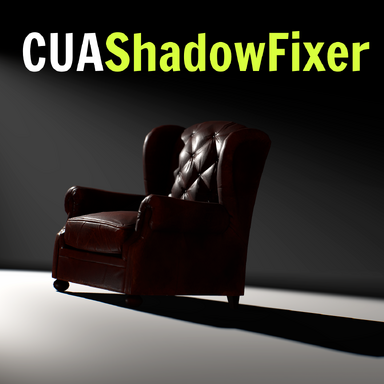
Chair in the thumbnail is Leather armchair by Ghostwalden
Chair in the thumbnail is Leather armchair by Ghostwalden