

Credits: Ferrari 488 GTB from Ztulian (Link). The .var does not contain the scene and objecs used to showcase the plugin.
What is this for?
This plugin supports you to easily record beautiful camera rides to existing timeline animations, both in desktop and VR.
What is in it?
The .var contains a plugin script and a preset file for an Empty Atom. The plugin is the main tool to record your camrides.
How to Use
Please consider watching the introductory video below.
This plugin works both in desktop mode and in VR mode.
You will need Acid Bubble's Timeline (Link) version 289 or newer. Oder versions of timeline are not compatible.
The plugin involves json injection. Use this on a separate save of your scene to avoid losing data in case anything goes wrong (I have not experienced any so far).
1. Open any existing scene containing at least one atom with AcidBubbles' Timeline v289 or newer (Link) and your animation(s). Ensure the animations are properly configured (animation lengths, looping on/off, sequencing etc.).
2. Add the 'Easy CamRide Creator' plugin to any atom in the scene. Open the plugin's UI.
3. In the plugin, select the person atom with your timeline animations in the dropdown list and click on 'Add CamRide Layer'. This will setup same-name animations on a new 'CamRide' layer in timeline for each existing animation. These animations will later contain your camera ride and auto play in sync with your main animations.
4. Position your player camera view at the starting point of your camride and record the first camride keyframe (press 'Capture'). Use the plugin's timeline controls to proceed through the animation ('Play', 'Pause', 'Reset', and adjustable '+/- sec'). Periodically record camride keyframes (e.g. each 5 sec). Don't forget to keyframe the start and end of each animation. Repeat this for all animations.
5. Adjust individual camride keyframes by navigating with the '+/- Keyframe' buttons. You can re-capture a keyframe over an existing one, or delete it.
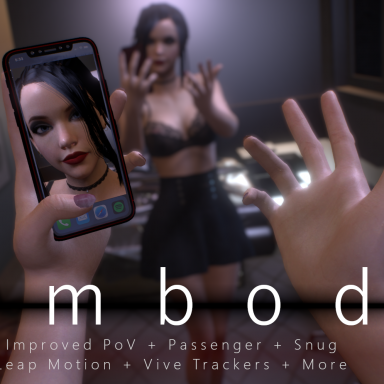
6. Test your camride in realtime by hitting 'Play' and 'Embody' (ESC to leave).
Controls
Videos
Credits: Scene 'BoomBox Stretch!' by VamTimbo. The shown camera ride has been captured with this plugin. Scene contents are not included in this .var.
Limitations
If a person hosts two instances of timeline, the first one is used.
Hints
Updating Timeline: If your animations are on an timeline version 287 or older, just click 'Select File....' of the old timeline plugin and choose the most recent timeline package. This will update timeline, but keep all animations.
Feedback
Feedback is appreciated! Feel free to let me know what you missed or liked, or leave a comment in the discussion. I will try to improve my plugins based on user input. In case of reporting bugs, please provide a detailed description of the steps that lead (reproducibly) to the error, or provide a video. Have fun creating beautiful camrides!