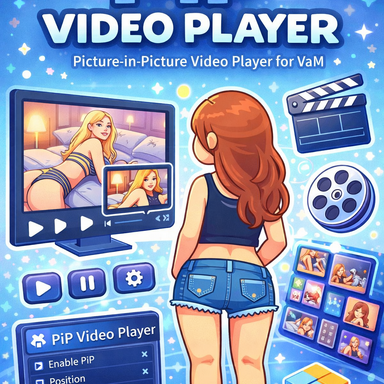


Usage is simple, and you can understand it intuitively by watching the demo video.
All features can be controlled through external triggers, including play, stop, and video selection.
Video Sources
This plugin supports two video playback methods.- Local Video (Browser Method)
- Loads and plays videos through a local file path.
- Supported format: MP4 (H.264 / AAC)
- Video files included inside a VAR cannot be read through this method.
- AssetBundle Video (Recommended for Distribution)
- Videos can be included inside a Unity AssetBundle and played from there.
- The AssetBundle can be included in the VAR package, allowing playback without requiring a separate file path setup.
- This is the most stable method for scene distribution.
- However, larger video files may result in longer loading times.
Display Modes
This plugin provides two display modes.- PIP Mode (HUD Method)
- The video is fixed to the user’s view and stays in the same screen position even when the camera/view direction changes.
- World Mode (Screen Method)
- The video exists inside the scene as a real object, such as a Quad screen.
- Its position changes depending on the camera/view movement, just like a screen placed in the environment.
Distribution Notes
- When using local videos:
(Based on v3)- When using local videos:
- You can directly specify and use video files from a local path.
- Starting from this version, videos packaged together with a scene inside a VAR are also supported.
- Packaged videos are automatically copied to the cache folder by the plugin and then loaded like local videos.
- Cache files are created in the following path:
- Custom\PluginData\bqbq\PipSimpleVideo\VideoCache
- The cache can be easily removed from within the plugin.
- However, if you save a packaged scene again as a local JSON file, the video path may be treated as missing.
- Because of this, it is recommended to use the JSON save file included inside the VAR package, or to use the AssetBundle method instead.
- When using AssetBundle videos:
- If the AssetBundle is included in the VAR, the videos can be played without any separate file setup.
- Since larger video files may increase loading times, lightweight videos are recommended.
Important Notes
- If Seek Time or related functions are used while the playback speed is not set to 1.0, an error will occur.
→ Make sure the playback speed is set to 1.0 before using these functions.
- Supported format: MP4 (H.264 / AAC)
- Tested in VR environment.
The video-related logic was implemented with reference to the RenderVideo by creator ‘VamilaCode.’

RenderVideo - Plugins + Scripts -
RenderVideo This simple plugin allows you to play your local videos on VaM devices. No need to turn on the web browser. Supported Atoms CyberpunkLaptop CyberpunkComputer CyberpunkControlScreen CyberpunkTablet AptSmartTV DreamHomeTV Image...
 hub.virtamate.com
The code related to splitting features into group tabs was referenced from moyashi post-processing plugin.
Plugins + Scripts - Post Processing
moyashi submitted a new resource: Post Processing - Configurable post processing scene plugin Consider this a beta/early version, there may be bugs, but it's been stable enough for me that I think it's okay to release. I'm actively working on adding more features and fixing issues, but let me...
hub.virtamate.com
Distribution of videos with copyright or legal issues is prohibited.
This plugin only provides the ability to load or package video files prepared by the user. It does not guarantee that the user has the copyright or distribution rights for those videos.
Users are responsible for confirming that they have the proper rights and legal permission to distribute any video files they include.
I am not responsible for any copyright disputes, legal issues, or distribution problems that may arise from the use or distribution of such videos.