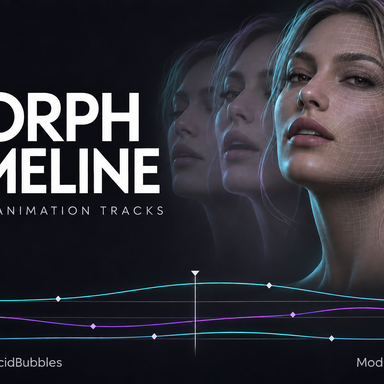
Morph Timeline

Plugins + Scripts Morph Timeline

Download [<1 MB]

bqbq

Well-known member
Joined
Apr 29, 2024
Messages
305
Solutions
1
Reactions
1,106
bqbq submitted a new resource:

Morph Timeline - Morph, Timeline, AcidBubbles,

View attachment 641473


Morph Timeline — A Morph-Focused Timeline Plugin

Morph Timeline is based on AcidBubbles’ Timeline, adapted specifically for creating and playing morph animations.

Using the original timeline and keyframe editing workflow, you can animate facial expressions and body morph values over time. Combine multiple morphs into clips, loop them, or sequence them together. Trigger tracks and audio features are also included to support morph...

Read more about this resource...
 
I feel I should give you a word of caution because of what happened to @LightningBunny when they released the timeline fork "LightningBunny Workshop"

A *LOT* of people use Timeline. It has over 30 *million* downloads. Be prepared for the possibility that if your fork of Timeline gains interest, you may get more attention (both positive and negative) than you bargained for. We wish you the best of luck! 💕
 
I feel I should give you a word of caution because of what happened to @LightningBunny when they released the timeline fork "LightningBunny Workshop"

A *LOT* of people use Timeline. It has over 30 *million* downloads. Be prepared for the possibility that if your fork of Timeline gains interest, you may get more attention (both positive and negative) than you bargained for. We wish you the best of luck! 💕
This is my first time seeing this plugin, but it looks interesting. It seems to have quite a few features. Thanks for letting me know about it
 
Hey, haven't tested it yet, but is it any different than just having separate normal timeline instance that is not synced to other ones? Usually I use one timeline (LightingBunny fork) to control body movement and second (unsynced) to control morphs/breathing.
 
Hey, haven't tested it yet, but is it any different than just having separate normal timeline instance that is not synced to other ones? Usually I use one timeline (LightingBunny fork) to control body movement and second (unsynced) to control morphs/breathing.
Sometimes, when I play a Timeline animation, other Timeline animations attached elsewhere start playing as well due to synchronization. This makes it difficult to incorporate multiple facial expressions into a single animation.
On the other hand, duplicating multiple clips for random playback increases the file size. This might not be an issue for those who are already skilled at working with layers, though.
 
i animates morph using regular timeline, for finger bends and expression. i never modify the curve. can someone tell me what scenario would i use this for? i'm interested if this could make my work easier.
 
Back
Top Bottom