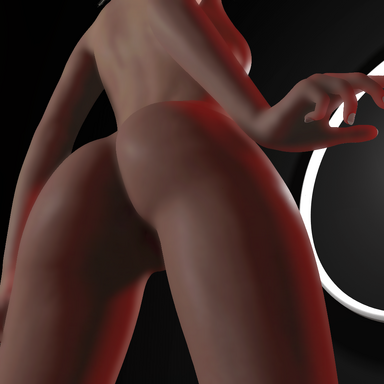
SkinSSS - Subsurface Scattering & Custom Skin Shading

Paid Plugins + Scripts SkinSSS - Subsurface Scattering & Custom Skin Shading

Go to pay site
Hello, does your plugin work with VaM 1.22.0.3? I'm using the May 2023 version of VaM, so I'd like to know if it's compatible.
to be honest i only tested it on the latest vam version, i will do a test and let you know if it does work for 1.22.0.3
 
Last edited:
Skynet updated SkinSSS V9 - Subsurface Scattering & Custom Skin Shading with a new update entry:

update v10

-- Improvements & Fixes:
- Reverted MSAA support as it costed extra performance with no added quality.
- Adjusted "Enable SSS" toggle to only switch off SSS blur pass & denoiser pass, leaving other effects applied for more granular control over the plugin effects. (to turn off all effects simply disable skinSSS from plugins tab)
- Excluded postfx overlay cameras from skinSSS, preventing performance cost duplication.

Read the rest of this update entry...
 
Last edited:
I remember older attempts at SSS had problems with Tattoos/Skin Overlays. Does this apply to yours aswell?
 
I remember older attempts at SSS had problems with Tattoos/Skin Overlays. Does this apply to yours aswell?
it has a feature called SSS luminance which allows black colored tattoos to look normal without SSS, alongside excluding similar things like eyebrows, scalp... etc
 
Skynet updated SkinSSS V12 - Subsurface Scattering & Custom Skin Shading with a new update entry:

update v12

-- New Features & Improvements:
- New SSS Quality mode, will use Christensen-Burley diffusion for scattering. Same method used in blender's real-time EEVEE renderer with custom passes that scatter irradiance pass only to preserve texture details, brows, scalps and tattoos without requiring luminance threshold.
- Individual light channel scattering settings used by blender's EEVEE, when quality mode is active for more granular control over...

Read the rest of this update entry...
 
im not familiar with blender, can you give some example shot comparision between blender and vam?
 
Skynet updated SkinSSS - Subsurface Scattering & Custom Skin Shading with a new update entry:

update v14

-- New Features & Improvements:
- Fixed Red Tint on mirror reflections when skinSSS was active.
- Added support for SSS on mirrors, can be disabled via "Mirror Support" toggle in misc tab.
- Improved SSS masking accuracy around skin boundaries when using MSAA.
- Improved Denoiser for Quality mode.
- Fixed Memory leak for both performance & quality modes.

Read the rest of this update entry...
 
This plug in is good, but have one problem. When i load it work ok , but when i zoom out skin go blur (probably low details) when when i zoom in again it keep in that sate(no details). Only way to make it work is to reload the plug in. Is there a way this to be fixed ?
 
This plug in is good, but have one problem. When i load it work ok , but when i zoom out skin go blur (probably low details) when when i zoom in again it keep in that sate(no details). Only way to make it work is to reload the plug in. Is there a way this to be fixed ?
not sure what you mean, head to my discord and share some examples there
 
Hmm ok step by step:

1.I Load plug in in model ( try also in session and scene same , i know its say is no more atom plug in but still work)
2.Plug in work , details of the skin are good (in close view)
3. I zoom out from the atom
4. After some distance/space details disappear skin get more blur / gloss effect
5.I zoom in again (get close to atom)
6.No skin details are back as i expect
7.To get back skin details i need to reload plug in

Is it possible to do this i dont know the reason but maybe turn of details option , probably for low hardware pc`s be turned of.
AI says this : The shader fails to re-trigger the high-detail computation when you zoom back in, leaving the material locked in its low-detail state.Because reloading the plugin is the only action that restores the details, the issue is a plugin logic freeze. When you zoom out, the plugin disables high-resolution maps to save performance, but a coding error or caching loop prevents it from detecting when the camera has returned. close
 
Last edited:
Hmm ok step by step:

1.I Load plug in in model ( try also in session and scene same , i know its say is no more atom plug in but still work)
2.Plug in work , details of the skin are good (in close view)
3. I zoom out from the atom
4. After some distance/space details disappear skin get more blur / gloss effect
5.I zoom in again (get close to atom)
6.No skin details are back as i expect
7.To get back skin details i need to reload plug in

Is it possible to do this i dont know the reason but maybe turn of details option , probably for low hardware pc`s be turned of.
AI says this : The shader fails to re-trigger the high-detail computation when you zoom back in, leaving the material locked in its low-detail state.Because reloading the plugin is the only action that restores the details, the issue is a plugin logic freeze. When you zoom out, the plugin disables high-resolution maps to save performance, but a coding error or caching loop prevents it from detecting when the camera has returned. close
head to my discord and record & send a video clip of the problem because i canno't recreate it on my end
 
Skynet updated SkinSSS - Subsurface Scattering & Custom Skin Shading with a new update entry:

update v15

-- New Features & Improvements:
- Added New Oren-Nayar Diffuse shading Model. (slightly more realistic diffuse response to lights)
- Fixed subtle banding artifacts on skin when using Quality SSS mode.
- Fixed subtle banding artifacts on skin when using Denoiser in Performance Mode.
- Fixed some ambiguous cases in masking male atoms when using Embody plugin.
- Fixed an additional memory leak source.
- Fixed preformance mode's pitch black color leakage...

Read the rest of this update entry...
 
Back
Top Bottom