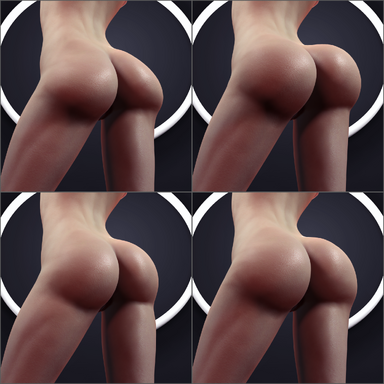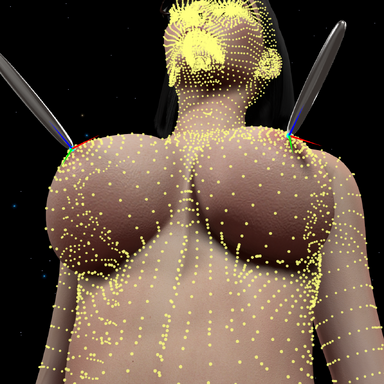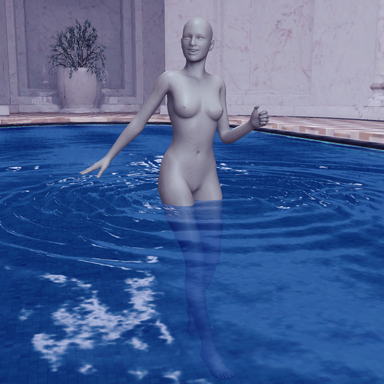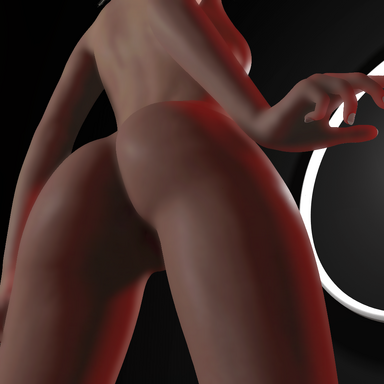



-- Description:
- Plugin that aims to increase skin rendering realism by replacing the native skin shader with added screen-space subsurface scattering method from blender's EEVEE renderer with an alternative performance mode using Jimenez Method. Also comes with skin normal detail feature + shader based translucency approximation as bonus.
-- Contents:
- SkinSSS script files, mask textures, skin detail normal textures and shaders packed in an assetbundle file.
-- How to use?
- Simply load SkinSSS.cslist as a session plugin.
- You can also load it as a scene plugin (or person plugin) for scene-specific settings.
-- Features:
- Highly optimized, Performance mode only takes up about 1ms ~ of frame time, while Quality mode takes up about 2ms ~ of frame time.
- Two different Subsurface scattering approximation methods, Jimenez method for performance and Blender's EEVEE method for quality.
- Hardware mask for pixel accurate masking of clothing items, hair strands, scene objects.
- Shader based Translucency approximation.
- Skin details feature, Tiled normal maps for higher skin fidelity at close up viewing distances.
- Multi person atom support with manager to selectively apply the effect to person atoms in scene.
- Embody POV mode compatible. (By using ignore head & mouth area toggles for male atoms)
- Toggle to use GGX reflectance shading model. (similar to blender's specular shading)
- SSS Luminance range feature for performance mode, Excludes SSS from dark features like eyebrows, scalp or tattoos.
- VR rendering supported.
- Adaptive Tessellation for better skin geometry resolution without affecting performance by much, with default mask textures that exclude the scalp area to prevent clipping with scalp meshes.
- Supports VaM's native window camera, screenshot cameras and Macgruber's SuperShot high resolution screenshot camera.
- Tooltips system for detailed explanation for each plugin UI element.
- Can load your own custom SSS, Tessellation, Tessellation override & Skin Details textures.
- Presets system.
-- Tips:
- You don't have to worry about messing around with clothing render queues anymore, Hardware mask takes care of it all starting from v12.
- SSS will render through clothing transparency allowing for transparent clothing or layered clothing items to be equipped without a hard cutoff.
- To further improve performance lower "SSS Denoiser" value or disable it altogether from the toggle.
- To save performance in desktop mode, make sure to manually select the camera used as the plugin will render on all active cameras with Auto-Detect selected which can tank fps if multiple cameras are enabled for example both player view camera + window camera.
-- SSS Quality Mode Preview:
-- SSS Performance Mode Preview:
-- GGX shading & Tessellation Preview:
-- Skin Details Preview:
-- Backlighting translucency Preview:
-- Multi Person Atom Manager & Embody plugin compatibility preview:
-- Comparison snaps for various skin tones:
* Left is no SSS.
* Center is Performance SSS w/ default values.
* Right is Quality SSS w/ default values.


-- Comparison snaps for genitals:
* Left is no SSS.
* Center is Performance SSS w/ default values.
* Right is Quality SSS w/ default values.

-- Comparison snaps for body:
* Top is no SSS.
* Center is Performance SSS w/ default values.
* Bottom is Quality SSS w/ default values.

-- Plugin reference credits:
- @MacGruber for Utils.
- @regguise for CustomShaderLoader.
-- Preview clips credits:
- @Acid Bubbles for Embody plugin.
- @NoStage3 For Upswept Hair.
- Plugin that aims to increase skin rendering realism by replacing the native skin shader with added screen-space subsurface scattering method from blender's EEVEE renderer with an alternative performance mode using Jimenez Method. Also comes with skin normal detail feature + shader based translucency approximation as bonus.
-- Contents:
- SkinSSS script files, mask textures, skin detail normal textures and shaders packed in an assetbundle file.
-- How to use?
- Simply load SkinSSS.cslist as a session plugin.
- You can also load it as a scene plugin (or person plugin) for scene-specific settings.
-- Features:
- Highly optimized, Performance mode only takes up about 1ms ~ of frame time, while Quality mode takes up about 2ms ~ of frame time.
- Two different Subsurface scattering approximation methods, Jimenez method for performance and Blender's EEVEE method for quality.
- Hardware mask for pixel accurate masking of clothing items, hair strands, scene objects.
- Shader based Translucency approximation.
- Skin details feature, Tiled normal maps for higher skin fidelity at close up viewing distances.
- Multi person atom support with manager to selectively apply the effect to person atoms in scene.
- Embody POV mode compatible. (By using ignore head & mouth area toggles for male atoms)
- Toggle to use GGX reflectance shading model. (similar to blender's specular shading)
- SSS Luminance range feature for performance mode, Excludes SSS from dark features like eyebrows, scalp or tattoos.
- VR rendering supported.
- Adaptive Tessellation for better skin geometry resolution without affecting performance by much, with default mask textures that exclude the scalp area to prevent clipping with scalp meshes.
- Supports VaM's native window camera, screenshot cameras and Macgruber's SuperShot high resolution screenshot camera.
- Tooltips system for detailed explanation for each plugin UI element.
- Can load your own custom SSS, Tessellation, Tessellation override & Skin Details textures.
- Presets system.
-- Tips:
- You don't have to worry about messing around with clothing render queues anymore, Hardware mask takes care of it all starting from v12.
- SSS will render through clothing transparency allowing for transparent clothing or layered clothing items to be equipped without a hard cutoff.
- To further improve performance lower "SSS Denoiser" value or disable it altogether from the toggle.
- To save performance in desktop mode, make sure to manually select the camera used as the plugin will render on all active cameras with Auto-Detect selected which can tank fps if multiple cameras are enabled for example both player view camera + window camera.
-- SSS Quality Mode Preview:
-- SSS Performance Mode Preview:
-- GGX shading & Tessellation Preview:
-- Skin Details Preview:
-- Backlighting translucency Preview:
-- Multi Person Atom Manager & Embody plugin compatibility preview:
-- Comparison snaps for various skin tones:
* Left is no SSS.
* Center is Performance SSS w/ default values.
* Right is Quality SSS w/ default values.
-- Comparison snaps for genitals:
* Left is no SSS.
* Center is Performance SSS w/ default values.
* Right is Quality SSS w/ default values.
-- Comparison snaps for body:
* Top is no SSS.
* Center is Performance SSS w/ default values.
* Bottom is Quality SSS w/ default values.
-- Plugin reference credits:
- @MacGruber for Utils.
- @regguise for CustomShaderLoader.
-- Preview clips credits:
- @Acid Bubbles for Embody plugin.
- @NoStage3 For Upswept Hair.