
• Hi Guest!

    We are extremely excited to announce the release of our first Beta1.1 and the first release of our Public AddonKit!
    To participate in the Beta, a subscription to the Entertainer or Creator Tier is required. For access to the Public AddonKit you must be a Creator tier member. Once subscribed, download instructions can be found here.

    Click here for information and guides regarding the VaM2 beta. Join our Discord server for more announcements and community discussion about VaM2.
  • Hi Guest!

    VaM2 Resource Categories have now been added to the Hub! For information on posting VaM2 resources and details about VaM2 related changes to our Community Forums, please see our official announcement here.
Virtual Sweetheart ReLoaded

Paid Scenes Virtual Sweetheart ReLoaded

Go to pay site
TGC updated Virtual Sweetheart ReLoaded with a new update entry:

Update v65 (31.12.25) "Shortcuts"

Whats New

  • Shortcut Animations
    I've added some new animations for quick transitions to sex poses.
    From standing in front of the bed, you can now directly switch to
    missi1, missi2, doggy1 and doggy2.
    View attachment 554413
    Also there are new transitions from "turned around" to doggy2
    and from missi1 to doggy3.
    View attachment 554414
  • "Intro Speech Interrupters"
    I’ve added triggers so the girl...

Read the rest of this update entry...
 
i see, i checked my dep folders, and that plugin is already there. ill keep messing witht he plugin/menu and see if i can try figuring it out
Oh ok, maybe you accidentally did not allow to execute it? Please check the "AcidBubbles.Passenger.4.prefs" inside the "AddonPackagesUserPrefs" folder with editor. The text inside should look like this:

{
"pluginsAlwaysEnabled" : "true",
"pluginsAlwaysDisabled" : "false"
}
 
TGC updated Virtual Sweetheart ReLoaded with a new update entry:

Update v66 (18.01.26) "Desktop Playability Part1"

Whats New

  • Added Slapping & Choking Buttons and Animations for BedXXX Positions
    These are the poses with added slapping and choking buttons:
    View attachment 559173
    To activate them, you will need to press the "+" button:
    View attachment 559172
    I've also added slapping buttons to the UI-Assist Preset.
    The "+" button still needs to be pressed beforehand, because it activates the feature.

    Here is a demo clip:

    ...

Read the rest of this update entry...
 
TGC updated Virtual Sweetheart ReLoaded with a new update entry:

Update v67 (27.01.26) "Desktop Playability Part2"

Whats New

Fixes/Changes

  • Increased how quickly the skin reddens after slapping and slightly sped up the redness decay (for face, titties and thighs)
  • Fixed a bug where sextalk phrases could...

Read the rest of this update entry...
 
TGC updated Virtual Sweetheart ReLoaded with a new update entry:

Update v68 (31.01.26)

Whats New

  • Added more Music Tracks and 2 New Radio Stations
    View attachment 562943

    "Midnight Dub" has 11 tracks,
    "Fresh Tunes" has 14.
    There are also 9 new tracks for "Relax FM"
    and 3 new tracks in "Deep Station"
  • Added Randomized Thrust Speed for the Girl
    I’ve added an optional "Thrust Float" toggle for the girl’s hip and chest force period randomization (The "Thrust Forces" toggle has been relocated btw):
    View attachment 562944
    Enabling this toggle...

Read the rest of this update entry...
 
TGC updated Virtual Sweetheart ReLoaded with a new update entry:

Update v69! (14.02.26) "Mocap Integration"

Whats New

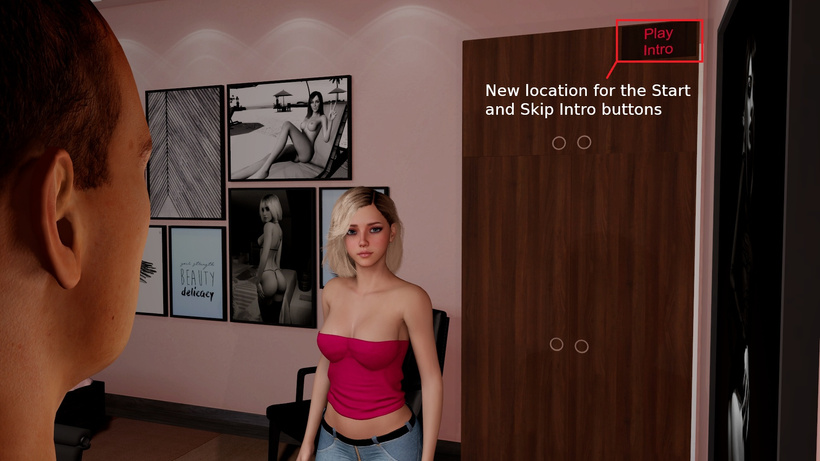
  • New Intro
    1.jpg
  • Two New Sex Positions

    Preview Clip:
    Positions marked with * are...

Read the rest of this update entry...
 
TGC updated Virtual Sweetheart ReLoaded with a new update entry:

Update v70 (22.02.26) "More Sex Mocaps"

Whats New

  • Added 9 Mocaps to XXX Bed Positions
You need to activate the "Enable Mocaps" toggle before clicking the pose buttons, for the mocaps to start during sex.
I made it this way because otherwise desktop slaps and choking would not work properly due to head movement during mocaps.

View attachment 568514

Here's also a short demo clip showing how it works:
...

Read the rest of this update entry...
 
TGC updated Virtual Sweetheart ReLoaded with a new update entry:

Update v71 (28.02.26) "More Sex Mocaps 2"

Whats New

  • Added 7 more mocaps to XXX bed positions
    and replaced the BedM8 mocap with a slightly more "expressive" one
    View attachment 570374
    Here’s a clip with some new mocap previews:
  • Added a new gaze blend (with increased dampers) to most player-facing XXX mocaps
    so the girl now looks back at the player after penis pullout, instead of looking to the...

Read the rest of this update entry...
 
TGC updated Virtual Sweetheart ReLoaded with a new update entry:

Update v73 (05.04.26) "Chair Part"

Preview Clip:


Whats New

Added "Chair Part" for sitting gameplay


Currently includes BJ, Cowgirl, and Reverse Cowgirl.
You can start it using the button above the door (the same button also resets the part to the beginning)
View attachment 580633

After that, an UI will appear on your left where you can change clothes, play music, or start sexy activities
View attachment 580634

The sexy activities don’t start...

Read the rest of this update entry...
 
TGC updated Virtual Sweetheart ReLoaded with a new update entry:

Update v74 (12.04.26) "Transition Animations for the Chair Part"

Whats New

  • Added direct transition animations between sex activities
    Now you can directly switch between:
    BJ → Cowgirl
    BJ → Reverse Cowgirl
    Cowgirl → BJ
    Cowgirl → Reverse Cowgirl
    Reverse Cowgirl → BJ
    Reverse Cowgirl → Cowgirl
Changes/Fixes

  • Improved BJ on Chair Part
    Increased dampers on girls head to reduce head jittering during BJ
    Dudes penis nodes switch to comply during BJ for more stability
  • Fixed incorrect voice...

Read the rest of this update entry...
 
Hi everyone,
I ran into the following issue when opening the scene. Could anyone help explain it?
 
Hi everyone,
I ran into the following issue when opening the scene. Could anyone help explain it?
View attachment 583202
The dude shoud teleport to "action" pose. Looks like there is an error with some plugin. Please try after restarting the scene and if this still happens, then send me your error log, after the scene is loaded.
 
This is how it should look like for comparison:
 
Thank you, TGC.
Here is my error log.
Some asset bundles are already included in the VAR package, but they are still reported as “not valid.”
!> Error during attempt to load assetbundle SELF:/Custom/Assets/TGC/TGC_Virtual Sweetheart ReLoaded/boombox.assetbundle. Not valid
!> Error during attempt to load assetbundle SELF:/Custom/Assets/TGC/TGC_Virtual Sweetheart ReLoaded/mediumwardrobe.assetbundle. Not valid
The dude shoud teleport to "action" pose. Looks like there is an error with some plugin. Please try after restarting the scene and if this still happens, then send me your error log, after the scene is loaded.

Screenshot 2026-04-15 233000.png
 

Attachments

  • Eror.txt
    10 KB · Views: 0
Thank you, TGC.
Here is my error log.
Some asset bundles are already included in the VAR package, but they are still reported as “not valid.”
!> Error during attempt to load assetbundle SELF:/Custom/Assets/TGC/TGC_Virtual Sweetheart ReLoaded/boombox.assetbundle. Not valid
!> Error during attempt to load assetbundle SELF:/Custom/Assets/TGC/TGC_Virtual Sweetheart ReLoaded/mediumwardrobe.assetbundle. Not valid


View attachment 583207
Oh ok thats strange, also checking your error log I noticed this "!> Plugin file Custom/Scripts/MeshedVR/FloatParamRandomizer.cs does not exist".
FloatParamRandomizer is usually inside VaM by default, since it's a plugin from MeshedVR.

So you might have a corrupted VaM installation or you have VaM on you C: drive, which also could cause errors.
Your sweetheart download is probably also eather corrupted or VaM on C: is causing this error.

Other then that you have many duplicate files, which you can delete, but those usually do not cause issues as far as I know.
 
Oh ok thats strange, also checking your error log I noticed this "!> Plugin file Custom/Scripts/MeshedVR/FloatParamRandomizer.cs does not exist".
FloatParamRandomizer is usually inside VaM by default, since it's a plugin from MeshedVR.

So you might have a corrupted VaM installation or you have VaM on you C: drive, which also could cause errors.
Your sweetheart download is probably also eather corrupted or VaM on C: is causing this error.

Other then that you have many duplicate files, which you can delete, but those usually do not cause issues as far as I know.
Thank you very much. I will try reinstalling VAM and report back on the situation.
 
Back
Top Bottom