

How can i turn this off

You are using an out of date browser. It may not display this or other websites correctly.
You should upgrade or use an alternative browser.
You should upgrade or use an alternative browser.

Plugins + Scripts Orifice Dynamics
- Thread starter Skynet
- Start date

you can't because it's locked on purpose, it's necessary for plugin functionalityHow can i turn this off View attachment 568491
sorry i worded it wrong...i meant to say only the bulge doesn't work after a while. I dont toggle the plugin on or off before the bulge stops working. Ive updated to v25 and its still the same. Anyone else ?this is likely because of a bug that occurs if you toggle the plugin off & on, it is fixed in the upcoming v24 update. soon to be posted
i couldn't recreate the problem, can you send me the scene file you're having problems with?sorry i worded it wrong...i meant to say only the bulge doesn't work after a while. I dont toggle the plugin on or off before the bulge stops working. Ive updated to v25 and its still the same. Anyone else ?
Last edited:
Skynet updated Orifice Dynamics with a new update entry:
update v26
Read the rest of this update entry...
update v26
-- Fixes & Improvements:
- Optimized heap memory usage to 0.1MB/s~ down from previous 0.2MB/s~.
- Fixed Optimized Mass & Friction from getting applied to male atoms via detecting male hands or tongue, should only apply through detecting gens.
- Refined Collision filter list in deep penetration (Restored normal collision with some Thigh colliders to prevent clipping for CUA penetrators)
- Optimized performance to 0.2ms ~ down from previous 0.5ms ~ in frame time.
Read the rest of this update entry...
Skynet updated Orifice Dynamics with a new update entry:
update v27
Read the rest of this update entry...
update v27
** Not directly backwards compatible, needs .cs to .cslist rename in scene save .json file. **
-- New Features & Improvements:
- Re-Designed plugin UI with collapsible header menus, their state can be saved & restored with presets.
- Added tooltips system to all UI elements for a cleaner UI look, now the info texts only show on hovering upon UI elements. (can disable in advanced tab)
- Split visual...
Read the rest of this update entry...
Skynet, its a bit awkward but you can use the original .cs file and a stub/loader for your new .cslist to allow old save files to still load without user modification.Skynet updated Orifice Dynamics with a new update entry:
update v27
Read the rest of this update entry...
I had to do this with VAM_Decal_Maker.cs
- The stub CS file stores the old save json
- Checks if the cslist version has been loaded
- Adds the cslist addon version
- Sends savedata to the cslist version
- Removes the *.CS stub file from the addons list
hmm interesting, i didn't know this work around existed. i might look into it for future updatesSkynet, its a bit awkward but you can use the original .cs file and a stub/loader for your new .cslist to allow old save files to still load without user modification.
I had to do this with VAM_Decal_Maker.cs
- The stub CS file stores the old save json
- Checks if the cslist version has been loaded
- Adds the cslist addon version
- Sends savedata to the cslist version
- Removes the *.CS stub file from the addons list
Edit: i just tried your method to migrate and it worked, but i noticed it removes the plugin slot it was originally loaded in and creates a new plugin slot. i can see this potentially causing problems for timeline triggers or animation targets or triggers in general that depend on the exact plugin slot number to work, unless i'm doing something wrong?
Last edited:
Skynet updated Orifice Dynamics with a new update entry:
update v28
Read the rest of this update entry...
update v28
-- Small Addition & Fix:
- Added custom "Mouth Open Wide 1 Custom" morph to fix lip sync / jaw drive from sound, plugin will now drive it's own unique custom morph without conflicts with other plugins like vammoan or bodylanguage that use the vam native "Mouth Open Wide" morph for example.
Read the rest of this update entry...

you're welcome, here you go:hello @Skynet do you mind sharing your in game settings about the physics . thanks.. Best plugin ever
It's not possible for now as it is important for the plugin to work correctly, in future updates this will no longer be the case thoughCan you unlock these two options, especially the second one? Some people have poor computer performance and need to turn off software physics to get more frames per second
View attachment 576550

Since this update impacts several scenes I've released, I looked into what is being suggested and got the following (hopefully it helps) - — Preserve the slot numberInstead of removing the stub and adding the cslist as a new slot, have the stub replace itself in-place by writing directly to the same plugin slot index it currently occupies. This keeps the slot number stable. - the stub should overwrite its own slot entry rather than delete + append. In VAM's plugin system, if you can get a reference to the MVRPluginManager and directly set the plugin at the existing index, you avoid the slot number churn entirely.hmm interesting, i didn't know this work around existed. i might look into it for future updates
Edit: i just tried your method to migrate and it worked, but i noticed it removes the plugin slot it was originally loaded in and creates a new plugin slot. i can see this potentially causing problems for timeline triggers or animation targets or triggers in general that depend on the exact plugin slot number to work, unless i'm doing something wrong?
yes i have tried to do that but with no luck, the method in MVRPluginManager that can add plugins with a defined slot ID is unfortunately protected and can't be called from plugins.Since this update impacts several scenes I've released, I looked into what is being suggested and got the following (hopefully it helps) - — Preserve the slot numberInstead of removing the stub and adding the cslist as a new slot, have the stub replace itself in-place by writing directly to the same plugin slot index it currently occupies. This keeps the slot number stable. - the stub should overwrite its own slot entry rather than delete + append. In VAM's plugin system, if you can get a reference to the MVRPluginManager and directly set the plugin at the existing index, you avoid the slot number churn entirely.
I'm wondering if this new iteration should be like a Orifice Dynamics 2 with it's own page, and then put this one back to the last version before the break. This way older scenes work still and new ones can use the new version?
not really as there hasn't been any considerable change to the plugin functionalities, i think most can handle a .cs to .cslist rename in notepad just fineI'm wondering if this new iteration should be like a Orifice Dynamics 2 with it's own page, and then put this one back to the last version before the break. This way older scenes work still and new ones can use the new version?

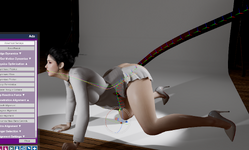
Hello, dear Skynet, could you please kindly help advise why the anal and mouth alignment fail after I pulled out the tentacle from last successful all the way through?It clips and seems collide with the stomache collider. I need to reset the plugin and it is functional again. Kinda repeated manual work.
And sometimes the tip will clip at the mouth, will you please let me know how to adjust ? Many thanks
And sometimes the tip will clip at the mouth, will you please let me know how to adjust ? Many thanks
Attachments
Last edited:
you should use it in conjunction with puppeteer loaded on the tentacle, add physics controllers to the tentacle tip and mid bones to help guide the tentacle better. you can animate the controllers afterwards for in/ out penetration, should look something like this:Hello, dear Skynet, could you please kindly help advise why the anal and mouth alignment fail after I pulled out the tentacle from last successful all the way through?It clips and seems collide with the stomache collider. I need to reset the plugin and it is functional again. Kinda repeated manual work.
And sometimes the tip will clip at the mouth, will you please let me know how to adjust ? Many thanks
Last edited:
Thanks a lot, Skynet.you should use it in conjunction with puppeteer loaded on the tentacle, add physics controllers to the tentacle tip and mid bones to help guide the tentacle better. you can animate the controllers afterwards for in/ out penetration, should look something like this:
View attachment 577335

this plugin finally does almost all that deeper did and MORE!
@Skynet I was wondering what you think about the following requests?
1. Is there a way to disable the teeth colliders when doing BJ? for me it seems to make the mouth open wider than necessary. It is SOOO close to being perfect! I've attached some images from an EXTREME example below but as you can see the teeth make the mouth open wider than necessary and especially the bottom teeth, when pulling away, the lips mask this a bit and it actually is perfect sometimes (last image), it's so close and there are so many scenes that will be unlocked once it's fine tuned.
2. Is there any chance you could natively add hands and feet as penetrators? it seems like an edge case but i see lots of potential especially for giant woman/size difference type of scenes. there's a couple scenes i was working on and want to completely switch from Deeper to OrificeDynamics for everything.
3. can we get full support with dildolanguage? it seems to work mostly but things like belly bulge don't seem to work.
4. Is there any chance that this plugin could be adapted to work with HQ physics? Some other plugins/scenes require HQ physics and i think it works better in most instances. i make GAMETIME recordings to make sure physics can keep up.
@Skynet I was wondering what you think about the following requests?
1. Is there a way to disable the teeth colliders when doing BJ? for me it seems to make the mouth open wider than necessary. It is SOOO close to being perfect! I've attached some images from an EXTREME example below but as you can see the teeth make the mouth open wider than necessary and especially the bottom teeth, when pulling away, the lips mask this a bit and it actually is perfect sometimes (last image), it's so close and there are so many scenes that will be unlocked once it's fine tuned.
2. Is there any chance you could natively add hands and feet as penetrators? it seems like an edge case but i see lots of potential especially for giant woman/size difference type of scenes. there's a couple scenes i was working on and want to completely switch from Deeper to OrificeDynamics for everything.
3. can we get full support with dildolanguage? it seems to work mostly but things like belly bulge don't seem to work.
4. Is there any chance that this plugin could be adapted to work with HQ physics? Some other plugins/scenes require HQ physics and i think it works better in most instances. i make GAMETIME recordings to make sure physics can keep up.
Attachments





Last edited:
This works amazing for DP but I'm getting some anus gape popping since I also have body language loaded. Even turning off the gape and in/out of your plugin, I still get pop. But if I remove one of the two plugins, the popping goes away.

Yea ever since the v26 update, all my scenes that use the plugin broke, they're all red instead of the usual grey in the plugin list and it won't load correctly when the scene does, so I have to manually reload Orifice Dynamics every time but it also means reloading the settings with it every time. 

I got it working by disabling and enabling ''deep penetration''. Tongue collision works againRight so, I gave it another shot but no luck. When I disable optimized physics, I still cannot enable tongue collision unless I disable the auto gens gape plugin. Clicking the box to enable tongue collision does nothing. I see a brief flash of a checkmark in the box which immediately disappears, as if it's actively being disabled.
i have said in the update description that you have to rename a keyword in you scene files so it can be backwards compatible + full restoration of settings included. please go check the steps required in the updates pageYea ever since the v26 update, all my scenes that use the plugin broke, they're all red instead of the usual grey in the plugin list and it won't load correctly when the scene does, so I have to manually reload Orifice Dynamics every time but it also means reloading the settings with it every time.
Similar threads


Plugins + Scripts
Dynamic environment lighting
-
- 1
-
 1
1
- Replies
- 21
- Views
- 2K
