• Hi Guest!

    We have posted a new VaM2 dev log on Patreon, starting a monthly cadence of written progress updates between Beta releases. Highlights include the new Gizmos System, Selection Carousel, and Modes System with Context-Specific Editing. Beta1.2 is 15 of 21 items complete.

    Read the full post on Patreon, or follow progress on the public Trello roadmap.
High Performance Volume Light

Plugins + Scripts High Performance Volume Light

Download [<1 MB]
I'm loving the update! Thanks so much for working on this more!! Multiple instances of fog allow you to have a "God rays" effect, which is next-level, imo.

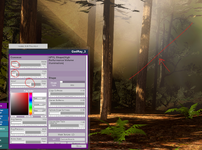
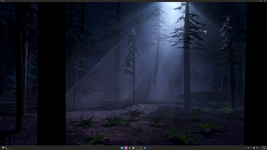
I do have a bug report - when I load a scene with fog boxes, the fog boxes all seem to have reverted to their original/default sizes. If I open the plugin after loading the scene, the size sliders are at the correct values; changing them will cause that parameter to correct itself, the boxes "pop back" to the set size.

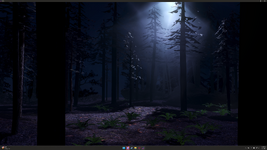
attached pics: Original, with correct boxes; and after loading, with small fog boxes that don't reach to the ground.
 

Attachments
  • vam.exe Screenshot 2026.07.09 - 22.12.10.14.png
    vam.exe Screenshot 2026.07.09 - 22.12.10.14.png
    9.4 MB · Views: 0
  • vam.exe Screenshot 2026.07.09 - 22.07.35.36.png
    vam.exe Screenshot 2026.07.09 - 22.07.35.36.png
    8.7 MB · Views: 0
  • ForestFoxBoxes.png
    ForestFoxBoxes.png
    2.9 MB · Views: 0
Last edited:
I want to add that I am not sure how "Masking" works - I tried loading a random black-and-white PNG file and it appeared to simply turn off the fog box. The "Reload" and "Remove" buttons didn't behave as expected, either - "Reload" turned the fog box back on (with no apparent masking) and "Remove" turned it off again. Hoping we can get some clarity on this functionality at some point!! Would be really cool, if it is what I think it is.
 
Back
Top Bottom