VaM 1.x help with alternative futa please🙏🥺

Threads regarding the original VaM 1.x

Mm3

Member
Joined
Apr 12, 2022
Messages
124
Reactions
11
hi, i love this plugin but i recently discovered a really weird issue with it.

i will try to explain.
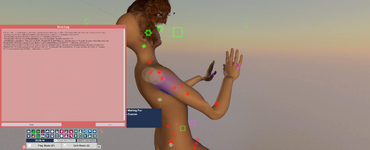
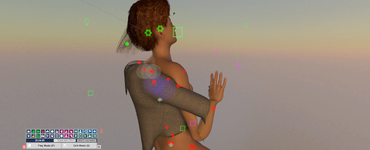
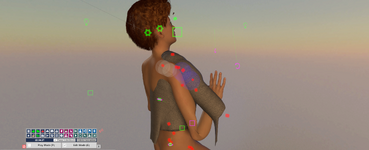
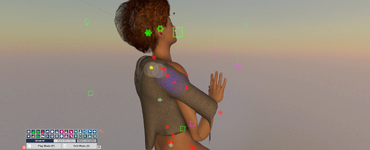
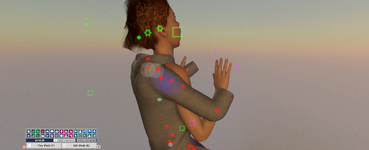
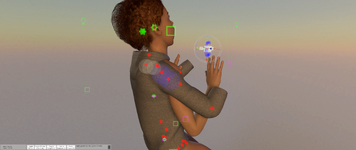
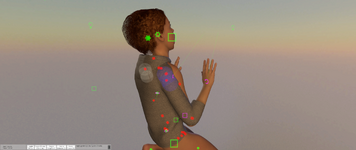
when i open a scene everything is normal i start working on it making position and changing morphs or making animations but after some time the character with the plugin gets frozen.
what i mean is that the character itself stops moving, stuck in place but the colliders and controls still moves like normal
so when i try to move a hand with its control only the colliders move while the figure stuck in place.

i tried anything i could think of, reload the character, delete and add a new figure and then load look.
i don't know what to do and how to stop it from happening
can someone PLEASE help me🙏🥺
 

Attachments

  • Screenshot (552).png
    Screenshot (552).png
    1.5 MB · Views: 0
  • Screenshot (551).png
    Screenshot (551).png
    1.8 MB · Views: 0
  • Screenshot (550).png
    Screenshot (550).png
    1.8 MB · Views: 0
  • Screenshot (549).png
    Screenshot (549).png
    1.9 MB · Views: 0
  • Screenshot (548).png
    Screenshot (548).png
    1.9 MB · Views: 0
  • Screenshot (547).png
    Screenshot (547).png
    2 MB · Views: 0
  • Screenshot (546).png
    Screenshot (546).png
    1.8 MB · Views: 0
You should ask in the plugin's discussion page.
 
There's something in the error log about a subscene. Do you have the AF character in a subscene? Maybe that's the problem.
 
There's something in the error log about a subscene. Do you have the AF character in a subscene? Maybe that's the problem.
Hi thanks for replying!
Can you tell me what a sub scene is?
Should i create a fresh new scene?
 
A subscene is a feature in Vam where you can save a load a collection of things all at once. Sometimes, putting people into subscenes causes problems. All I did was read to the bottom of the error log you posted in the first image above.

Yes, try starting with a new scene, add one person, then add the AF plugin to that person.
 
A subscene is a feature in Vam where you can save a load a collection of things all at once. Sometimes, putting people into subscenes causes problems. All I did was read to the bottom of the error log you posted in the first image above.

Yes, try starting with a new scene, add one person, then add the AF plugin to that person.
I have a lot of assets in my scene i want to use were the problem occurs i tried deleting everything but it didn't help

Can i maybe save the scene with only the assets and lights than load that scene in the fresh new scene with the person?
 
You can merge load a whole scene, just watch out for collisions. Turn off collision on the new person, then merge load the rest from the scene.
 
You can merge load a whole scene, just watch out for collisions. Turn off collision on the new person, then merge load the rest from the scene.
import
!> Could not find any policy for material Custom/Discard

do you maybe know what it means?
 
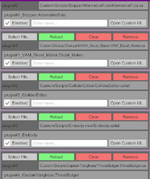
it happened again but i noticed that it happened after i loaded my poses so maybe something in my poses isn't right.
i was working on changing my other person's clothing and everything was ok but then i loaded their poses and its was still ok until they both jumped slightly like the collision explosion but smaller.
i tried reloading with the plugin but i got the same long error message

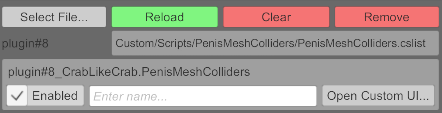
i shared the plugins on my futa and a plugin i use on the male (penis collision).
do you think that maybe one of them is the problem?
 

Attachments

  • Screenshot 2025-11-05 015102.png
    Screenshot 2025-11-05 015102.png
    14.9 KB · Views: 0
  • Screenshot 2025-11-05 015005.png
    Screenshot 2025-11-05 015005.png
    64.2 KB · Views: 0
If you saved poses with the AF in a subscene, don't use those. Try re-creating those poses from scratch. I don't know what else could be doing this.
 
Back
Top Bottom